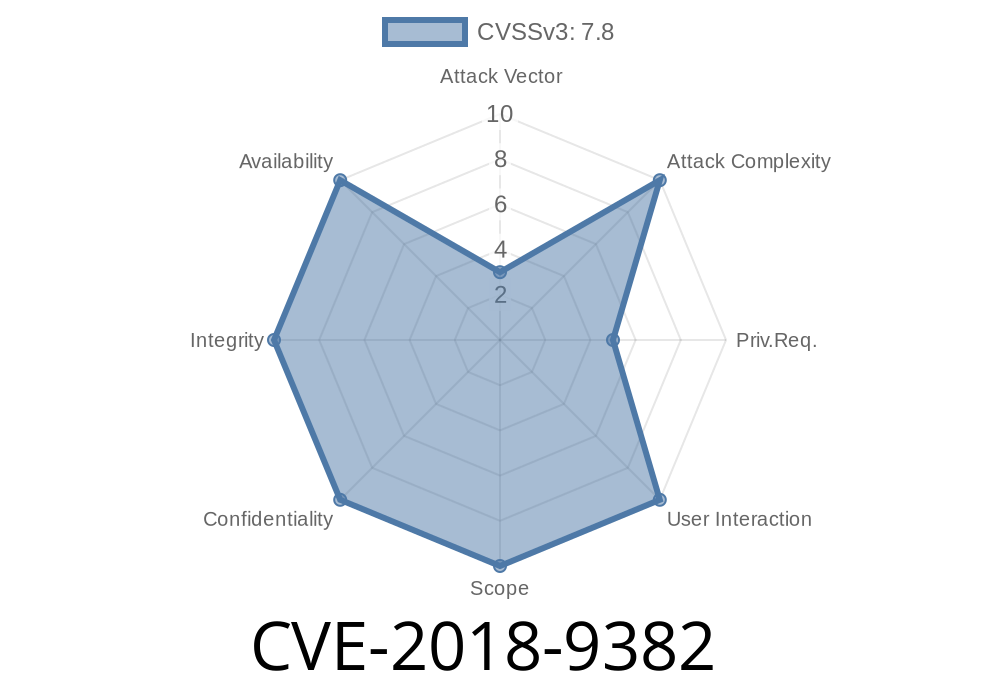
CVE-2018-9382 is a privilege escalation vulnerability discovered in Android’s WifiServiceImpl class. This bug allows a user from a non-owner profile to enable the Wi-Fi hotspot, something typically restricted to device owners or admins. If exploited, a local attacker can significantly impact device security—without needing any user interaction or special app permissions. Let’s break down how this works, show you a simple proof-of-concept, and guide you through official sources for more details.
What Went Wrong?
The core issue lies in missing permission checks in certain functions of WifiServiceImpl.java. Normally, starting a Wi-Fi hotspot should only be permitted by the device owner (the main user/profile on Android). But, because these methods didn’t verify the caller’s permissions or user profile, any local app running on a non-owner profile could simply call the hotspot APIs, bypassing intended security boundaries.
Let’s look at a simplified snippet inspired by affected areas in the real WifiServiceImpl.java
public String startSoftAp(WifiConfiguration config) {
    // ... configuration checks

    // BUG: Missing check for current user (should only be device owner)
    if (!checkCallingOrSelfPermission(android.Manifest.permission.TETHER_PRIVILEGED)) {
        throw new SecurityException("Missing TETHER_PRIVILEGED permission");
    }

    // Start the Wi-Fi hotspot (Soft AP)
    startAccessPoint(config);

    return "Hotspot started";
}
What’s missing?
Although this function checks for the TETHER_PRIVILEGED permission (which system apps have), in Android multi-user environments, it does *not* check if the caller is the primary user (User ).
Since non-owner user profiles get created for things like "guest mode" or "work profiles," the lack of this “owner-only” check is a critical oversight.
You install a simple app there; no special permissions required.
How to exploit:
All the app needs to do is interact with the system service responsible for Wi-Fi hotspot control. This can be done via public APIs if the app manages to call the right functions, or (in some cases) via the command line (adb shell as a secondary user in development environments).
Pseudocode
// No special permissions or user interaction required
WifiManager wifiManager =
    (WifiManager) context.getSystemService(Context.WIFI_SERVICE);

Method method = wifiManager.getClass().getMethod(
    "startSoftAp", WifiConfiguration.class);

method.invoke(wifiManager, null); // Start default hotspot
If the device is vulnerable, the hotspot is started, even though the action was initiated from a non-owner user.
Real-World Impact
- Unauthorized Network Sharing: Secondary or guest users can share mobile data via hotspot, potentially costing the device owner money.
Policy Bypass: Corporate or parental restrictions on hotspot usage can be evaded.
- Security Risk: Unintended devices might connect, additional attack surface for man-in-the-middle attacks.
Android Open Source Project (AOSP):
- AOSP Source – WifiServiceImpl.java
Android Security Bulletin (July 2018):
CVE Directory:
How It Was Fixed
After CVE-2018-9382 was reported, Google patched WifiServiceImpl.java by adding a proper check like so:
UserHandle user = Binder.getCallingUserHandle();
if (user != UserHandle.SYSTEM) {
    throw new SecurityException("Only the device owner can start a hotspot");
}
This code ensures only the device owner (primary profile) can start the Wi-Fi hotspot.
If your device doesn’t get security updates anymore, avoid adding untrusted profiles and apps.
- Admins should review device policies in enterprise/education deployments.
Conclusion
CVE-2018-9382 shows how *a simple missing user check* can let unprivileged users escalate privileges in Android’s multi-user environment. Even though exploiting the bug isn’t possible remotely, it’s a reminder to always follow the principle of least privilege, and to keep all devices up to date.
Learn More
- Wi-Fi Tethering APIs & Permissions
- Android Multi-User Security
- Android Security Best Practices
Stay safe—keep your devices patched and understand those little permission checks!
Timeline
Published on: 01/17/2025 23:15:11 UTC
Last modified on: 03/13/2025 15:15:37 UTC