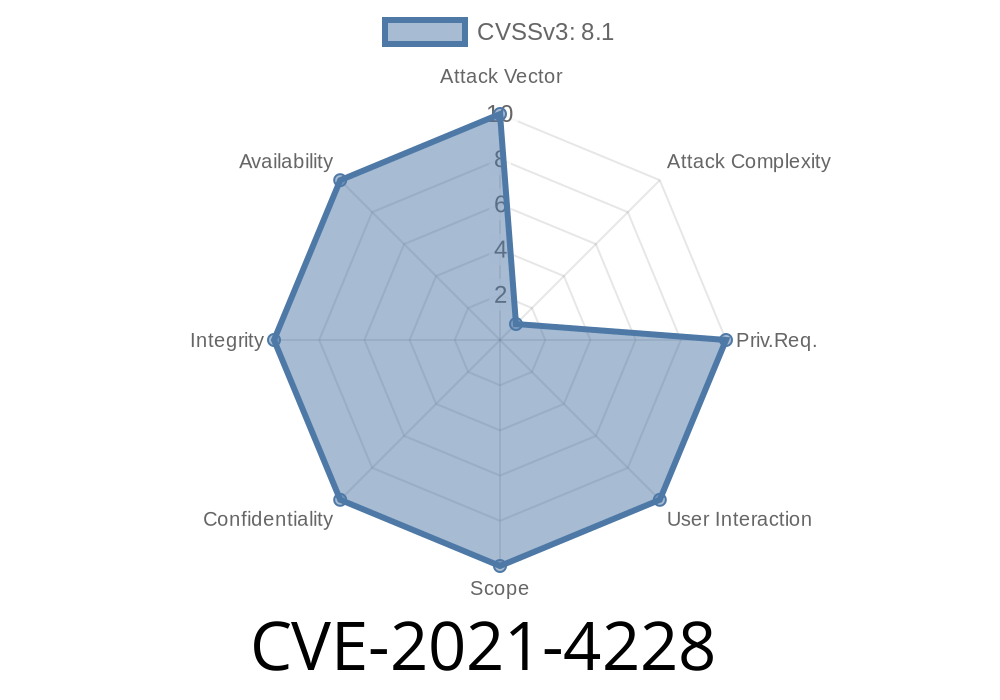
In the world of network security, using HTTPS and TLS (Transport Layer Security) is supposed to keep our data safe from eavesdroppers. But what if your device reuses the same encryption key everywhere—in every unit, in every deployment? This is what happened with CVE-2021-4228. If you use the Lanner Inc IAC-AST250A device (standard firmware version 1.00.), your device might be wide open to attackers, even when using "secure" HTTPS connections.
Let's break down the vulnerability, see how an attacker could exploit it, and discuss what you can do about it.
What is the Lanner IAC-AST250A?
The Lanner IAC-AST250A is a remote management module for industrial computers—a kind of out-of-band management board. It lets companies monitor and control devices in critical applications, powering things like infrastructure or manufacturing lines. Usually, these devices need to be as secure as possible.
What Went Wrong? The Hard-Coded TLS Certificate
In firmware version 1.00., the device ships with a default, hard-coded TLS certificate. That means every unit uses the same private cryptographic key and certificate to "prove" its identity to anything connecting to it using HTTPS.
If an attacker gets a device, they can extract its TLS private key.
- Now, they can set up a rogue server or perform a Man-in-the-Middle (MitM) attack, pretending to be your device.
- Because the certificate is the same for every unit, your browser or management tools can’t tell the difference!
Even if you trust HTTPS, you can’t trust *this* HTTPS.
Step 1: Extracting the Certificate
Anyone with access to the firmware or device can extract the TLS certificate and private key. Here’s a basic way to do it:
Example (psuedo-shell)
# Extract the certificate and key from the device filesystem
mkdir extracted_cert && cd extracted_cert
mount -o loop firmware.img /mnt/firmware

# TLS cert/key often stored in
cp /mnt/firmware/etc/ssl/certs/server.crt .
cp /mnt/firmware/etc/ssl/private/server.key .
This process could be even easier if someone just downloads the firmware from the vendor website or pulls the files from a running device.
Python Example using Flask
from flask import Flask

app = Flask(__name__)

@app.route("/")
def home():
    return "Imposter device!"

if __name__ == "__main__":
    app.run(ssl_context=('server.crt', 'server.key'), host="...", port=443)
Step 3: Launching a Man-in-the-Middle Attack
If the attacker is on the same network or can control DNS/routing, they can redirect traffic from legitimate clients to their rogue server. Because the TLS certificate matches what the real device uses (same key everywhere!), clients won’t see any warning or TLS error.
Exploit Details & Scenarios
- Intercepted Admin Logins: Attacker can capture your credentials when you try to login to your device’s management web interface.
- Command Injection: Further exploits could allow an attacker to send commands or change settings, believing they're talking to the genuine device.
- Persistence: Compromised credentials or backend changes can give permanent access to your industrial systems.
This is all possible even if you use "secure" HTTPS, because the attacker has a clone of the device’s master key.
Check Your Certificates: After deployment, does your device still use the default cert?
- Rotate/Replace Keys: If the firmware allows it, generate a new private key and certificate for each device.
- Firmware Updates: Ask Lanner for a firmware update that enables unique TLS keys/certs per device (Lanner Support).
References
- NVD CVE-2021-4228 Entry (National Vulnerability Database)
- Lanner IAC-AST250A Product Info
- Common Problems with Hardcoded Certificates
Conclusion
CVE-2021-4228 is a classic example of why unique keys matter in security. If every device uses the same TLS certificate, “secure” connections are no more trustworthy than plain HTTP.
If you own or maintain a Lanner IAC-AST250A (firmware 1.00.), check your configuration and talk to your vendor about rotating your keys. Don’t let your trust in HTTPS lull you into a false sense of safety—unique, managed certificates are a must!
Got this device deployed? Don’t wait: rotate those certs, update your firmware, or strictly segment your networks.
Timeline
Published on: 10/24/2022 14:15:00 UTC
Last modified on: 10/24/2022 17:01:00 UTC