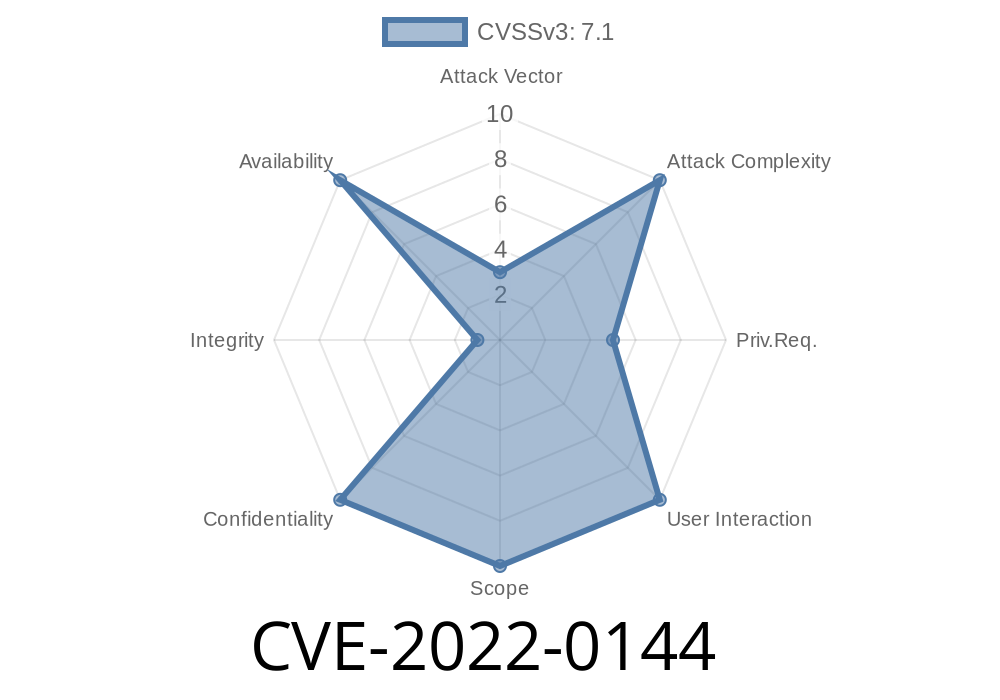
ShellJS is a popular Node.js package that offers Unix shell commands for Node.js scripts. It's used widely in build tools, automation, and scripting because it's easy to use and platform-independent. In early 2022, a security issue—CVE-2022-0144—was disclosed, revealing that ShellJS can be vulnerable to Improper Privilege Management. In simple terms, this means someone could use ShellJS in a way that lets them perform actions that should not be allowed, possibly leading to privilege escalation or code execution with higher-than-intended permissions.
What is Improper Privilege Management?
Before diving into the vulnerability, let's explain what “Improper Privilege Management” means. In programming and system security, privileges refer to the permissions a program or user has—like reading files, writing to directories, or executing commands as the root user. Properly managing these privileges is crucial; if your code has more privilege than needed, it can be dangerous if an attacker finds a way to abuse it.
What’s Vulnerable in ShellJS?
In the affected versions (before .8.5), ShellJS does not properly restrict the privileges of spawned commands. For example, if an application using ShellJS runs as a high-privileged user (like root, or SYSTEM on Windows), any subprocess started by ShellJS runs with those same privileges. If users can control what commands are run, they can potentially run any code with these superuser rights.
Imagine you have code like this
const shell = require('shelljs');
shell.exec('echo "Hello, world!"');
If a malicious user controls what gets passed to shell.exec(), they can execute arbitrary commands on the system, inherited with whatever privileges the Node.js process already has.
Privilege Inheritance
If the server (Node.js process) is running with elevated privileges, the shell command also runs with those privileges.
Arbitrary Command Execution
They craft input that makes the script execute system commands—like adding a new admin user or reading confidential files.
Imagine an Express.js app that deletes files
const shell = require('shelljs');
const express = require('express');
const app = express();

app.get('/delete', (req, res) => {
    const filename = req.query.file; // Not sanitized!
    shell.rm('-rf', filename); // DANGEROUS
    res.send('Deleted');
});
An attacker could send a request like
GET /delete?file=/etc/sudoers
If the Node.js process has the right permissions, this would delete a critical system file!
Real-World Scenario
GitHub Actions / CI Automation
ShellJS is often used in automated scripts for deployment or testing. In shared or multi-user environments, a low-privileged user could manipulate job inputs to make the ShellJS script run nasty commands, gaining privilege or causing damage.
npm install shelljs@latest
<br><br>- <b>Never Run Node.js Processes as Root</b> <br> Run your app with the minimum required privileges. Use non-privileged users where possible.<br><br>- <b>Input Validation and Sanitization</b> <br> Never pass unchecked user input to ShellJS commands.<br><br>- <b>Consider Alternatives</b> <br> Use Node's native child_process.spawn` with careful options, or look for modules that employ secure sandboxing.
---
## References
- CVE-2022-0144 NVD Entry
https://nvd.nist.gov/vuln/detail/CVE-2022-0144
- ShellJS Security Advisory
https://github.com/shelljs/shelljs/security/advisories/GHSA-45mr-mr43-2qq5
- ShellJS GitHub
https://github.com/shelljs/shelljs
---
## Final Thoughts
Improper Privilege Management is a silent but serious issue. If you use ShellJS in your projects—especially on servers or automation scripts—double-check your code and upgrade your dependencies. Any misuse or unchecked input could lead to serious damage, so always write secure, defensive code.
Stay safe and always validate your tools!
Timeline
Published on: 01/11/2022 07:15:00 UTC
Last modified on: 02/09/2022 14:17:00 UTC