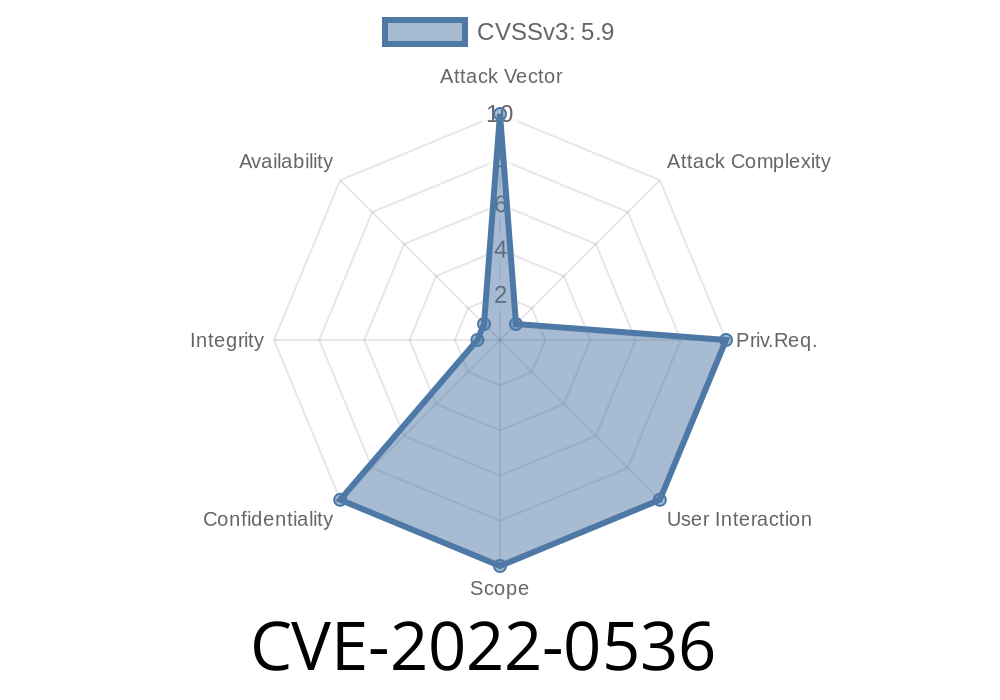
In early 2022, security researchers uncovered a big privacy hole in the widely-used JavaScript package follow-redirects. This bug, now tracked as CVE-2022-0536, could let attackers sneak a peek at sensitive data—like your Authorization headers—even if you thought you were being careful. If you use follow-redirects below version 1.14.8, your project might still be leaking secrets!
Let’s unpack how this vulnerability works, see a code example of the issue, and talk about what to do about it.
What is follow-redirects?
follow-redirects is a popular NPM package that lets Node.js apps automatically follow HTTP and HTTPS redirects (like 302 Found or 301 Moved Permanently). It wraps the built-in http and https modules.
Many higher-level HTTP clients depend on it—including Axios.
CVE-2022-0536: What’s the Problem?
The bug is officially called "Exposure of Sensitive Information to an Unauthorized Actor" (MITRE CVE entry). In simple words: it means data that should be kept private (like tokens, cookies or passwords) could end up in the wrong hands.
The main problem is this
> When follow-redirects followed a redirect from one domain to another, it did not strip sensitive headers, such as Authorization, Cookie, or other custom headers.
In a secure client, credentials meant for one domain should *not* be sent to a different one after a redirect. But with vulnerable versions, that’s exactly what happened!
Imagine this scenario
- You make a request with a secret token to https://myapi.example.com/profile, sending an Authorization: Bearer SECRET.
- The server tells you to redirect to https://evil.example.org/steal.
The vulnerable client follows the redirect and sends your secret token to evil.example.org.
Now, an attacker just tricked your software into handing over your secrets.
This isn't theoretical. This behavior breaks basic web security rules.
Code Example: Reproducing the Bug
Let’s see how this might look in a simple script.
Before 1.14.8: Dangerous Code
const { https } = require('follow-redirects');
const options = {
  hostname: 'myapi.example.com',
  path: '/profile',
  headers: {
    'Authorization': 'Bearer SECRET-TOKEN-123'
  }
};

https.get(options, (res) => {
  res.on('data', (d) => {
    process.stdout.write(d);
  });
});
- If myapi.example.com replies with a 302 Found pointing to https://evil.example.org/steal, the client will happily send your Authorization header to the attacker.
How Does the Exploit Work?
An attacker needs to control the domain or route you’re requesting—at least temporarily.
Your app requests a resource with a sensitive header (like Authorization).
2. The server (possibly compromised or under attacker’s control) responds with an HTTP redirect (301, 302, or similar) to a malicious domain.
3. Your app, using an old version of follow-redirects, automatically follows the redirect and includes the original headers.
> Once the request reaches the attacker’s domain, they can read everything—including your secrets.
Patch & Solution
The bug is patched in follow-redirects 1.14.8.
What did they fix?
They made sure that sensitive headers (like Authorization, Cookie, and others) are not sent when redirecting to a different domain.
Commit fixing the issue:
GitHub PR #176
Changelog:
follow-redirects 1.14.8 Changelog
Safer Code: Check Your Version!
npm list follow-redirects
If it is below 1.14.8, upgrade with
npm install follow-redirects@latest
Or, if you use a package like Axios (which depends on it), upgrade Axios
npm install axios@latest
Always keep dependencies up to date, and regularly run npm audit or yarn audit.
References
- CVE-2022-0536 on CVE Details
- Original security advisory
- Full commit diff for the fix
- NPM follow-redirects package
- Node.js HTTP security best practices
Summary
CVE-2022-0536 is a classic web security bug that quietly exposed a lot of secrets. If you use follow-redirects (directly or through Axios or similar libs), double-check your project. Just update to version 1.14.8 or later, and you’ll be safe from this sneaky information leak!
Timeline
Published on: 02/09/2022 11:15:00 UTC
Last modified on: 02/11/2022 20:33:00 UTC