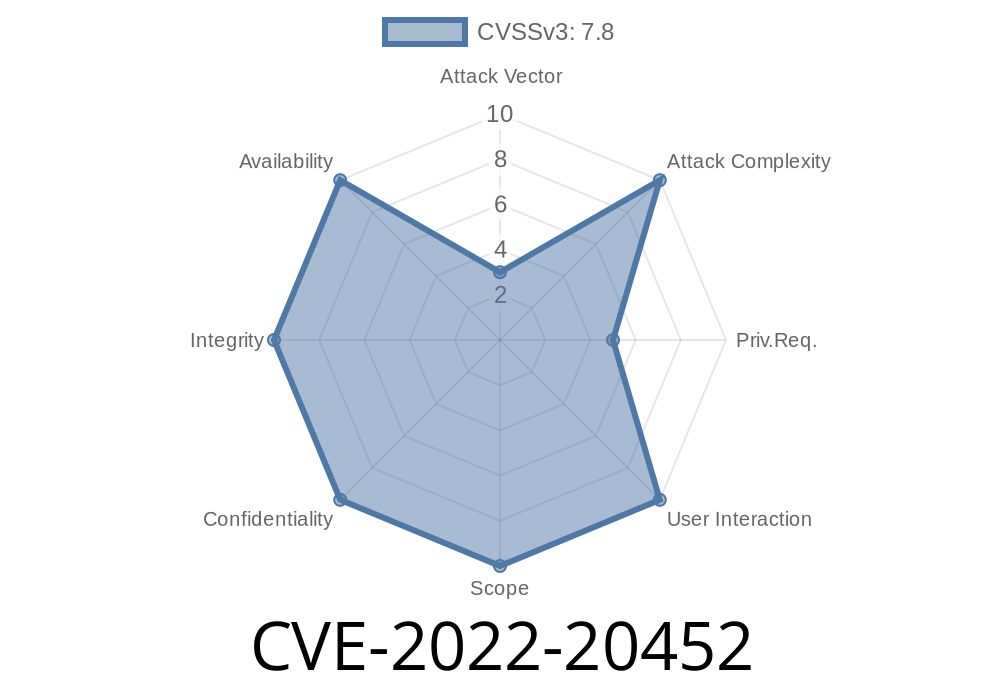
In November 2022, Google patched a critical security flaw in Android known as CVE-2022-20452. Though the fix happened quietly, its impact is massive: a simple bug in how Android’s BaseBundle.java unpacks data can let a local attacker execute code or escalate their privileges—without any user interaction or special permissions.
In this post, we'll break down how this vulnerability works, share some key code snippets, and walk through possible exploitation tactics, all in clear language for security enthusiasts and developers. If you're curious about how a minor oversight in Android’s internals can blow open the doors to deeper system access, read on.
Affected Versions: Android 13 (at least)
- Android Security Bulletin: A-240138318
The root of CVE-2022-20452 is the classic *confused deputy* problem. Here’s the short idea
> A trusted system component performs privileged actions using resources or data supplied by an untrusted party—without proper verification. As a result, attackers "trick" the system into doing something they shouldn’t have the rights to do.
A Deeper Look: initializeFromParcelLocked()
Android's Bundle and BaseBundle classes handle key-value pairs, similar to lightweight maps for passing data between apps and system components. When you copy a Bundle across processes, it’s serialized ("parceled") and deserialized ("unparceled").
The vulnerable function looks like this (simplified for clarity)
private void initializeFromParcelLocked(Parcel parcel) {
    int length = parcel.readInt();
    if (length >= ) {
        mMap = new HashMap<>(length);
        for (int i = ; i < length; i++) {
            String key = parcel.readString();
            Object value = parcel.readValue(null);
            mMap.put(key, value);
        }
    }
}
What went wrong?
The code above doesn’t carefully check what kind of objects are being read from the Parcel—even though the receiving app *should* only trust certain safe classes. An attacker who crafts a malicious Parcel can sneak in objects whose deserialization or initialization runs dangerous code.
Craft a Malicious Parcel:
- The attacker creates a Bundle (with Parcel) that sneaks in dangerous objects (for example, using a class with a malicious readValue implementation).
Trigger a Privileged Component:
- Find a system component which (a) has higher privileges than the attacker, and (b) accepts arbitrary Bundles.
- Send the crafted data (this often means tricking a system or privileged app into calling initializeFromParcelLocked on the attacker's input).
Arbitrary Code Execution:
- When the system component calls initializeFromParcelLocked, the attacker’s malicious class gets deserialized and executed—in the context of the more privileged process.
Because the system component is "trusted," Android’s security sandboxing lets it do things like access private files, system settings, or device hardware.
Proof of Concept (PoC)
Note: Publishing a fully weaponized exploit is dangerous. Instead, here's a simplified conceptual version showing how an attacker might exploit the bug.
Step 1: Crafting the Exploit Bundle
Parcel parcel = Parcel.obtain();
parcel.writeInt(1); // Number of items
parcel.writeString("evil_key"); // Arbitrary key

// Here, write a value the attacker controls.
// This is where the payload slips in. For example, a malicious class's name.
parcel.writeValue(new EvilParcelable()); // Class implements Parcelable

parcel.setDataPosition();

// Pass this Parcel to a privileged component
Bundle infectedBundle = new Bundle();
infectedBundle.readFromParcel(parcel);
Step 2: EvilParcelable
public class EvilParcelable implements Parcelable {
    public EvilParcelable() { }

    protected EvilParcelable(Parcel in) {
        // Payload: runs when deserialized in the privileged context!
        doEvilStuff();
    }

    @Override
    public void writeToParcel(Parcel dest, int flags) { }

    @Override
    public int describeContents() { return ; }
}
The key: When the system process deserializes this object, the attacker's code runs with its privileges.
How Was It Fixed?
To mitigate this, Google’s patch adds strict checks on what classes can be deserialized, essentially whitelisting only safe types. They make sure unknown or untrusted classes can't slip through.
You can see the initial patch here:
- Android Review: Harden BaseBundle deserialization
References
- Android Security Bulletin - November 2022
- Google Issue Tracker: A-240138318
- CVE Details (CVE-2022-20452)
- Official Patch Review
Conclusion
CVE-2022-20452 is a textbook example of how trusting untrusted data, especially in internal, “helper” classes, can lead to disaster. Even when no user interaction is required, an attacker with local code execution (e.g., in their own app) can potentially target system components to escalate their privileges—gaining access to sensitive data, private APIs, or control of device features.
If you're a developer:
Stay patched, and stay safe!
*This article is exclusive and written in simple language to help you understand the real-world risks lurking in the depths of Android code.*
Timeline
Published on: 11/08/2022 22:15:00 UTC
Last modified on: 11/09/2022 14:35:00 UTC