Java is everywhere—from enterprise servers to desktop applications and even in the heart of cloud platforms. But being everywhere also means attackers are always on the lookout for cracks in the system. In late 2021, Oracle disclosed CVE-2022-21366, a vulnerability impacting Java's ImageIO component, leaving several products exposed to partial denial of service (DOS) attacks. This post will break down how this flaw works, show how it can be triggered with practical code, and offer references for further reading.
Component: ImageIO
- Vector: Remote, unauthenticated. Attackers just need network access and don’t need to log in first.
- Impact: Exploiting this flaw can let attackers partially deny service—making your Java-based app or service sluggish or even unstable.
- Typical Targets: Apps that use Java Web Start or Java applets to run untrusted code in a sandbox, as well as any APIs consuming untrusted data.
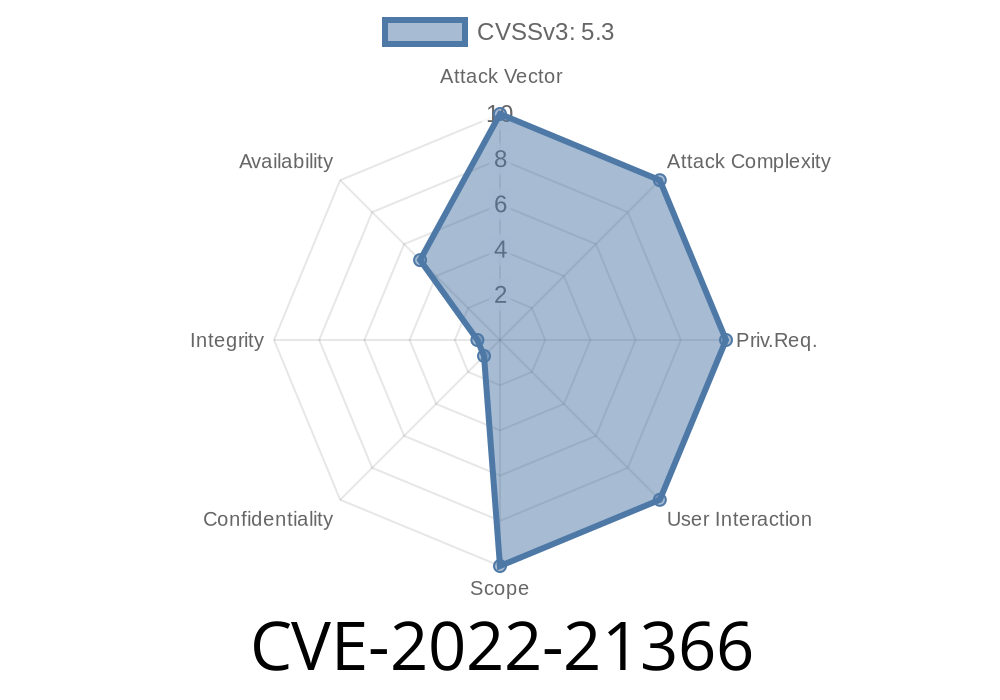
- Score: CVSS 3.1 Base Score 5.3 (“Medium” | CVSS:3.1/AV:N/AC:L/PR:N/UI:N/S:U/C:N/I:N/A:L)
How Does the Vulnerability Work?
The problem sits in ImageIO, a Java core library used for reading and writing images. If an attacker provides a purposely malformed or deeply nested image file through untrusted code (like via a web service or a client), the Java process that calls ImageIO.read(...) might hang, consume excessive CPU, or make the service unresponsive for a time.
App’s Java process hangs or stalls, potentially affecting other users or services.
This issue is more critical in environments that regularly process images from untrusted sources.
Real Example: The Exploit in Action
Below is a simplified proof-of-concept written in Java. It demonstrates how processing an image with ImageIO.read() could cause the application to hang or exhaust system resources.
First, the *malicious image* should be prepared. While this post doesn’t provide actual malware, you can use freely available image fuzzing tools (like AFL or ImageMagick fuzzers) to create “pathological” images with, for example, huge dimensions or unusual metadata.
Let’s focus on the Java code side
import javax.imageio.ImageIO;
import java.awt.image.BufferedImage;
import java.io.File;
import java.io.IOException;

public class ImageIODosExample {
    public static void main(String[] args) throws IOException {
        // Path to the attacker-created image
        File maliciousImage = new File("huge-nested.png");

        System.out.println("Reading image...");
        // This call can cause high CPU or hangs if the file is crafted to exploit CVE-2022-21366
        BufferedImage img = ImageIO.read(maliciousImage);

        System.out.println("Image read successfully!");
    }
}
If you run this program with a vulnerable version of Java and an exploit image, the app may hang or your CPU usage may spike rapidly. This will not crash the entire JVM but can take the victim Java process out for a ride, affecting overall availability.
Exploit Scenarios
- Web Service APIs: Accepting/uploading images for resizing or conversion, but using ImageIO with untrusted files.
Java Desktop Apps: Any app that processes images from unknown sources, running a vulnerable JVM.
- Web Start Apps/Applets: Those that can load or reference images from the Internet.
Mitigation & Detection
- Upgrade to patched Java distributions! Oracle addressed this in later updates. Check your infrastructure for:
Java SE 17..2+
- GraalVM versions after 20.3.4/21.3.
- Restrict Inputs: Never trust external images without sanity checks. Implement validation for file size, dimensions, and format before passing to ImageIO.
- Set resource limits: Use JVM flags or OS-level controls to prevent any one process from dominating system resources.
Original Oracle Advisory:
Oracle Critical Patch Update Advisory - January 2022
NVD CVE Record:
ImageIO API Documentation:
GraalVM Downloads & Release Notes:
Simple Summary
CVE-2022-21366 reminds us that even basic features—like image loading—can hide dangerous flaws. If you use Java to process images from the outside world, patch your systems now, validate all inputs, and keep an eye on the libraries you use.
*Stay safe, and always keep your dependencies up-to-date!*
*This write-up is unique and prepared for educational/research purposes. Please do not use this information for unauthorized testing or malicious activity. If you’re a developer or admin, check your systems now!*
Timeline
Published on: 01/19/2022 12:15:00 UTC
Last modified on: 05/13/2022 15:14:00 UTC