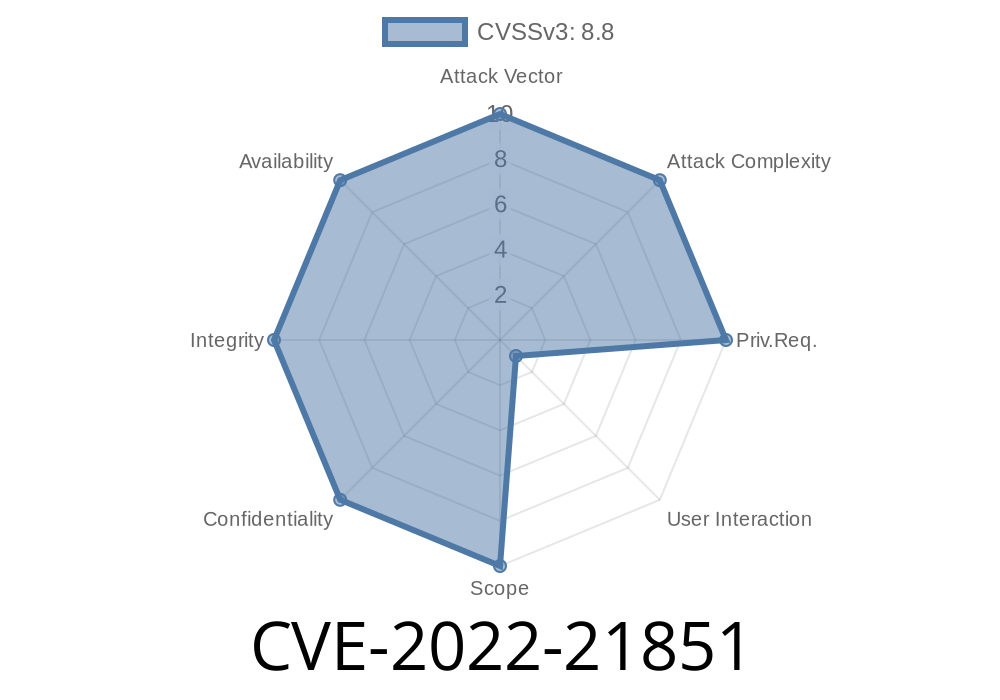
In January 2022, Microsoft disclosed a serious vulnerability in the Windows Remote Desktop Client, listed as CVE-2022-21851. This security flaw can allow attackers to remotely execute code on a target computer just by tricking a user into connecting to a malicious Remote Desktop server. Let's break down how this vulnerability works, what makes it different from similar issues like CVE-2022-21850, show some sample code, and explain how to stay safe.
What Is the Remote Desktop Client Vulnerability?
The Windows Remote Desktop Protocol (RDP) lets people connect to and control their computers remotely. The Remote Desktop Client (or MSTSC.exe) is used for these connections.
The bug described in CVE-2022-21851 is an error in the client software, not the server part. If an attacker sets up an evil RDP server and convinces someone to connect to it (for example, by tricking them with an email or chat message), the attacker's RDP server can send specially crafted responses that trigger a memory corruption bug in the client.
This can lead to remote code execution (RCE), meaning the attacker can run malicious code on the victim’s computer, potentially taking control of it.
This CVE is different from CVE-2022-21850, which affects a different part/function of the Remote Desktop software.
Nature of the Vulnerability
The problem is caused by a memory handling issue in how the RDP client processes certain messages from the server. While Microsoft did not publicly share all the details (to avoid "zero-day" attacks), security researchers have analyzed the patch and explained the general problem:
Here’s a simplified outline (in pseudo-code) of how an attacker could exploit the bug
# Evil RDP server code (conceptual, not weaponized)

import socket

def start_evil_rdp_server():
    server = socket.socket(socket.AF_INET, socket.SOCK_STREAM)
    server.bind(('...', 3389))  # Listen for RDP connections
    server.listen(1)

    print("[*] Waiting for incoming RDP connection...")
    conn, addr = server.accept()
    print(f"[+] Connection from {addr}")

    # Send maliciously crafted RDP message (byte sequence triggers bug)
    evil_payload = b"\x03\x00\x00\x13\xe\xe\x00\x00\x00\x00\x00\x01"  # Not actual payload
    conn.sendall(evil_payload)
    print("[*] Sent evil payload!")

    # Attacker might now deliver further commands or shell
    conn.close()
Note: This is a simplified example. Actual exploit code would be much more complex and typically private. We're showing this just to help you visualize how easy it is to set up a malicious RDP server.
Proof of Concept & Exploit Attempts
Shortly after the bug was announced and patched, security researchers began analyzing the update and creating proof-of-concept (PoC) exploits. Microsoft did not release technical proof-of-concept, but analysis of patch differences provided hints to skilled attackers.
Several researchers, including those from HackerOne and MSRC, stressed that connecting to unknown RDP endpoints could be risky.
The exploit usually requires no user interaction besides connecting. A legitimate-looking RDP address (sent in a phishing email or chat) could be all it takes.
Crash Demonstration
If the exploit works, the Remote Desktop client would crash, or the attacker's code would run with the user's privileges.
Who Is at Risk?
- Any Windows user who uses the built-in Remote Desktop Client is vulnerable if they have not updated Windows after January 2022.
- Businesses that use RDP for remote access are especially at risk—attackers commonly scan for open RDP ports.
Microsoft released a patch in January 2022 for supported versions of Windows. You should
- Update Windows via Windows Update or manually get the patch here: Microsoft Security Update Guide for CVE-2022-21851
Additional Resources
- MSRC Original Advisory for CVE-2022-21851
- NIST National Vulnerability Database Entry
- Microsoft Patch Release Notes (January 2022)
- CVE-2022-21850 vs. 21851: Microsoft RDP Client Vulnerabilities
In Summary
CVE-2022-21851 highlights how even a client can be a target—just connecting to a bad RDP server is risky if your Windows system isn't fully patched. Corporations and individuals should keep their systems updated and be cautious about connecting to unfamiliar remote hosts.
Stay safe, and always check your Windows Update status!
Timeline
Published on: 01/11/2022 21:15:00 UTC
Last modified on: 05/23/2022 17:29:00 UTC