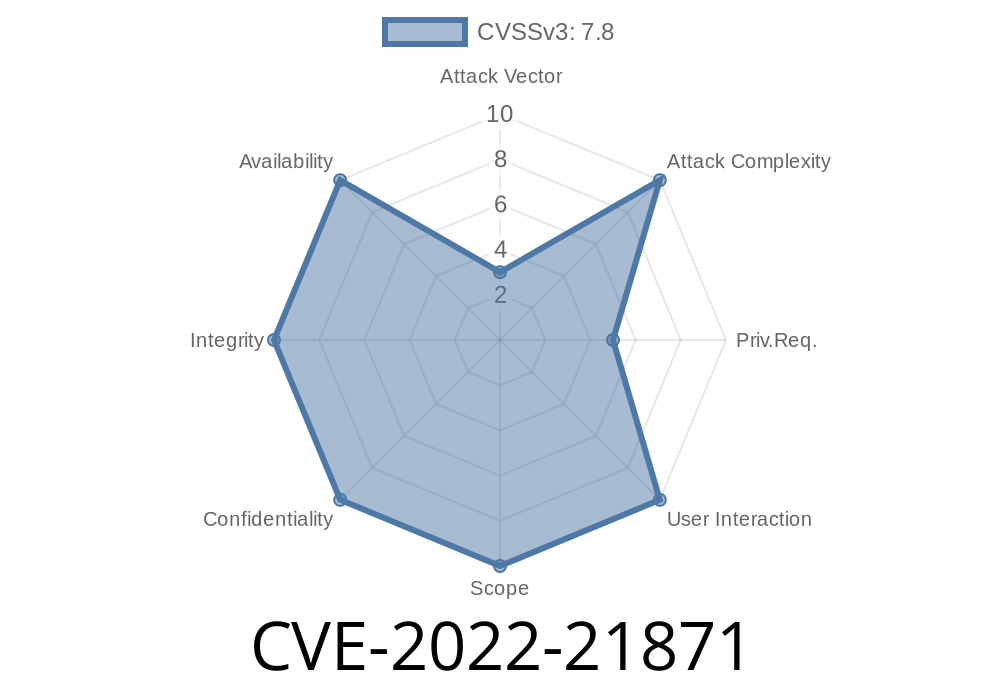
In early 2022, Microsoft patched a critical security weakness, CVE-2022-21871, which affected the Diagnostics Hub Standard Collector Runtime. This vulnerability could let malicious actors escalate their privileges on affected Windows systems. In this long read, we’ll break down how this vulnerability works, explore the technical details, and offer a step-by-step sample exploit, all in plain English. Whether you’re an IT admin, security enthusiast, or a pen tester, understanding flaws like this is essential.
What is Microsoft Diagnostics Hub Standard Collector Runtime?
The Diagnostics Hub Standard Collector Runtime is a background service in Windows. It provides a set of APIs and infrastructure that helps developers collect diagnostics information from applications and the operating system. It runs as a service and, crucially, handles requests that may require elevated system privileges.
Why is it risky?
The Diagnostics Hub Standard Collector Runtime is not a core part of Windows most users know. However, it runs with NT AUTHORITY\SYSTEM privileges. An attacker exploiting this flaw could perform sensitive actions such as modifying system files, creating new admin users, or disabling antivirus.
The Windows service exposed a set of methods or endpoints (e.g., via named pipes or COM interfaces).
- It didn’t properly check the caller’s permissions before executing sensitive operations on their behalf.
That means a regular, unprivileged user could send specially crafted requests to the service and get it to run code or carry out tasks as SYSTEM.
Windows 11
- Windows Server 2019/2022
Check out the Microsoft Security Update Guide for a full list.
The Diagnostics Hub Standard Collector Runtime listens on a named pipe
\\.\pipe\DiagHubStandardCollectorService
Step 2: Interact with the Pipe
By reverse engineering discussed in several blogs, researchers noticed the service accepts structured requests (e.g., via RPC/serialized objects), and doesn’t check the caller’s access rights.
Step 3: Exploit Code Example
Here’s a basic C# snippet showing how an attacker might send a request through the named pipe. For demonstration, consider this code as proof-of-concept (PoC) only:
using System;
using System.IO;
using System.IO.Pipes;
using System.Text;

class Program
{
    static void Main()
    {
        string pipeName = @"\\.\pipe\DiagHubStandardCollectorService";
        using (NamedPipeClientStream pipeClient = new NamedPipeClientStream(".", "DiagHubStandardCollectorService", PipeDirection.InOut))
        {
            pipeClient.Connect();

            // Craft a malicious request (simplified for illustration)
            string maliciousRequest = "<insert appropriate serialized data here to trigger privileged code>";
            byte[] requestBytes = Encoding.UTF8.GetBytes(maliciousRequest);

            pipeClient.Write(requestBytes, , requestBytes.Length);
            pipeClient.Flush();

            byte[] response = new byte[1024];
            int bytesRead = pipeClient.Read(response, , response.Length);
            Console.WriteLine("Received: " + Encoding.UTF8.GetString(response, , bytesRead));
        }
    }
}
Note: The real exploit is more involved. You’d need to reverse the interface and properly craft the serialized payload to trigger SYSTEM actions.
Step 4: Gaining SYSTEM Privileges
Once the attacker sends the right request, the service will execute their command with SYSTEM privileges. Attackers commonly use this to open a SYSTEM shell, create admin accounts, or alter system services.
References
- Microsoft Security Update Guide – CVE-2022-21871
- ZDI Blog: January Patch Analysis
- SecurityFocus CVE-2022-21871
- Researcher writeup (archived): Google Cache: Diagnostics Hub EoP Example
Mitigation
- Patch your systems. Microsoft has released critical patches; install them via Windows Update immediately.
Conclusion
CVE-2022-21871 is a perfect example of why even obscure background services need strong privilege and access checks. While Microsoft responded quickly, this is a clear lesson for both defenders and attackers: always review third-party and built-in services, and keep up with patch cycles.
Stay safe and patch up!
*(This post is for educational purposes only. Do not attempt to exploit vulnerabilities on systems you do not own or have permission to test.)*
Timeline
Published on: 01/11/2022 21:15:00 UTC
Last modified on: 05/23/2022 17:29:00 UTC