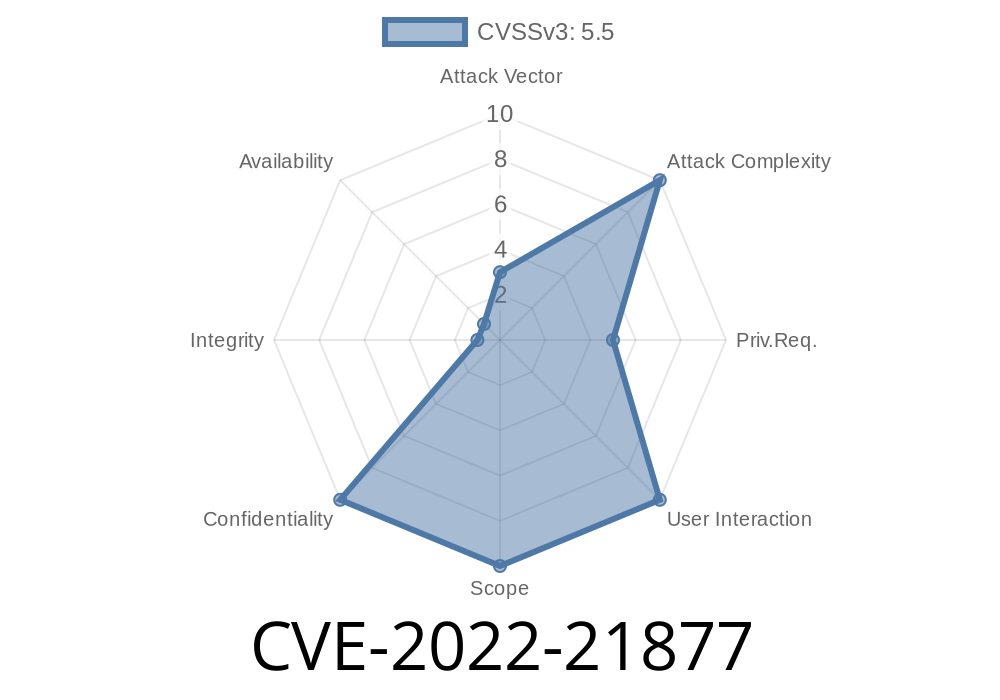
In early 2022, Microsoft disclosed a security vulnerability classified as CVE-2022-21877. This flaw affects Windows Storage Spaces Controller and is labeled as an "information disclosure vulnerability." If you use Windows Storage Spaces for managing disks, this is a big deal. Let's break down what this vulnerability is, how it works, and how attackers could exploit it. We’ll also look at some example code and point you to the official references.
What Is CVE-2022-21877?
CVE-2022-21877 is a security hole found in the Windows Storage Spaces Controller. Storage Spaces lets users organize several physical disks into storage pools for resiliency and easy management.
A bug in how Storage Spaces Controller handles certain requests means an attacker could read memory content they shouldn’t have access to. This could include sensitive information like passwords, usernames, or even cryptographic keys if they're present in memory.
Microsoft's security advisory can be found here:
Microsoft Security Guide: CVE-2022-21877
How Bad Is It?
According to Microsoft, an attacker needs to execute code on the target machine (local access required). While it’s not a remote hack, it still poses a big threat, especially on shared systems or servers.
Technical Details
The vulnerability lies in how the Storage Spaces Controller processes input from user requests. When the controller receives a specially crafted input, it doesn't properly sanitize the request, which can cause it to leak memory information to the attacker.
Key Point: This is similar to classic buffer overread bugs, where extra memory can "leak out" of a process if bounds are not checked.
Here’s a simplified pseudo-code example to show what’s happening
// Simulation of the vulnerable handler
char buffer[256];

void HandleRequest(char* userInput, int userLength) {
    // BAD: No length check
    memcpy(buffer, userInput, userLength);
    // Sends back more bytes than it should
    send_to_attacker(buffer, userLength); // Over-reads!
}
An attacker might send a request with a userLength much larger than 256, causing the system to send back memory contents after the buffer.
Exploit Skeleton in PowerShell
# Sample code that could interact with Storage Spaces
# WARNING: For educational purposes only

# Open a raw handle to the device
$device = "\\.\PhysicalDrive"
$handle = [System.IO.File]::OpenRead($device)

# Send a request that could trigger the leak
# (In real life, would require deeper system access)

$buffer = New-Object Byte[] 1024
$count = $handle.Read($buffer, , 1024)

# Print leaked bytes
[BitConverter]::ToString($buffer)
Clearly, the real exploit would need to craft low-level requests, but this shows the general logic.
PATCH NOW!
Microsoft released a fix in January 2022.
Regularly update all systems using Storage Spaces
Official fix:
Security Update Guide
More Resources
- NVD: National Vulnerability Database Entry
- Microsoft Blog: Patch Tuesday January 2022
Conclusion
CVE-2022-21877 is a prime example of how a small programming oversight can lead to big risks. In shared environments, attackers able to run code locally might steal secrets from memory via the Storage Spaces bug. The only real solution is to patch your systems immediately. Always keep an eye on Microsoft's security advisories for vulnerabilities like this.
For admins and IT staff: set up regular patch cycles and monitor for suspicious local activity. Vulnerabilities like these show just how important it is to control local access and keep all software up to date.
Timeline
Published on: 01/11/2022 21:15:00 UTC
Last modified on: 05/23/2022 17:29:00 UTC