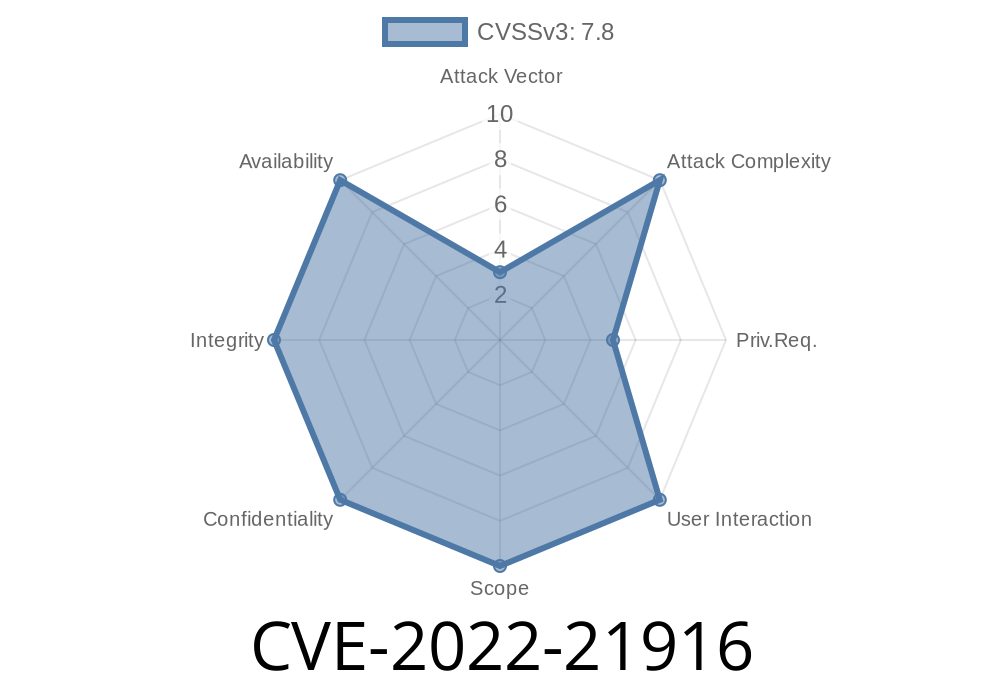
In early 2022, Microsoft patched a critical security flaw in the Windows Common Log File System (CLFS) driver identified as CVE-2022-21916. This vulnerability allows attackers to gain elevation of privilege (EoP) on a Windows machine, potentially letting them run code as SYSTEM. In this post, you'll get a clear and exclusive walkthrough of what this CVE is about, how it works, and what you need to do about it.
> Note: This vulnerability is different from CVE-2022-21897, though both affect the same CLFS driver.
What Is the CLFS Driver?
The Common Log File System (CLFS) driver (clfs.sys) is a part of Windows that applications use to log data. If there's a weakness in this driver, an attacker can potentially trick the system into doing things it shouldn’t.
What’s the Issue?
CLFS had a bug in the way it handled certain requests. When a regular user sends specially crafted data to the CLFS driver, it could lead to unexpected memory writes. This means a limited user could overwrite protected memory and run their own code at a SYSTEM level — the highest privilege on Windows.
This type of bug is known as a local privilege escalation (LPE). It’s dangerous because many real-world attacks combine bugs like this with other vulnerabilities.
Microsoft’s Summary
- Original advisory: CVE-2022-21916 at MSRC
From Microsoft’s description
> _An elevation of privilege vulnerability exists when the Windows Common Log File System (CLFS) driver improperly handles objects in memory._
Send malicious input:
Use the CLFS API or the DeviceIoControl function to send crafted commands and data that trigger the vulnerability.
Gain SYSTEM privileges:
After exploiting the bug, attacker-controlled code can run as SYSTEM, letting them do anything on the machine.
Example Code Snippet
Here’s a *simplified* version (for research and educational use only) using Python and PyWin32 to demonstrate how a process might interact with the CLFS device. This is NOT a real exploit; it just shows the access pattern.
import win32file
import win32con

CLFS_DEVICE = r'\\.\CLFS'

# Open CLFS device
handle = win32file.CreateFile(
    CLFS_DEVICE,
    win32con.GENERIC_READ | win32con.GENERIC_WRITE,
    ,
    None,
    win32con.OPEN_EXISTING,
    ,
    None
)

# Prepare a fake input buffer (real exploit would craft this very carefully)
input_buffer = bytes([x41] * 100)  # 'A' * 100

# IOCTL code used in CLFS (for illustration; actual code would target the vulnerable path)
ctl_code = x9c040  # CLFS specific IOCTL (needs to be determined for real exploit)

try:
    result = win32file.DeviceIoControl(handle, ctl_code, input_buffer, 1024)
    print('Response:', result)
finally:
    handle.close()
Warning: Real exploitation techniques are more advanced, needing knowledge of the Windows kernel and CLFS internals. This is a teaching demo only!
Why This Matters
If a hacker can get administrator privileges using a CVE like this (for example, by getting a user to open a program), they can:
Patch and Protection
Microsoft fixed the bug in January 2022. To be safe, update your Windows system to the latest patches. You can read the full patch report here:
Microsoft Security Update Guide: CVE-2022-21916
References
- Official Microsoft CVE Advisory: CVE-2022-21916
- Trend Micro Zero Day Report mentioning CLFS bugs: ZDI Blog
- Understanding Local Privilege Escalation (External blog)
Final Thoughts
CVE-2022-21916 is a classic example of why staying up-to-date with Windows patches matters. Local privilege escalation vulnerabilities don’t often make headlines, but they are a foundation for more dangerous attacks once an attacker is inside a network.
Stay safe: Patch early and patch often!
*Content exclusive for educational and awareness purposes. Don’t use vulnerabilities maliciously. If you find a new bug, report it to Microsoft or the appropriate vendor!*
Timeline
Published on: 01/11/2022 21:15:00 UTC
Last modified on: 05/23/2022 17:29:00 UTC