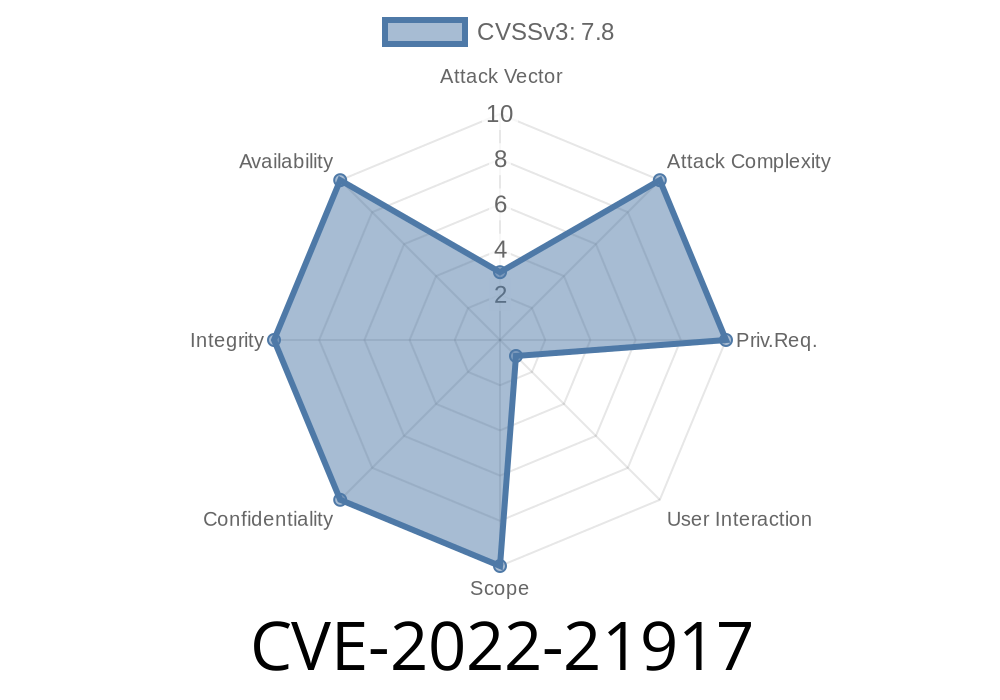
The subject of today’s in-depth post is CVE-2022-21917, a critical vulnerability in the HEVC (High-Efficiency Video Coding) Video Extensions for Windows. If you’re a Windows user or developer—or simply concerned about multimedia security—this is one you should know about.
What is CVE-2022-21917?
CVE-2022-21917 is a remote code execution (RCE) vulnerability that affects the Microsoft HEVC Video Extensions. The bug was revealed by Microsoft in their January 2022 Patch Tuesday release.
The problem exists due to how the extension parses HEVC streams in certain situations. By crafting a malicious video file (for example, an .mp4 or .mkv file encoded with HEVC/265), an attacker can trigger the vulnerability, causing your system to execute arbitrary code—potentially giving up control of your machine.
How Does the Exploit Work?
HEVC Video Extensions are used to decode and play high-efficiency video content, primarily on Windows 10 and 11. The vulnerable code can be triggered when the Windows shell or a media player tries to process the malicious file, either for preview or playback.
Victim opens the file using a vulnerable Windows system with HEVC Video Extensions installed.
3. The exploit triggers during automatic thumbnail generation or playback, leading to remote code execution.
The scary part? No user interaction is required beyond “opening” the file. Even hovering over a file or previewing it in Explorer could be enough to trigger the exploit in some cases.
Technical Details
The vulnerability lies in improper memory handling when decoding HEVC streams. Specifically, invalid parsing of certain video stream headers can cause writes outside the intended memory region (buffer overflow), which attackers can abuse to run malicious code.
Here’s a simplified view of what can go wrong inside a video decoder (pseudocode)
// Simulated vulnerable function in HEVC decoder
void decode_hevc_stream(unsigned char* stream, int length) {
    unsigned char header[256];
    // Possible overflow if 'length' is too big
    memcpy(header, stream, length);  // no length verification!
    // Further decoding logic...
}
What’s the issue?
If length is not checked, malicious input can overflow the header buffer, letting an attacker overwrite important parts of memory, like the return address or function pointers.
> Note: The real exploit uses more advanced techniques and targets internal parsing routines, but the principle is similar.
Tricking a user into opening or previewing the file.
- The attack code, embedded in the file, is then executed, often resulting in a reverse shell, ransomware installation, or data theft.
Sample Exploit Workflow
1. Use a tool to craft a “malicious” HEVC file (public POCs are limited, so real-world use would require in-depth codec knowledge).
DEFENSE: How to Protect Yourself
1. Update Immediately!
Microsoft patched this vulnerability in January 2022 via the Microsoft Store. All users should update the HEVC Video Extension to the latest version!
- Go to HEVC Video Extensions on Microsoft Store and ensure you have all updates applied.
2. Disable or Remove HEVC Video Extension
If you don’t use it, uninstall or disable the extension to eliminate the attack vector.
3. Practice Safe File Handling
Don’t open video files from unknown sources, especially those with odd codecs or from untrusted links.
Microsoft Security Response Center (MSRC):
https://msrc.microsoft.com/update-guide/vulnerability/CVE-2022-21917
NIST National Vulnerability Database:
https://nvd.nist.gov/vuln/detail/CVE-2022-21917
BleepingComputer coverage:
Conclusion: Take It Seriously
CVE-2022-21917 is a classic example of why media decoders and extensions are high-value targets for attackers—they routinely process user-supplied files from untrusted sources. While Microsoft acted quickly, it’s up to users and admins to ensure they’re protected.
Bottom line:
If you run Windows with the HEVC Video Extension, update it now, and don’t take any chances with strange video files. Attackers are always looking for low-hanging fruit, and vulnerabilities like this are exactly that.
Stay safe, stay updated—and keep your codecs clean!
Timeline
Published on: 01/11/2022 21:15:00 UTC
Last modified on: 04/01/2022 14:30:00 UTC