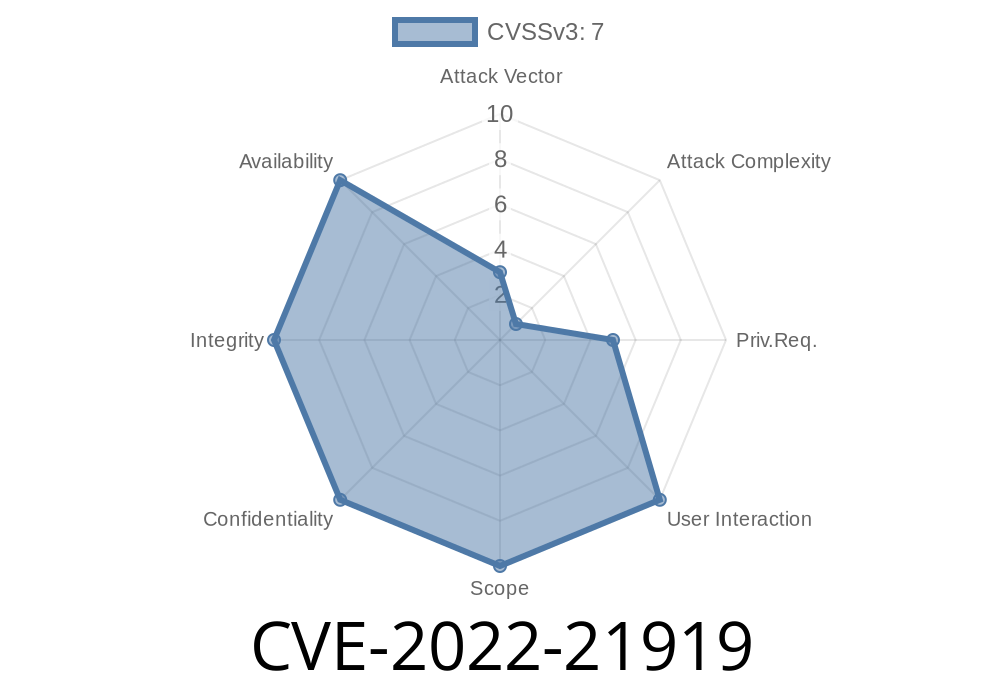
In early 2022, Microsoft patched a notable privilege escalation vulnerability—CVE-2022-21919—in the way Windows User Profile Service handled certain operations. This vulnerability could let low-privileged users gain elevated SYSTEM privileges, essentially allowing an attacker to run code with administrative rights. In this post, we’ll break down what CVE-2022-21919 is, how exploitation works, and what you should do to stay protected. You’ll also find code snippets, references, and a Proof-of-Concept (PoC) example.
What Is the Windows User Profile Service?
The User Profile Service (ProfSvc) is responsible for loading, unloading, and managing user profiles in Windows. It's a core part of how users get their configurations, files, and registry settings whenever they log in. If something goes wrong here, attackers may be able to manipulate files or permissions, risking system security.
CVE-2022-21919: Vulnerability Details
CVE-2022-21919 is a local privilege escalation (LPE) bug impacting Windows 10, Windows 11, and several versions of Windows Server. Unlike CVE-2022-21895, which deals with similar components, this bug leverages a different code path. It allows a standard user (or malware running as user) to gain SYSTEM-level privileges.
Official Microsoft advisory:
Microsoft Security Response Center — CVE-2022-21919
Severity: Important
CVSS Score: 7.8 (High)
Exploitation: Local, requires authentication
Vulnerable Logic
When handling user profiles, the ProfSvc process (running as SYSTEM) does a series of file operations—like reading and writing profile data, copying files, and setting permissions. A race condition or incorrect access handling allows a normal user to manipulate or replace specially named files or folders that ProfSvc trusts.
Key point: Attackers can create a symbolic link (symlink) between locations ProfSvc owns and sensitive parts of the system; or they can abuse permissions during profile copying.
Create a Malicious Symlink:
The attacker creates a hardlink or symlink from a user-writable folder to a privileged folder or file owned by SYSTEM (e.g., some part of C:\Windows).
Trigger Profile Operations:
The attacker logs in/out or manipulates their user profile, prompting ProfSvc to access the linked location with SYSTEM permissions.
Privilege Escalation:
ProfSvc (running as SYSTEM) unwittingly modifies, copies, or sets permissions on the privileged file/directory, granting attacker control.
Proof of Concept (POC): Simple Hardlink Attack
Below is a demonstration using a Python script to create a hardlink between a user-writable file and a SYSTEM-owned file. For educational purposes ONLY.
Note: This works only if the Windows User Profile Service processes the location, so exact exploit mechanics may differ.
Example: Creating a Hardlink in Windows
import os
import ctypes

# Windows API: CreateHardLinkW (from Kernel32.dll)
def create_hardlink(link_name, target_name):
    kernel32 = ctypes.windll.kernel32
    res = kernel32.CreateHardLinkW(link_name, target_name, None)
    if res == :
        raise ctypes.WinError()

# Let's say we control C:\Users\attacker\demo.txt
# We link it to a SYSTEM file (e.g., C:\Windows\Temp\target.txt)

link = r"C:\Users\attacker\demo.txt"
target = r"C:\Windows\Temp\target.txt"

try:
    create_hardlink(link, target)
    print(f"Hardlink created: {link} -> {target}")
except Exception as e:
    print(f"Failed: {e}")

# Next, force User Profile Service to process demo.txt
# (e.g., by adding it to profile files or logging in/out)
Using CreateSymlink
You can similarly use the mklink tool or PowerShell’s New-Item -ItemType SymbolicLink.
An actual attacker would
- Create a symlink from a user profile file/directory to a system file (like C:\Windows\System32\drivers\etc\hosts)
- Log on/off to trigger ProfSvc, which then changes file attributes or permissions on the symlink target under SYSTEM context
- Replace or control the target file, giving the attacker power to load malicious drivers, alter system config, or execute SYSTEM-level code
Detection & Mitigation
Detection:
Look for unexpected symbolic or hard links in user profile folders, especially those targeting Windows or Program Files directories. Monitoring for unusual writes to SYSTEM-owned files by ProfSvc.exe is also useful.
Microsoft delivered a fix in the January 2022 Patch Tuesday update:
Monitor for Suspicious Activity:
Enable advanced auditing to catch new symbolic/hard links and abnormal profile loading activity.
Original Microsoft Advisory:
https://msrc.microsoft.com/update-guide/vulnerability/CVE-2022-21919
Symlink Attack Research:
Google Project Zero: Windows Symlink Race Condition
Similar Bug (Not identical):
Conclusion
CVE-2022-21919 shows how a relatively simple logic flaw in system services can turn into a powerful elevation of privilege bug. It’s a reminder for defenders and administrators to patch quickly and limit the potential of normal users to manipulate sensitive file structures. By understanding how these attacks work, organizations can better prepare for and prevent similar threats in the future.
Timeline
Published on: 01/11/2022 21:15:00 UTC
Last modified on: 05/23/2022 17:29:00 UTC