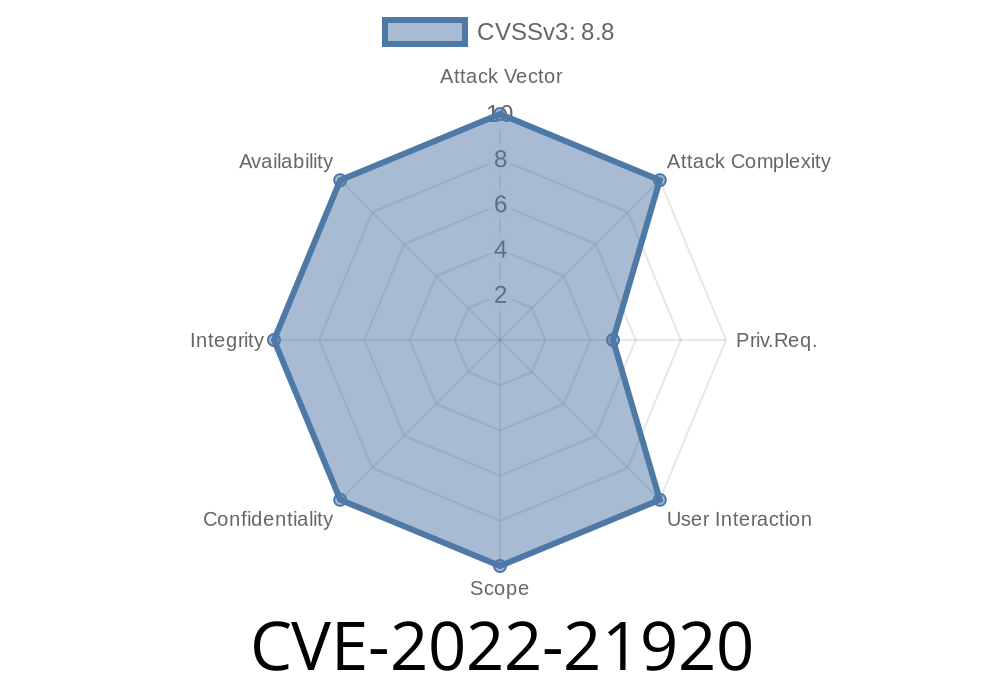
In this deep dive, we’ll uncover what CVE-2022-21920 is, explain how attackers can exploit this Windows Kerberos vulnerability to gain elevated privileges, and most importantly, show you how to protect your systems. Whether you’re a security professional, IT admin, or just curious, let’s break things down in plain English.
What Is CVE-2022-21920?
CVE-2022-21920 is a security flaw found in Microsoft Windows’ Kerberos authentication system. Specifically, it’s an "Elevation of Privilege" vulnerability, which means a user with low permissions could exploit this bug to become an admin on the affected machine. This is a big deal because an attacker who gains admin-level access could do almost anything—from stealing sensitive data to installing malware.
- CVE ID: CVE-2022-21920 on NVD
Risk Level: High
- Affected Systems: Windows 7, 8, 10, 11, Server 2008+, and others with Kerberos enabled (see full list in the Microsoft advisory)
How Does the Vulnerability Work? (Simplified)
Kerberos is the protocol Windows uses to authenticate users, especially in corporate Active Directory environments. When you log in, your computer gets a "ticket" proving your identity. Normally, only trusted users can request certain types of tickets (like elevated privilege tickets).
Here’s where CVE-2022-21920 comes in:
Through a flaw in how Kerberos handles ticket requests, a regular user might trick the system into giving stronger privileges, possibly becoming a “system” or “domain admin” without proper authorization.
Think of it like a concert—a security flaw lets someone with a regular ticket sneak backstage just by asking in a specific way.
Exploit Scenario Example
A bad actor inside a company, with only regular employee access, could exploit this to take over the computer or whole domain. They could:
Proof-of-Concept (POC) – Code Example
While a fully working exploit isn't shown here for safety, to illustrate the concept, the exploitation often involves Kerberos ticket manipulation. Tools like Mimikatz can be customized for these kinds of attacks.
Below is a very simplified PowerShell example showing how ticket requests are typically scripted. (Actual exploitation would require a deeper understanding and specific patch-level vulnerabilities.)
# Example: Requesting a ticket for a service (SPN) using Kerberos

$Domain = "yourdomain.local"
$Username = "user"
$Password = "password"
$Service = "cifs/server.yourdomain.local"

$secpasswd = ConvertTo-SecureString $Password -AsPlainText -Force
$cred = New-Object System.Management.Automation.PSCredential ($Username, $secpasswd)

Add-WindowsCapability -Online -Name Rsat.ActiveDirectory.DS-LDS.Tools
Import-Module ActiveDirectory
# Attempt to request a Kerberos ticket (TGT or TGS)
# In reality, special crafted packets or further manipulation would be needed

klist purge
$session = New-PSSession -Credential $cred -ComputerName $Service
Note: The *real* exploit involves crafting packets or manipulating tickets in memory—something that open-source projects like Mimikatz can demonstrate for related vulnerabilities.
For researchers looking to understand more
- Mimikatz "Pass-the-Ticket"
- Microsoft's official description and patch info
How Can You Protect Yourself?
1. Patch, Patch, Patch!
Apply the January 2022 security update from Microsoft—this closes off CVE-2022-21920 for good.
2. Monitor for strange Kerberos ticket activity:
Unusual service ticket requests or lots of failed logins can be a sign of exploit attempts. Use SIEM tools or Windows Event Logs.
3. Disable unnecessary services:
Limit exposure by turning off unneeded Kerberos dependencies.
4. Principle of Least Privilege:
Don’t give users more rights than needed.
5. Use account monitoring:
Audit accounts for unexpected escalations or group changes.
Original References
- Microsoft Security Response (CVE-2022-21920)
- Kerberos protocol basics (MS Docs)
- US-CERT Alert and Analysis
Conclusion
CVE-2022-21920 is a reminder that even trusted security protocols like Kerberos can have hidden weaknesses. Attackers move fast, but you can move faster by patching your machines and watching for suspicious activity. Stay informed, stay updated, and you’ll keep your network safe.
If you want to learn more about Kerberos attacks and defense, check out these resources
- AD Security – Kerberos Attacks
- Microsoft – Best Practices for Securing Active Directory
Timeline
Published on: 01/11/2022 21:15:00 UTC
Last modified on: 05/23/2022 17:29:00 UTC