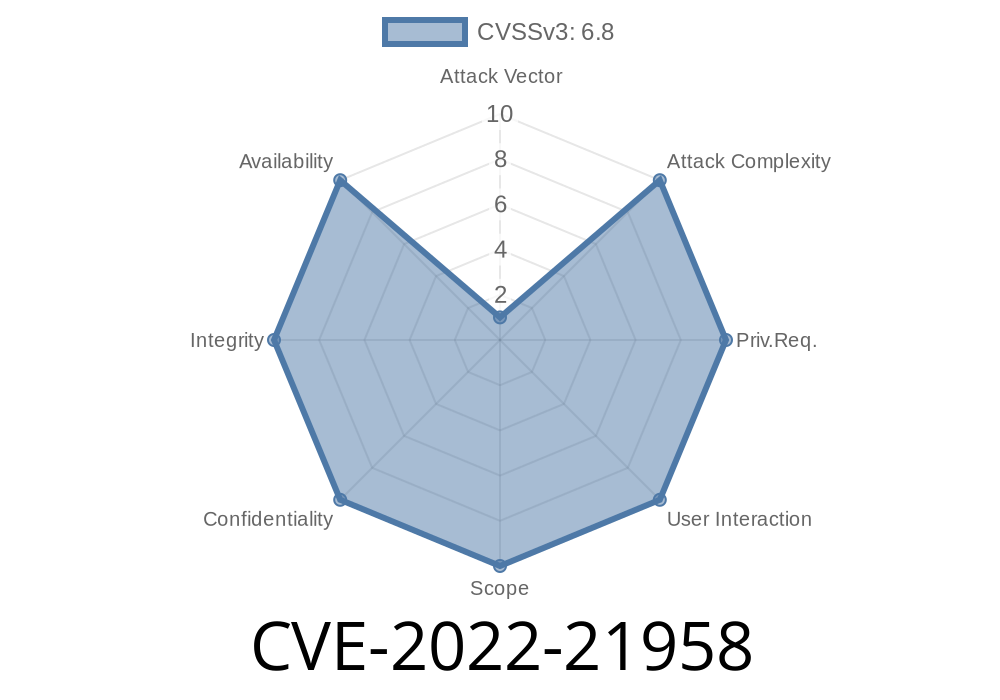
Published: Microsoft Security Update Guide - CVE-2022-21958
Introduction
Windows Resilient File System (ReFS) is designed to protect data from corruption, support high availability, and scale across large datasets. But in early 2022, researchers uncovered a serious vulnerability in ReFS—CVE-2022-21958—that allows remote code execution (RCE) under certain conditions. This post will break down how the flaw works, how it differs from similar CVEs, and what attackers could hypothetically do with it, including code snippets and practical details.
What is CVE-2022-21958?
CVE-2022-21958 is a unique bug distinct from other 2022 ReFS vulnerabilities, such as CVE-2022-21892, CVE-2022-21928, CVE-2022-21959, CVE-2022-21960, CVE-2022-21961, CVE-2022-21962, and CVE-2022-21963. The issue exists in how the ReFS driver handles certain file operations, allowing an attacker to run code on the target system—sometimes even as SYSTEM.
From Microsoft
>A remote code execution vulnerability exists in the Windows Resilient File System (ReFS) when the Windows ReFS driver improperly handles objects in memory. An attacker who successfully exploited this vulnerability could run arbitrary code in kernel mode.
Attack Scenario
An attacker with access to a target's file share (or other ReFS-exposed service) could craft a malicious ReFS volume or file data that, when processed by the victim system, could lead to remote code execution.
A network file share mounted on the victim's Windows machine
- Any remote service that passes untrusted ReFS images to Windows' ReFS driver (e.g., cloud file storage)
Breakdown of the Vulnerability
The problem stems from how the ReFS.sys driver parses certain metadata or directory entries. By sending a malformed ReFS file or image, an attacker can trigger a buffer overflow or memory corruption, leading to control of code execution.
In practical, simplified code
// Hypothetical vulnerable ReFS code (simplified for illustration)
void process_directory_entry(ReFS_DirectoryEntry* entry) {
    char name[256];
    // Vulnerable: does not validate entry->name_length!
    memcpy(name, entry->name, entry->name_length);
    name[entry->name_length] = '\';
}
If entry->name_length is greater than 256, the code will overwrite memory past the end of the name buffer—classic buffer overflow.
Steps to Exploit
1. Craft a Malformed ReFS Volume/File:
The attacker creates a disk image or file containing a directory entry with an oversized or negative length field.
Trigger Vulnerability:
When Windows attempts to read/process the file or volume—either by mounting it or scanning its directories—the driver processes the malformed entry and crashes or allows code execution.
Example Exploit Code (Demonstration Purposes Only)
Below is a Python code snippet to create a malformed ReFS disk image showing how one might try to trigger the bug. This is a simplified example and not a weaponized exploit.
# WARNING: Educational purposes only!
with open("malformed.refs.img", "wb") as f:
    # Write fake ReFS header
    f.write(b"ReFS    ")
    # Write normal metadata
    f.write(b"\x00" * x200)
    # Write a fake directory entry with overlong name length
    # Directory entry struct: [name_len:4][name:variable][...]
    name = b"A" * 300  # 300 > intended buffer size in the handler
    name_length = len(name)
    entry = name_length.to_bytes(4, "little") + name
    f.write(entry)
    # Pad the rest of the image
    f.write(b"\x00" * 1024)
If this file is mounted or opened by a vulnerable Windows system with ReFS support, it could potentially crash the system or trigger arbitrary code execution if the attacker controls the payload.
References
- Microsoft Security Response Center: CVE-2022-21958
- Microsoft Patch Tuesday Summary, February 2022
- ReFS Internals - ReFS Driver Analysis
- Remote Code Execution (Wikipedia)
Protection and Mitigations
Microsoft Patch:
Conclusion
CVE-2022-21958 is a powerful reminder that file system drivers—some of Windows’ most trusted code—can harbor dangerous flaws. Anyone using ReFS, especially on file servers accessible over the network, should ensure all updates are applied and treat untrusted file system images with caution.
As with all RCEs, keeping systems patched is the strongest defense.
For further technical details, see Microsoft's official CVE-2022-21958 advisory.
Stay safe, and always test patches in a lab before rolling out in production.
Timeline
Published on: 01/11/2022 21:15:00 UTC
Last modified on: 05/23/2022 17:29:00 UTC