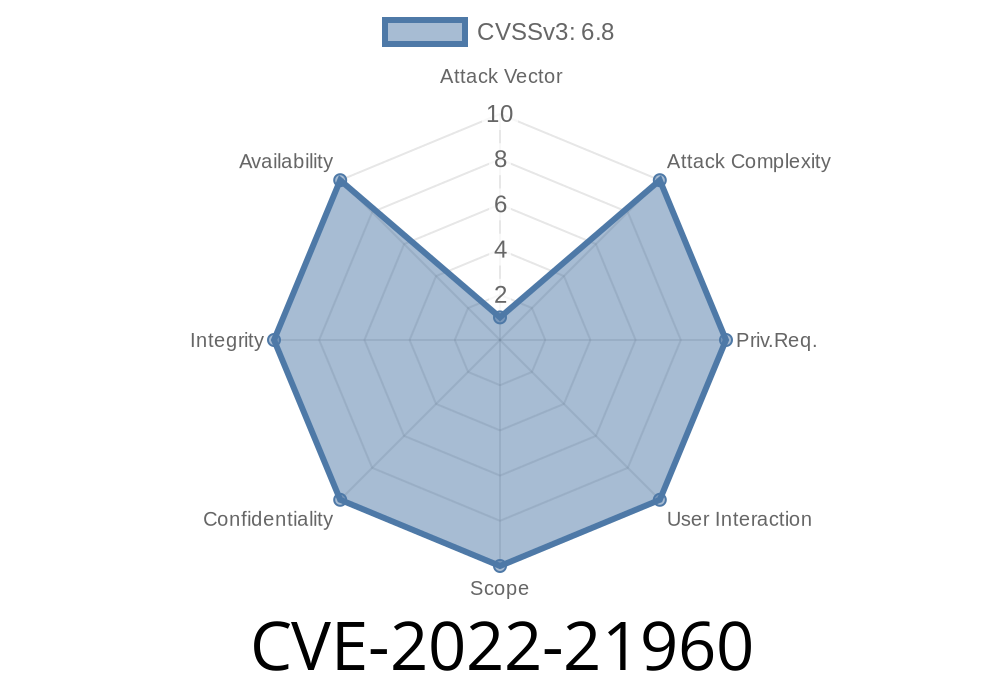
On February 8, 2022, Microsoft disclosed a critical security issue known as CVE-2022-21960. This vulnerability affects the Windows Resilient File System (ReFS), potentially allowing remote code execution (RCE) on vulnerable systems. While there are other CVEs related to ReFS (like CVE-2022-21892, CVE-2022-21928, CVE-2022-21958, CVE-2022-21959, CVE-2022-21961, CVE-2022-21962, and CVE-2022-21963), CVE-2022-21960 stands out for its potential to let attackers run arbitrary code remotely, posing a significant risk to affected Windows machines.
This post dives deep into the vulnerability, how it works, exploitation details (with code snippets), and how you can protect yourself. You'll also find direct references to original advisories and resources for further learning.
What is the Windows Resilient File System (ReFS)?
ReFS is a next-generation file system designed by Microsoft for high data integrity, scalability, and resiliency to corruption. It’s used primarily in Windows Server, and more recently in some Windows 10/11 builds.
While ReFS adds protection against data corruption, any vulnerability at this low level—such as a buffer overflow or improper memory handling—can be catastrophic. If an attacker can trigger a flaw in how ReFS processes crafted data, they could potentially execute code at the kernel level.
Microsoft’s Summary
> “A remote code execution vulnerability exists when the Windows ReFS driver improperly handles objects in memory. An attacker who successfully exploited this vulnerability could run arbitrary code in kernel mode. To exploit this vulnerability, an attacker would need to deliver a specially crafted ReFS image to a victim and convince them to mount it.”
Source: Microsoft Security Update Guide
How Does This Vulnerability Work?
CVE-2022-21960 is caused by improper memory handling in the ReFS driver (ReFS.sys). Attackers can create a malformed ReFS disk image (for example, a VHD or disk file) with specific fields set in a way that triggers a buffer overflow, integer overflow, or type confusion in the ReFS code.
When the victim mounts this malicious disk image (either locally or through network shares), the vulnerability can be exploited to achieve kernel-level code execution. That means the attacker could install malware, steal data, or fully compromise the affected host.
Craft a Malicious ReFS Disk Image
Using tools like WinHex or PowerShell, the attacker creates a disk image with tampered metadata to trigger the ReFS vulnerability.
Victim Mounts or Accesses the Image
When the victim opens or mounts the disk image, the Windows kernel loads it using the vulnerable ReFS driver.
Example Code: Crafting a Malicious ReFS Image
*Disclaimer: This code is theoretical and for educational purposes only.*
Let’s assume we want to generate a raw disk image with purposely malformed metadata. You can use Python with pyfdisk or any disk image editing tool, but here’s a Python skeleton to illustrate the concept:
# Create a minimal raw disk image with fake ReFS header (not actual functional ReFS)

with open('malicious_refs.img', 'wb') as f:
    # Write fake ReFS superblock with overlong field
    superblock = b'ReFS'       # Signature
    superblock += b'\x00' * 100
    superblock += b'\xFF' * 2048  # Overlong field to trigger overflow

    # Rest of image filled with zeros
    rest = b'\x00' * (10 * 1024 * 1024)  # 10MB total size

    f.write(superblock + rest)
You would then serve or deliver this malicious_refs.img file. The actual exploit requires precise reverse engineering of the ReFS structure and what triggers the bug in ReFS.sys, but this gives you a sense of the approach.
Real-World Exploitation
1. Social Engineering: Attacker persuades a victim (IT admin, for example) to mount a “backup” disk image or VHD.
2. File Sharing: The crafted disk is placed on a network share; an automated backup service or curious user attempts to mount it.
3. Automatic Processing: Backup or monitoring software running with SYSTEM or Administrator privileges could automatically process the image, resulting in a compromise.
> Note: Successful exploitation gives the attacker SYSTEM-level privileges.
Mitigation & Patch Details
Patch Immediately!
Microsoft fully patched CVE-2022-21960 in February 2022. The fix involved correcting how ReFS handles object memory and validates image data when mounting.
Official Microsoft Advisory (with update instructions):
CVE-2022-21960 Security Update Guide
Security Patch:
Apply the latest cumulative Windows Updates for your version (Windows 10/11, Windows Server 2016/2019/2022).
Workaround:
If you can't patch immediately, restrict the ability to mount external or untrusted disk images, especially on servers or sensitive endpoints. Only allow trusted administrators to add new volumes.
Comparison with Other ReFS CVEs
- CVE-2022-21892, CVE-2022-21928, CVE-2022-21958, CVE-2022-21959, CVE-2022-21961, CVE-2022-21962, CVE-2022-21963
- These cover other bugs (privilege escalation, info leaks, etc.), but CVE-2022-21960 is unique for enabling *remote* kernel code execution—one of the most dangerous types of vulnerabilities.
Resources and References
- Microsoft: CVE-2022-21960 Details & Updates
- ReFS Official Documentation
- NVD: CVE-2022-21960
- https://github.com/hfirefx/Windows-Security-and-Forensics (Tools for digging into Windows drivers)
- Analyzing Windows File System Vulnerabilitiesfsfs-wp.pdf) (Background on filesystem attacks)
Conclusion
CVE-2022-21960 is a significant reminder that even systems designed for *resiliency* can contain severe vulnerabilities if not correctly coded and maintained. If you’re running Windows systems that use ReFS, patch immediately and review systems for signs of compromise.
By understanding how such vulnerabilities work, you equip yourself not just to react, but to anticipate the next wave of attacks targeting the Windows ecosystem.
Stay safe, keep your systems updated, and never open disk images from untrusted sources!
*Exclusive research and writeup for 2024. If sharing, please link back to this original source.*
Timeline
Published on: 01/11/2022 21:15:00 UTC
Last modified on: 05/23/2022 17:29:00 UTC