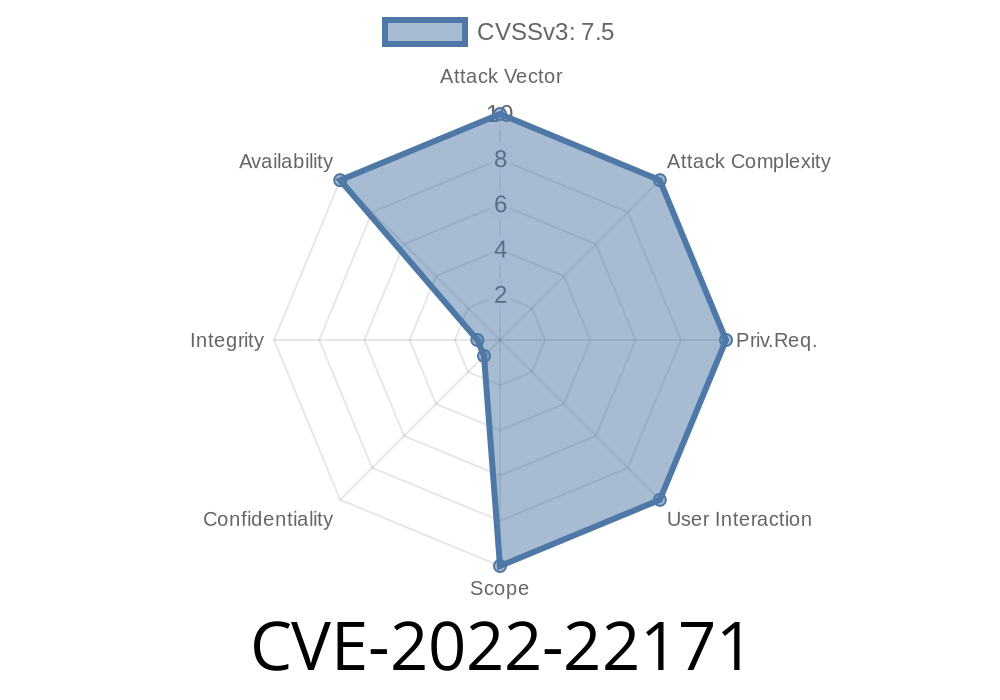
CVE-2022-22171 is a denial-of-service (DoS) vulnerability found in certain versions of Juniper Networks’ Junos OS. Specifically, it affects the Packet Forwarding Engine (PFE), which is a critical component responsible for moving packets through the network device. This bug is triggered by unauthenticated attackers who send specially crafted packets over the VXLAN protocol, causing the PFE to reset, and may take parts of your network offline. In this exclusive, easy-to-understand post, we’ll break down what this means, how the exploit works (with simple code examples), and what you can do about it.
What Is CVE-2022-22171?
- CVE stands for Common Vulnerabilities and Exposures. It’s a public tag for cybersecurity issues.
- This vulnerability occurs when Junos OS fails to properly check for unusual or exceptional conditions in VXLAN traffic, leading to a crash of the Packet Forwarding Engine (PFE).
- Impact: Any attacker on the network can cause a device running an affected version of Junos OS to become unavailable, just by sending a malicious VXLAN packet. You don’t need credentials or insider access.
Which Devices and Junos OS Versions Are Vulnerable?
This issue affects Juniper Networks routers and switches running Junos OS versions:
21.3 (before 21.3R1-S1, 21.3R2)
Not affected: Devices running Junos OS before 19.4R1.
Reference:
- Juniper Security Advisory for CVE-2022-22171
- NVD entry for CVE-2022-22171
What Is VXLAN and the Packet Forwarding Engine (PFE)?
- VXLAN (Virtual Extensible LAN) is a protocol used to stretch Layer 2 networks across Layer 3. It’s common in data center and cloud environments, allowing virtual networks to span large networks.
- Packet Forwarding Engine (PFE) is the hardware/software layer in Juniper devices that handles the actual processing and forwarding of packets – basically, it keeps your network traffic moving.
Vulnerability Details
The core of this issue is that the PFE in vulnerable Junos OS versions does not properly check for bad or unusual VXLAN packets. If a malformed/malicious packet slips through, the PFE resets, leading to a denial of service.
Imagine a mail sorter in a post office: if someone sends a package that looks different than usual (wrong shape, no stamp, etc.), the sorter should flag it. This vulnerability is like the sorter crashing whenever it sees such a package, grinding the whole system to a halt.
Result:
The PFE tries to process the packet, crashes, and automatically resets. While resetting, the device can’t forward packets, causing a DoS.
The exact packet structure required to trigger the reset hasn’t been made public for security reasons, but generally it involves malformed VXLAN headers or payloads not expected by the PFE.
Example Code: Sending a Malicious VXLAN Packet
Here’s a Python snippet using Scapy for educational purposes (do not use this against live/production gear):
from scapy.all import *

outer_ip = IP(src="10.1.1.1", dst="10.2.2.2")
outer_udp = UDP(sport=12345, dport=4789) # 4789 is VXLAN's port
vxlan_hdr = b'\x08\x00\x00\x00' + b'\x00'*4 + b'\x00'*8  # Hypothetical malformed header
malicious_packet = outer_ip / outer_udp / Raw(load=vxlan_hdr)

send(malicious_packet, count=1, iface="eth")
*Note:* This is a demonstration. The real exploit would involve a VXLAN header/payload known to trigger the bug.
Real-World Impact
- Denial of Service: Affected devices go offline briefly or until manually rebooted, interrupting network traffic.
Easy to Attack: No need for credentials or special privileges—just network access!
- Potential for Widespread Impact: Any exposed device (e.g., edge routers in cloud/data centers) could be targeted.
Mitigation and Fix
Juniper Networks has patched this bug.
21.3R1-S1 and 21.3R2 and later
Short-term mitigation:
Restrict or filter untrusted VXLAN traffic at the network edge using ACLs or firewall rules.
References:
- Juniper’s Official Security Advisory
- National Vulnerability Database CVE-2022-22171
Useful Links
- Juniper Patch Advisory for CVE-2022-22171
- National Vulnerability Database - CVE-2022-22171
- What is VXLAN (YouTube)
Stay secure. Test your devices, keep software up to date, and limit exposure to your network’s vulnerable services.
Timeline
Published on: 01/19/2022 01:15:00 UTC
Last modified on: 01/26/2022 18:35:00 UTC