---
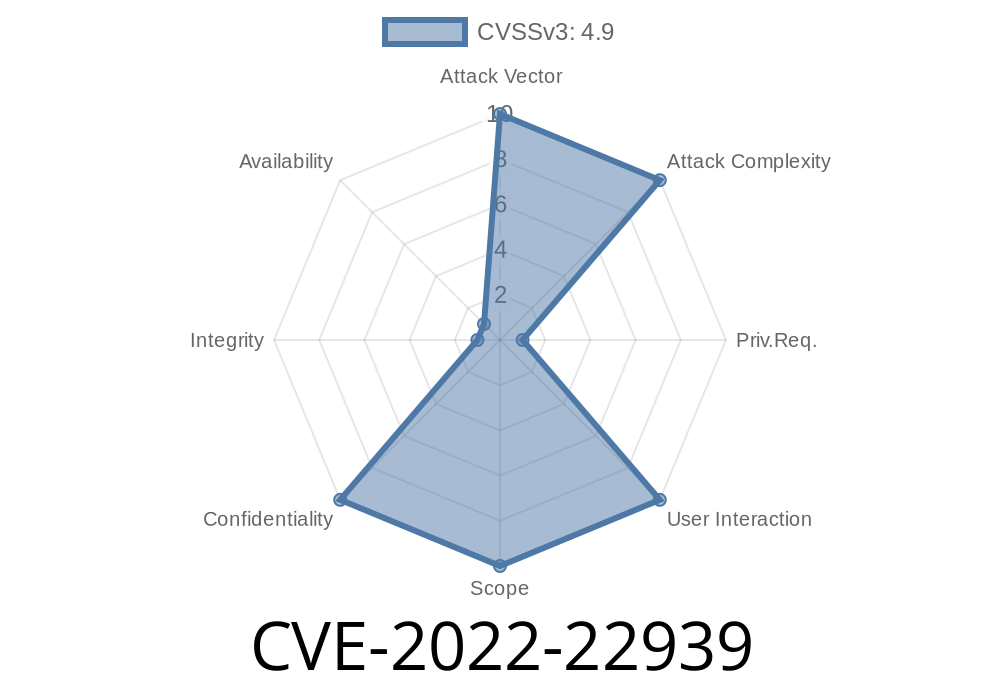
VMware Cloud Foundation is a popular platform for managing hybrid clouds and data centers. But in 2022, a serious security flaw—CVE-2022-22939—was discovered. This bug could let hackers get sensitive credentials, all because passwords and other secrets ended up stored as plain-text in logs on the system. In this post, I’ll break down what this vulnerability is, why it’s dangerous, and show you clear examples and resources to learn more.
How bad is it: High severity, as leaked credentials can lead to bigger attacks
The key problem is that SDDC Manager was logging important credentials in log files without encrypting or masking them.
Vulnerability Details
Whenever you enter or update credentials in SDDC Manager (for example, when configuring a new service or connecting to another part of your cloud setup), those secrets might get printed out into several log files. These logs are meant for troubleshooting, but because of bad programming practices, the developer left the actual password in the clear.
A malicious actor—meaning someone already with root-level access to the appliance—could easily read these logs and use the credentials to move deeper into your infrastructure.
From VMware’s official advisory
> _“A malicious actor with root access on VMware Cloud Foundation SDDC Manager may be able to view credentials in plaintext within one or more log files.”_
– VMware Security Advisory VMSA-2022-0012
How Attackers Exploit This Bug
To pull off credential-stealing using CVE-2022-22939, the attacker needs root (administrator) access to the SDDC Manager server. With this access, here’s a typical attack path:
Gain root shell access (through some other exploit, or by abusing weak passwords)
2. Browse to log locations (default /var/log/vmware/vcf/)
Here’s a simple real-life series of bash commands the attacker might run
cd /var/log/vmware/vcf/

# Search for lines containing 'password' in all logs
grep -i "password" *

# Or look for lines containing cleartext secrets
grep -E "password|secret|credential|user:|pass:" *

# Show only the non-comment, potentially sensitive entries
grep -i "password" * | grep -v '#'
This will spit out lines from configuration or event logs that show secrets.
Example of what they might see in the log
2022-05-01 08:23:45,561 INFO [username: admin, password: SuperSecretPa$$wrd] - SSO configuration initiated.
Java (pseudo-code)
logger.info("username: " + username + ", password: " + password + " - SSO configuration initiated.");
Python
logger.info(f"username: {username}, password: {password} - SSO configuration initiated.")
Instead of masking the password, the developer writes it right into the logs, making it easy to grab later.
Immediate Steps
- Update VMware Cloud Foundation to the latest patched version! VMware released a fix—if you’re running a vulnerable version, apply patches immediately.
Audit access: Make sure only trusted staff have root access to SDDC Manager.
- Check logs: Manually inspect your log files for plain-text credentials and rotate any passwords found.
- Harden your logging: Always avoid writing sensitive info to log files! Use log scrubbing and redaction.
References & More Reading
1. VMware Official CVE-2022-22939 Security Advisory
2. VMware Knowledge Base KB-88287
3. NIST NVD Entry for CVE-2022-22939
4. General Best Practices for Logging
5. Red Team TTPs: Credential Theft from Log Files
Summary
CVE-2022-22939 is proof that even something as simple as logging can cause a major security problem if not managed carefully. By logging credentials in plain-text, VMware Cloud Foundation exposed many organizations to risk. If you manage SDDC Manager, update now, check your logs, and make sure your team never logs secrets in the clear.
Timeline
Published on: 02/04/2022 23:15:00 UTC
Last modified on: 02/10/2022 07:06:00 UTC