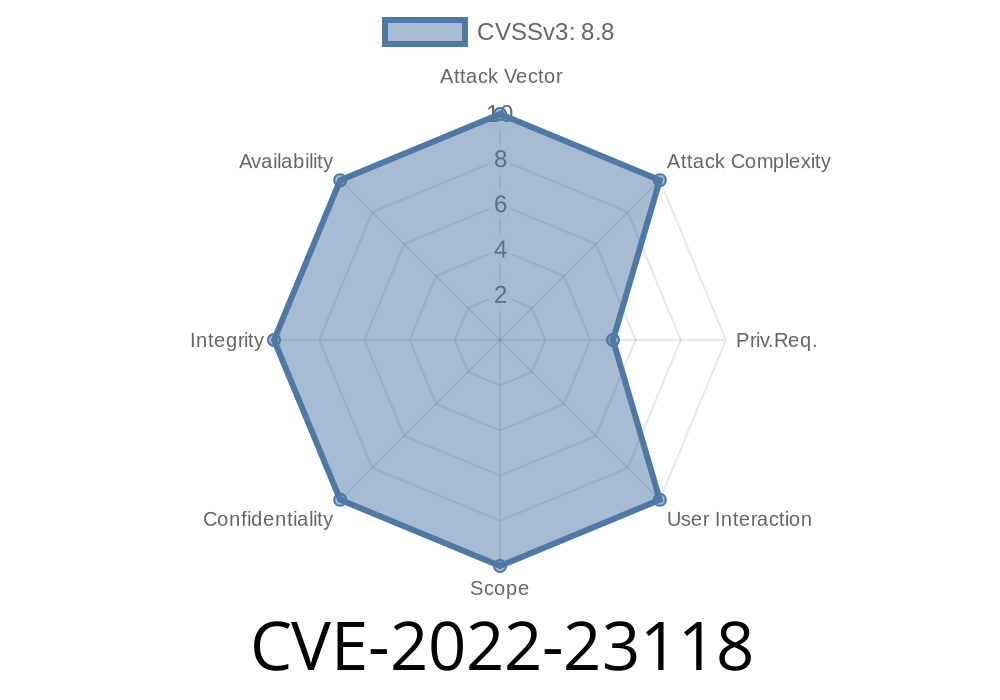
Jenkins is a popular tool for automating software build and deployment tasks. But like any widely-used application, it sometimes comes with vulnerabilities that can put your software supply chain at risk. In this post, we’ll dig into CVE-2022-23118, a flaw in the Jenkins Debian Package Builder Plugin, explain why it’s so dangerous, and show in simple terms how an attacker could exploit it to run commands on your Jenkins server.
What Is CVE-2022-23118?
CVE-2022-23118 impacts Jenkins Debian Package Builder Plugin 1.6.11 and earlier. This plugin helps automate creation of Debian packages using Jenkins jobs. The flaw lies in how it lets agents tell the controller (the Jenkins main process) where to find the git executable. Unfortunately, with the wrong settings, that means a hacker can trick Jenkins into running any command on the controller, not just the legitimate Git tool.
Where’s the Problem? Agents can specify any path to git, including a malicious one.
- Impact: Attackers who compromise an agent can escalate and execute arbitrary OS commands on the controller.
How Does the Attack Work?
In Jenkins, the controller-parallel agents (build workers) execute tasks, often communicating paths and commands. The Debian Package Builder Plugin lets the agent tell the controller where to find the git executable as a string path.
What went wrong:
If you control the agent, you can send a path that actually points to your own script, or a malicious binary, instead of the real git. When the controller runs the “git” command, it actually runs your chosen file.
Visualization
[Agent] ----(sends malicious git path)----> [Controller Jenkins Master]
       \
        (evil command instead of git runs)
1. Compromise the Agent
First, the attacker needs to control an agent process. This could happen because the agent is misconfigured or running untrusted code.
Create an executable file (say, a shell script) that does something evil
# /tmp/evilgit
#!/bin/bash
touch /tmp/hacked_by_agent
# Could do much worse!
Make it executable
chmod +x /tmp/evilgit
3. Set the Malicious Path
Modify the agent or use whatever channel you have to tell Jenkins that git is located at /tmp/evilgit instead of /usr/bin/git.
This can be done by setting environment variables or manipulating how the plugin starts.
4. Jenkins Controller Runs Malicious File
During a build, when the plugin tries to call git, it actually runs /tmp/evilgit – on the controller machine.
5. Command Executed as Jenkins User
Now your payload code operates with whatever rights the Jenkins controller has. Depending on your setup, that can be root or a user able to move sideways in your infrastructure.
Real Exploit Example
Here's a basic attack script. (Only use for educational purposes on test systems!)
‘evilgit’ script contents
#!/bin/bash
# PoC: Create a file to prove code execution on the controller
echo "Jenkins Controller Hacked!" > /tmp/jenkins_hacked.txt
Agent’s action
When setting up the build task, the malicious agent points the git command path to /tmp/evilgit. When the controller receives the build, it runs:
/tmp/evilgit clone https://example.com/myrepo.git # Actually attacker’s script!
Result:/tmp/jenkins_hacked.txt appears on the Jenkins controller.
How to Fix It?
1. Update the Plugin
The Jenkins team fixed this bug in Debian Package Builder Plugin version 1.6.12.
Upgrade immediately if you’re running any earlier version.
2. Lock Down Agents
Never run untrusted agent code. Always treat builds as potentially hostile.
3. Limit Controller Permissions
Configure your Jenkins controller to use restricted accounts wherever possible.
Jenkins Security Advisory:
National Vulnerability Database CVE Entry:
Full Disclosure (Openwall):
In Summary
CVE-2022-23118 is a serious vulnerability that lets attackers escalate from controlling a Jenkins agent to running arbitrary commands on the controller. This is especially harmful, as Jenkins controllers often have access to keys, passwords, and sensitive corporate code.
Mitigation is simple:
*Update the Debian Package Builder Plugin* to 1.6.12 or newer, and never let untrusted code run on your Jenkins agents!
If you use Jenkins, check your plugin versions today, and keep your build infrastructure locked down. Replay this playbook in your security awareness meetings – many supply-chain attacks start with small mistakes like this!
Timeline
Published on: 01/12/2022 20:15:00 UTC
Last modified on: 01/19/2022 20:25:00 UTC