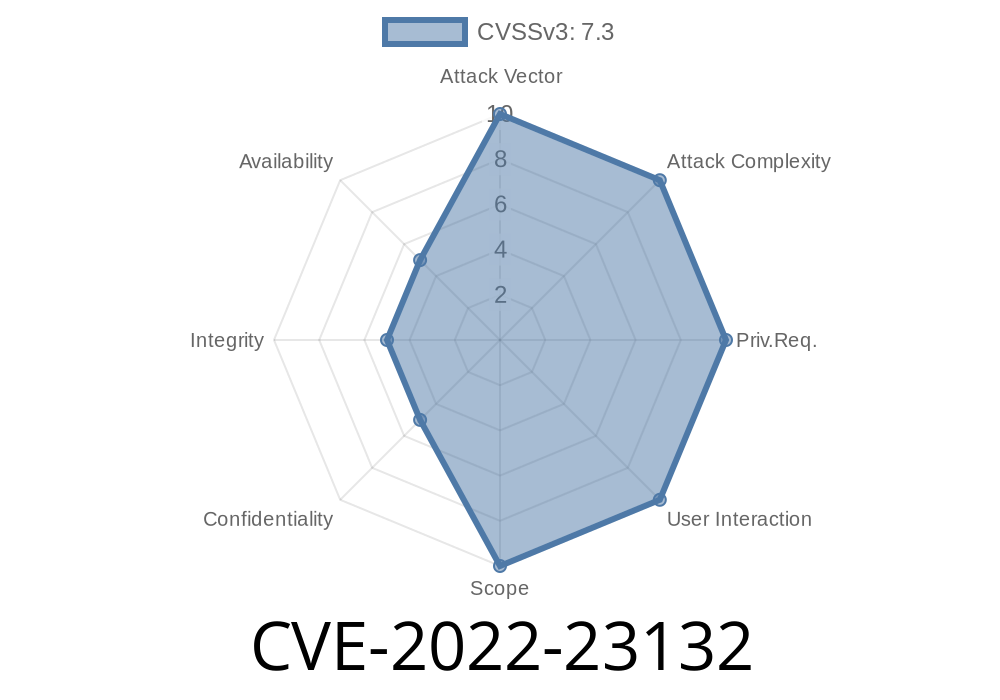
Zabbix is the go-to open-source platform for monitoring your servers, networks, and applications. But even reliable tools aren’t immune to serious security slipups. One such slip came to light in 2022 with CVE-2022-23132—a vulnerability that’s both simple and concerning if overlooked. In this post, we’ll break down what happened, show you real code snips related to the problem, explain how the exploit works, and most importantly, help you understand and mitigate the risk.
What Is CVE-2022-23132?
CVE-2022-23132 is a privilege escalation vulnerability found during the installation of Zabbix via RPM packages. For those running Zabbix Proxy or Server, an extra SELinux (Security-Enhanced Linux) capability called DAC_OVERRIDE is granted, accidentally letting those Zabbix processes bypass permission checks on critical files—specifically in the /var/run/zabbix directory. That means Zabbix can read, write, or even execute files it shouldn’t be able to, simply by design flaw.
Bottom Line: This undermines the security SELinux is supposed to guarantee.
Breaking Down The Problem
Normally, Linux’s permissions model is strict. Only users and processes with correct permissions can access or modify system files. SELinux tightens this even more, adding another layer of checks (contexts, policies, etc) that go beyond the “read/write/execute” model.
During Zabbix installation from RPM, scripts or configs may mistakenly grant the DAC_OVERRIDE capability. This permission basically says, “Skip basic file permission checks for this user/process.” With DAC_OVERRIDE, Zabbix can freely tamper with files inside /var/run/zabbix, even if the filesystem permissions strictly say ‘no’.
SELinux capability DAC_OVERRIDE is in place for Zabbix Proxy or Server process.
3. Zabbix process can now bypass normal file permissions in /var/run/zabbix.
What does that mean?
- A rogue user or attacker who gets access to the Zabbix process can read confidential files or inject malicious stuff into the PID files (or any file in that folder), which could then be used to control how Zabbix manages vital processes.
Example: Checking for the SELinux Capability
You can see what SELinux capabilities a running process has by using ps and capsh or getcap. Here’s a quick check:
ps aux | grep zabbix
# Example Output: zabbix    15798  .  .5 131760  5392 ?  Ssl  Jun03   :36 /usr/sbin/zabbix_server

# Check capabilities
cat /proc/15798/status | grep CapEff
# If you see 000000000000040, it includes DAC_OVERRIDE

# Or using getcap
getcap /usr/sbin/zabbix_server
# Output: /usr/sbin/zabbix_server = cap_dac_override+ep
How Attackers Can Abuse This
Let’s look at a Python code snippet that simulates a malicious process reading or modifying a protected PID file it shouldn’t access:
protected_pid_file = "/var/run/zabbix/zabbix_server.pid"

try:
    with open(protected_pid_file, "r") as f:
        print("PID file content:", f.read())
except PermissionError:
    print("Permission denied, as expected")
With normal permissions, this would fail for a non-privileged user.
If the process has DAC_OVERRIDE, check this with
sudo setcap cap_dac_override+ep /usr/sbin/zabbix_server # Grant capability for demo
Then the script will print out the pid file content anytime.
An attacker could use this to dump sensitive info, or worse—inject content that might affect process management.
Original References
- CVE-2022-23132 on NVD
- Zabbix Security Advisory
- GitHub Issue Discussion
- SELinux Capabilities Guide
## How To Fix/Mitigate
1. Check Installed Capabilities
getcap /usr/sbin/zabbix_server
2. Remove Dangerous Capabilities
sudo setcap -r /usr/sbin/zabbix_server
# Or reinstall the latest package which fixes this
4. Upgrade Zabbix
- Make sure you install patched versions of the Zabbix RPMs, released after the public disclosure of the CVE.
Include capability checks in your system hardening scripts.
- Log and monitor changes to permissions under /var/run/zabbix.
Final Words
The CVE-2022-23132 vulnerability is a prime example of how subtle changes—like a stray capability in an RPM script—can undermine strong system security. The “it just works” mentality that often leads to these shortcuts can backfire spectacularly. Always keep your monitoring tools as tightly locked down as your crown jewels. And remember: “install and forget” is never safe with security.
For more in-depth technical breakdowns and up-to-date fixes, keep an eye on Zabbix’s official security advisories and subscribe to CVE alerts.
Timeline
Published on: 01/13/2022 16:15:00 UTC
Last modified on: 02/10/2022 15:01:00 UTC