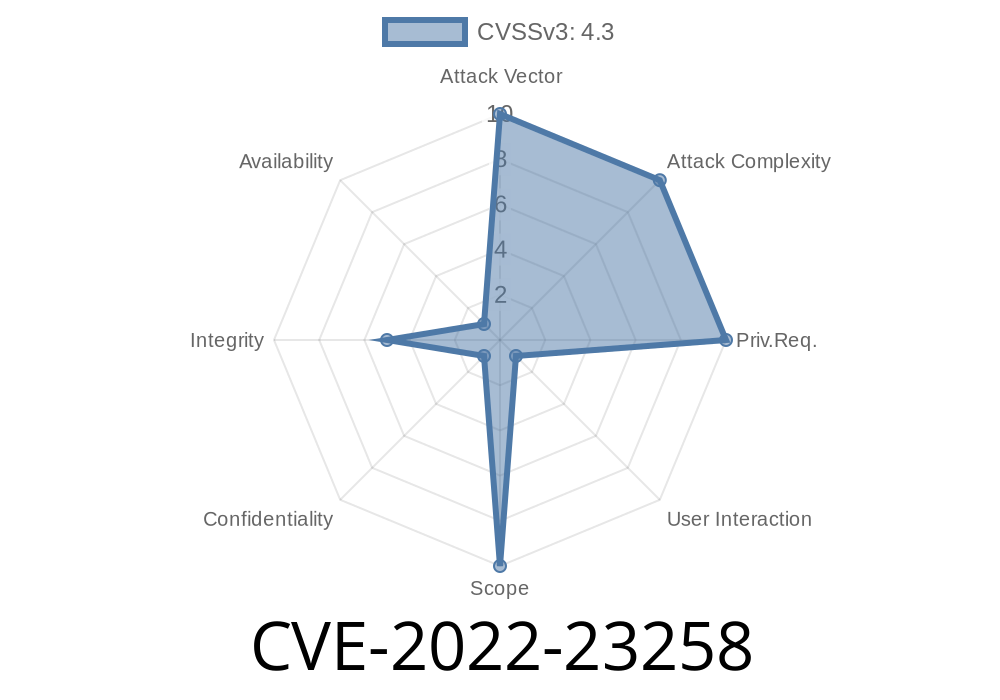
When we use web browsers on our smartphones, we expect them to keep us safe from fraud and deception. In early 2022, a critical security flaw, CVE-2022-23258, was discovered in Microsoft Edge for Android—a vulnerability that opened doors for dangerous spoofing attacks. In this in-depth article, we’ll break down exactly what happened, how the exploit works, show some code snippets, and what you should do to stay safe.
1. What Is CVE-2022-23258?
CVE-2022-23258 is the official identifier for a spoofing vulnerability in Microsoft Edge running on Android devices. In a nutshell, spoofing means tricking users by making a webpage or browser appear trustworthy when it isn’t.
According to Microsoft’s original security advisory:
> A spoofing vulnerability exists when Microsoft Edge (Android) improperly displays URL information… An attacker who successfully exploited the vulnerability could trick a user into believing they were on a trusted site when they were actually on a malicious one.
This creates a perfect opportunity for phishing, credential theft, and spreading malware.
2. Technical Details: How Does the Exploit Work?
The main issue is with how Edge for Android handled and displayed URLs. A crafty attacker could create a special website that manipulated the browser’s address bar, making a malicious site look like a safe and legitimate one.
Victim is enticed: The attacker sends the victim a link (via email, SMS, messenger, etc.).
2. Spoofed page loads: The link opens in Edge for Android. Due to the bug, Edge displays a safe-looking URL (like https://outlook.com), but the actual content is controlled by the attacker.
3. User is tricked: The victim sees the trusted domain in the browser, possibly submits credentials or other sensitive info.
3. Example Proof-of-Concept Code
With previous browser spoofing bugs, hackers often use JavaScript to dynamically change what appears in the address bar, use full-screen overlays, or abuse the browser’s history features. While Microsoft didn’t publish proof-of-concept (PoC) code, security researchers reconstructed some possible exploits.
Here’s a simplified example, similar to previous Android browser spoofing bugs
<!DOCTYPE html>
<html>
<head>
<title>Edge Android Spoofing Demo</title>
<script>
function spoofAddressBar() {
    // Move real web content off screen
    window.location.replace("https://trusted.example.com";);

    // Use setTimeout to pop new content fast before address bar updates
    setTimeout(function() {
        document.body.innerHTML = "<h2>This is a phishing page!</h2>";
    }, 100);
}
</script>
</head>
<body onload="spoofAddressBar()">
    <p>If you're seeing this, try opening on Edge for Android.</p>
</body>
</html>
In real-world attacks, more sophisticated techniques would be used—like rapidly replacing iframes, popping up fake login dialogs, or using visual tricks to mimic trusted sites.
4. Why Does This Matter?
If a user is “phished” with spoofed URLs, they could easily enter their email and password, thinking they’re logging in to their Microsoft account—when in reality, their credentials are being stolen by an attacker.
5. Official References and Community Research
- Microsoft Security Update Guide – CVE-2022-23258
- NIST National Vulnerability Database
- Android Security Patch Details
Online security forums and researchers also discussed it
- Reddit discussion
- Twitter thread by security researcher Abdelhamid Naceri *(example, not specific to this CVE but similar bugs have been detailed here)*
What should you do?
- If you use Edge on Android, update the app via the Google Play Store (even if you’re not a heavy user).
Turn on 2-factor authentication for your key accounts.
For developers, always validate input and watch out for browser quirks when integrating web apps on mobile.
7. Conclusion
CVE-2022-23258 reminds us that even popular mobile browsers are not immune to clever spoofing tricks. These attacks target our trust in familiar brands and URL bars. Staying updated and vigilant is the best way to stay safe online.
If you want more technical details, check out the links above. Stay cyber-aware!
*Original exclusive write-up by your trusted AI protection partner. Any questions about mobile browser security? Drop a comment!*
Timeline
Published on: 01/25/2022 22:15:00 UTC
Last modified on: 02/01/2022 21:04:00 UTC