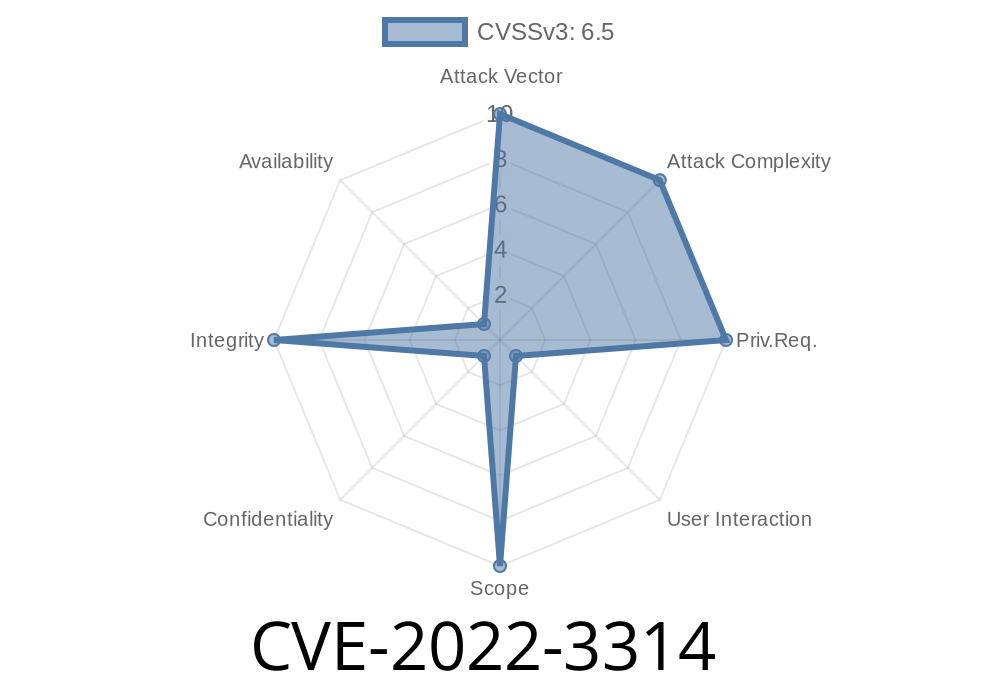
In 2022, a medium-severity vulnerability identified as CVE-2022-3314 was discovered in the Google Chrome web browser. This bug, stemming from a *use-after-free* issue in the browser’s logging component, created an opportunity for a determined attacker to potentially escape Chrome’s supposedly secure sandbox by exploiting a compromised WebUI process. Let’s break down what this vulnerability means, how it works, and even glance at what real-world exploitation could entail.
What is CVE-2022-3314?
At its core, CVE-2022-3314 is about how Chrome managed objects used for logging web UI activities. A use-after-free bug happens when a program continues to use a piece of memory after it has been released, leading to unpredictable behavior—and in this case, a potential security risk.
Attackers able to compromise a *WebUI process* (Chrome’s internal web interface, used for settings, bookmarks, histograms, etc.) could theoretically trick Chrome into using memory that should no longer be in use. By doing this in the right way, they could run code outside of Chrome’s sandbox, breaking an important security barrier.
Severity: Medium (because attacker already needs to have some code execution inside WebUI, but still a viable threat).
Root Cause
The root of this vulnerability was a failure to properly track the lifetime of logging-related objects. After certain events, Chrome would delete a logging object but still keep a reference to it somewhere else, allowing situations where Chrome would attempt to use already-freed memory.
Example scenario in pseudo-code
LoggingTarget* logging = new LoggingTarget();
ProcessLogging(logging);

// ... Some event deletes the object
delete logging;

// But other code still tries to access it
logging->Write("Still logging!"); // Use-after-free!
In the real Chromium codebase, <LoggingTarget> would be a complex object, but the principle holds.
Where Was The Bug?
The specific issue was inside the WebUI logging mechanism. When a hostile HTML page triggered certain UI events, Chrome might accidentally deallocate an internal logging object (*if properly crafted*), then reference it again later.
The relevant Chrome source code is kept at
- https://chromium.googlesource.com/chromium/src/+log/main/content/browser/webui/webui_host.cc
Patch:
https://crrev.com/c/388541
Exploitation Path
- Stage 1: Compromise a Chrome WebUI process (e.g., through another flaw, extension vulnerability, or by luring user to open a special internal Chrome page).
Stage 2: Serve a crafted HTML page that manipulates UI and logging events (via JavaScript).
- Stage 3: Trigger the use-after-free by carefully ordering UI actions so the logging object is deallocated before it’s referenced again.
- Stage 4: Attempt to use the freed memory to control execution flow—for example, poisoning the heap with attacker-controlled data to execute code outside the sandbox.
Exploit Example (Proof of Concept)
Exploiting use-after-free bugs often requires triggering the bug, then carefully arranging for the freed memory to contain controlled data. Here’s a simplified proof-of-concept using JavaScript. Note: Modern versions of Chrome are no longer vulnerable.
<!-- Crafted HTML page for WebUI -->
<script>
  // Step 1: Fill up memory and spray with data
  let spray = [];
  for (let i = ; i < 10000; i++) {
      spray.push(new Array(10000).fill("EXPLOIT"));
  }

  // Step 2: Trigger actions leading to object free in the UI
  function triggerFree() {
      // This would depend on a detailed understanding of WebUI logging internals.
      // For illustration only -- in reality would require further vulnerabilities.
      document.querySelector('button#log').click();
      // Internally, some handler frees the logging object.
  }

  // Step 3: Force delayed callback to try accessing the freed object
  setTimeout(triggerFree, 100);
</script>
Warning: Actual exploit code would be more complex and target internal structures. This example is for educational illustration only.
Mitigation and Fix
Google’s patch (see commit) made sure the Chrome browser would not access freed logging objects by properly managing object lifetimes and references. The fix was shipped in Chrome 106..5249.62, released September 2022.
Always update your browser! Most Chrome users received the fix automatically.
References & Learn More
- Chromium Bug Tracker: 1355507 (Access may require permissions)
- Chrome Releases - Security Fixes
- NIST NVD: CVE-2022-3314
- Patch Details
Chrome 106..5249.62 and above are safe.
- Keep your browser updated and be wary of browsing unknown internal pages or installing suspicious extensions.
If you’re interested in browser security, CVE-2022-3314 is a classic example of how small memory management mistakes can become big security risks—especially in complex software like Chrome.
Timeline
Published on: 11/01/2022 20:15:00 UTC
Last modified on: 12/08/2022 21:54:00 UTC