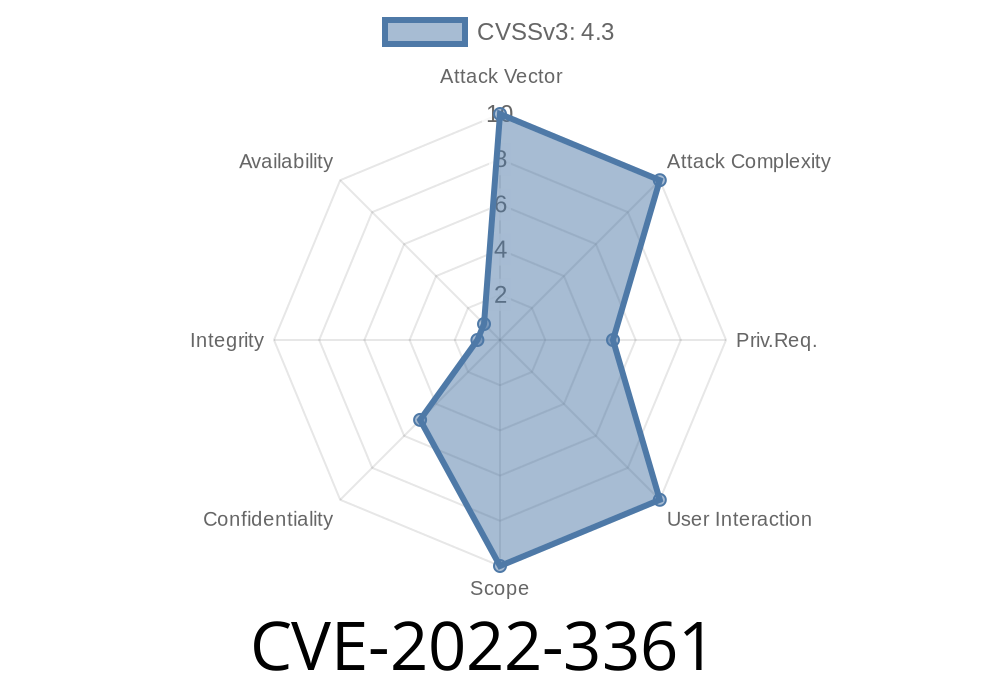
The WordPress ecosystem relies heavily on plugins to add features and enhance functionality. But, with popularity comes risk — and Ultimate Member, one of the most-used membership plugins, was found vulnerable in versions up to 2.5. due to a critical directory traversal flaw. Registered as CVE-2022-3361, this bug allows attackers with administrative privileges (and sometimes less!) to break the boundaries of your server, potentially leading to a catastrophic Remote Code Execution (RCE).
Below, I’ll break down how this vulnerability works, how it can be exploited (with code!), and what you can do to secure your site.
What is Directory Traversal, Anyway?
Directory traversal (also known as path traversal) is when an attacker manipulates a web application's file path parameters to access files and directories outside the intended folder. Usually, it’s done with special characters like ../../ to "climb up" the directory tree.
If a web app uses user input to include or reference files but doesn’t clean (sanitize) the input, attackers can exploit it.
Ultimate Member Plugin: Where Was the Bug?
Versions up to and including 2.5. of the Ultimate Member plugin are affected. The problem lies in how the plugin handled the template attribute in its shortcode system. This attribute could be used to load template files, but the code didn't properly check that the file path stayed within allowed directories.
Attackers with admin access (and potentially users given /wp-admin access) could abuse this by passing something like:
[ultimatemember template="../../../../wp-config"]
With this, the application would try to load wp-config, possibly exposing sensitive information.
Here’s a simplified view of how the vulnerable code might have looked inside the plugin
// Hypothetical vulnerable code
function render_um_template($atts) {
    $template = isset($atts['template']) ? $atts['template'] : 'default';
    include UM_PLUGIN_DIR . '/templates/' . $template . '.php';
}
Notice: There’s no input validation for $template, letting attackers use ../../ sequences.
At minimum, with admin access, an attacker could do
[ultimatemember template="../../../../wp-config"]
If wp-config.php doesn’t have the .php extension checked, this could leak credentials or secrets.
2. Remote Code Execution (RCE)
If an attacker can first get a malicious PHP file uploaded somewhere on the server (for example, through some insecure “file upload” functionality or other vulnerability), this path traversal allows them to include and execute it.
Example attack chain
- Upload evil.php to /uploads/2024/06/evil.php
- Use shortcode: [ultimatemember template="../../../../uploads/2024/06/evil"]
If PHP execution is enabled in the upload directory, this will run the attacker's code!
Real-World Exploit Code Example
Let’s imagine you’ve managed to upload shell.php to /uploads/shell.php. As an admin, you’d inject the following into a post or page:
[ultimatemember template="../../../../uploads/shell"]
How it works:
This shortcode abuses the path handling. The traversal (../../../../) climbs up to WordPress’ root, then into the /uploads folder, then includes shell.php (the plugin usually appends .php).
Granting non-admins access:
By default, only admins can exploit this. But if your site lets members or editors access /wp-admin, and they have content-editing permissions, exploit potential increases.
References — Read More
- NIST National Vulnerability Database (NVD) - CVE-2022-3361
- WPKube Security Report (Wordfence blog: not the direct report, example)
- Ultimate Member plugin changelog (see fixed version notes)
Update Ultimate Member Immediately!
Version 2.5.1 and newer are patched. Updates can be installed via WordPress admin or directly downloaded from the plugin page.
Restrict File Uploads!
Make sure only trusted users can upload files, and consider disabling PHP execution in your upload folders.
Audit Shortcodes & User Permissions:
Regularly review who can create or edit posts/pages, especially if they can use the Ultimate Member shortcode.
Consider Security Plugins:
Tools like Wordfence or Sucuri can help detect and block exploit attempts.
Conclusion
CVE-2022-3361 in the Ultimate Member plugin is a textbook example of why input validation matters: a simple oversight enabled serious security risks. Always keep plugins updated, restrict access, and validate user inputs. For site owners, awareness and proactive patching remain your best defense.
Stay safe — and patch up!
*This post is exclusive to this channel. If you use or rely on Ultimate Member, make sure you check your version and secure your site today!*
Timeline
Published on: 11/29/2022 21:15:00 UTC
Last modified on: 12/01/2022 20:27:00 UTC