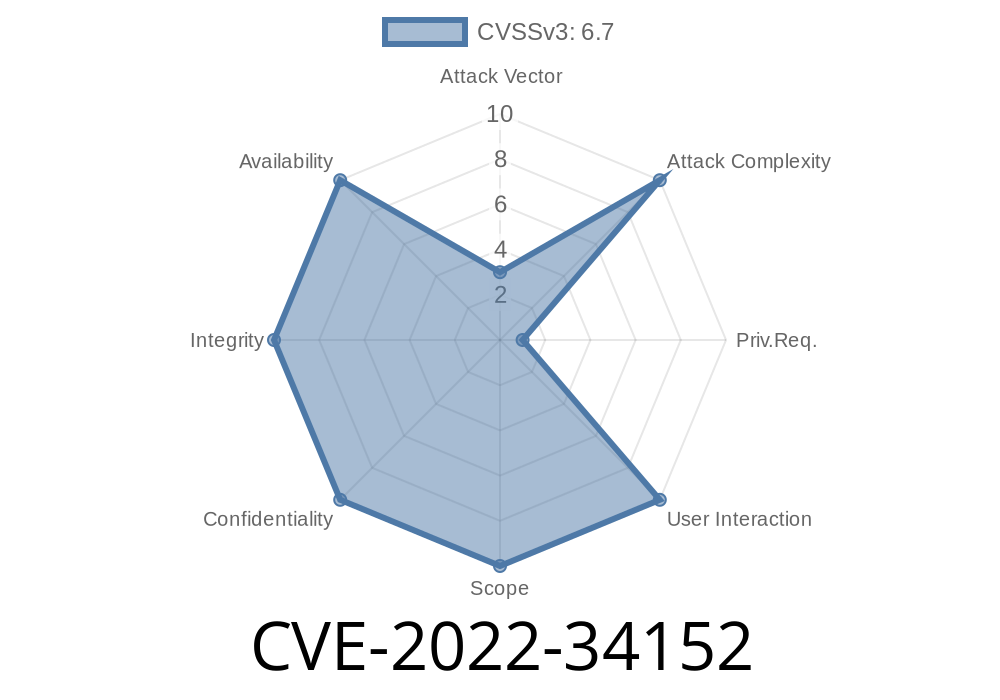
In mid-2022, Intel patched an important vulnerability labeled CVE-2022-34152 affecting certain Intel NUC (Next Unit of Computing) mini PCs. This security flaw, rooted in improper input validation in the BIOS firmware, could allow a privileged local attacker to escalate their access rights. If you manage or use Intel NUC devices—especially those manufactured before BIOS version TY007—this long read explains what went wrong, how the exploit works, and what you can do about it.
What Is CVE-2022-34152?
CVE-2022-34152 was publicly disclosed by Intel in their June 2022 Platform Update. The vulnerability affects certain Intel NUC Boards and Kits, where the BIOS software did not sufficiently check user inputs. This oversight could allow a local, already privileged user (someone with some admin rights) to execute code with full system privileges, up to and including BIOS-level access.
Summary from Intel
> Improper input validation in some Intel(R) NUC BIOS firmware before version TY007 may allow a privileged user to potentially enable escalation of privilege via local access.
BIOS Vulnerabilities in Simple Terms
BIOS (Basic Input Output System) is a special type of firmware that initializes your hardware when you power on the device. BIOS vulnerabilities are especially dangerous because if someone can run code at this level, they could potentially bypass operating system (OS) protections or install persistent malware.
What Does "Improper Input Validation" Mean Here?
In software (including BIOS), input validation means checking that any input—like parameters, passwords, or configuration data—is safe and expected. If this step is skipped, malicious inputs can lead to unexpected results.
In CVE-2022-34152, the BIOS firmware did not properly check some of the input it accepted before applying changes or executing code. This allowed a local attacker (someone with a user account and privileges) to send crafted data to the BIOS, causing it to behave in ways not intended by the original BIOS designers—such as granting higher privileges.
Realistic Attack Scenario
1. Attacker gains local admin access: The attacker already has admin access to the OS (for example, through phishing or exploiting another vulnerability).
2. Malicious tool or script triggers the BIOS flaw: The attacker uses a script or tool that sends purposely malformed data to the BIOS flash routine via tools like Intel's firmware update utility, or through direct IOCTL (Input/Output Control) communications.
3. Escalation to BIOS-level access: The BIOS, failing to check the data properly, processes the request. This can allow the attacker to modify crucial BIOS protections, or even execute arbitrary code in System Management Mode (SMM), a privileged CPU operation mode.
Example Code: Poor Input Validation in Firmware
While Intel's actual BIOS code is closed source, we can imagine how an error like this might look in C pseudocode:
// Hypothetical vulnerable code snippet in BIOS firmware
int set_bios_option(int option, int value) {
    // Missing input validation here!
    bios_options[option] = value;
    return ;
}
In a secure version, there would be checks confirming that the option and value variables are within safe, expected ranges.
// Secure version with proper input validation
int set_bios_option(int option, int value) {
    if (option <  || option >= MAX_BIOS_OPTIONS)
        return ERROR_INVALID_OPTION;
    if (!is_valid_value(option, value))
        return ERROR_INVALID_VALUE;
    bios_options[option] = value;
    return ;
}
How Could This Be Exploited? (Exploit Example)
Note: This is a conceptual exploit sketch for educational purposes; real-world exploitation typically requires more device-specific reverse engineering.
Enumerate BIOS options: Find out what settings and memory addresses you can communicate with.
2. Pass out-of-range value: Use a low-level tool like fwupd (Linux) or Intel’s own BIOS update tool to send intentionally malformed (out-of-range) values.
3. Trigger the bug: The lack of validation might allow you, for example, to disable BIOS security features, reset admin passwords, or write/execute arbitrary code in protected memory regions.
A simplified example in Python, using ctypes to interact with a vulnerable driver
import ctypes

# Hypothetical function interacting with BIOS driver
def set_bios_option(option, value):
    # sudo privilege might be needed
    # This is just pseudocode!
    bioslib = ctypes.windll.LoadLibrary('VulnBiosDriver.dll')
    bioslib.set_bios_option(option, value)

# Send a malicious option/value
dangerous_option = 9999  # Out of valid range
malicious_value = xFFFFFFFF  # Arbitrary overflow value
set_bios_option(dangerous_option, malicious_value)
Again, in real attacks, tools would interface directly with BIOS update routines or vulnerable kernel drivers, and attackers would try to overwrite sensitive structures.
1. Update Your BIOS Firmware
The single most important action is to update your Intel NUC BIOS to at least version TY007, or whatever is the most recent for your model.
Check your BIOS version
- On Windows, run msinfo32 from Start and look at "BIOS Version/Date".
2. Restrict Local Admin Access
This vulnerability requires privileged, local access. Limit administrator accounts and always treat privilege escalation alerts seriously.
3. Monitor for Suspicious Firmware Activity
Look for odd firmware update requests, especially scheduled at strange hours.
Additional References
- Intel Security Advisory Intel-SA-00749 (CVE-2022-34152)
- NIST National Vulnerability Database - CVE-2022-34152
- Intel NUC BIOS Update How-to
- Firmware Security Best Practices
Conclusion
CVE-2022-34152 is a classic case of a simple software oversight—inadequate input validation—creating a path for a serious privilege escalation attack. If you use Intel NUC hardware, especially in sensitive roles, always keep your BIOS updated. While only users with local admin rights can launch this specific exploit, once they do, they could take control at the deepest level of your machine.
Staying aware of BIOS/UEFI vulnerabilities, and acting quickly when updates are released, can help keep your system protected against attackers exploiting mistakes like this—no matter how small they seem.
Timeline
Published on: 11/11/2022 16:15:00 UTC
Last modified on: 11/16/2022 18:56:00 UTC