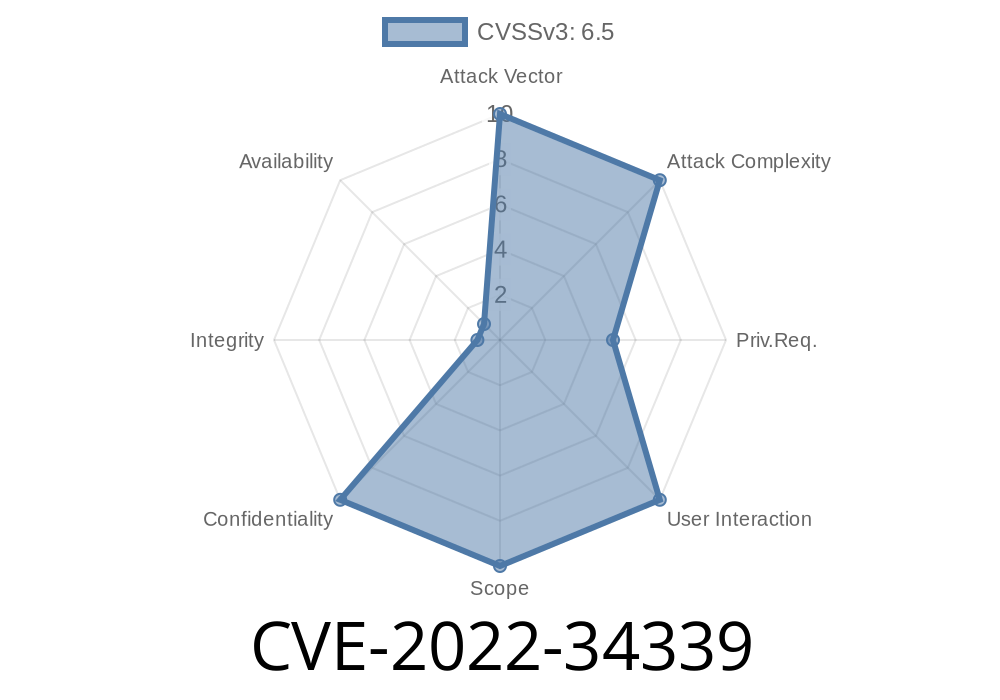
Let’s talk about CVE-2022-34339 — a not-so-famous, but quite serious vulnerability in IBM Cognos Analytics. If you use this reporting software, especially versions 11.2.1, 11.2., or 11.1.7, you need to read on.
This flaw is about how Cognos Analytics deals with your credentials: it stores usernames and passwords in plain, readable text — not encrypted, not hashed. That’s a serious problem because any user with enough access to the system can snoop on those details and potentially compromise accounts.
What’s the Issue, Simply Put?
In the affected versions of IBM Cognos Analytics, some user credentials (usernames and passwords) are written to configuration files or log files in clear text. If you have access to the file system (even as a regular authenticated user or a local admin), you can just open a file and see the secrets right there.
IBM X-Force ID: 229963
Why Is This a Problem?
- Easy Access: Any authenticated user who can read the files can see the secrets — you don’t even have to be an admin.
- No Encryption: Credentials are not protected, so even a tech-savvy user or an attacker inside your company finds them in minutes.
- Passive Attack Vectors: No need for hacking skills. If you can browse files, you can get the keys.
cogserver.xml
- Unsecured backup/export files
Here’s what a snippet from a vulnerable cogstartup.xml might look like
<configuration>
    <credential>
        <username>db_admin</username>
        <password>SuperSecret123</password>
    </credential>
</configuration>
See the problem? It’s all right there, in plain view.
And in some log files, you might see lines like
[INFO] Attempting database connection with username: db_admin and password: SuperSecret123
How an Attacker Exploits This (Step-by-Step)
1. Gain Authenticated Access: The attacker logs in with any valid user account — for example, as a report developer or a low-level admin.
2. Browse the File System: The attacker looks for the Cognos installation directory. Usually, it’s in something like C:/Program Files/IBM/Cognos/analytics/.
3. Scan for Files: The attacker searches for files named *.xml or log files that might contain configuration or credential data.
4. Read the Files: Using any editor (Notepad, vim, etc.), the attacker opens files, scans for <username> and <password> tags, or suspicious INFO log lines.
5. Profit: The attacker gets credentials and uses them to log in to databases, send spam, or pivot to other systems.
Suppose you’re looking for password mentions in the Cognos directory
cd "C:\Program Files\IBM\Cognos\analytics"
findstr /S /I "password" *.xml *.log
Or on Linux/Unix
cd /opt/ibm/cognos/analytics
grep -ir "password" .
This simple search can turn up dozens of hits if the system is vulnerable.
IBM Security Bulletin:
https://www.ibm.com/support/pages/node/6614817
National Vulnerability Database:
https://nvd.nist.gov/vuln/detail/CVE-2022-34339
IBM X-Force Advisory:
https://exchange.xforce.ibmcloud.com/vulnerabilities/229963
What You Should Do
1. Update Cognos: IBM has released patches. Update to the latest secure version (see the IBM bulletin).
Check Your Files: Manually inspect your existing configuration files for cleartext passwords.
3. Change Exposed Passwords: If you find any leaked passwords, change them both in Cognos and at target systems (e.g., databases).
4. Tighten File Permissions: Restrict access to the Cognos directories and configuration files to only trusted administrators.
5. Audit Logs Regularly: Keep an eye out for any suspicious activity or references to credential use.
Final Thoughts
CVE-2022-34339 is a classic example of an "inside job" risk: If you trust all your administrators and users, you might ignore this. But in the real world, files storing plain passwords is an open invitation for misuse.
Even honest users can make accidental mistakes or click on phishing emails — it’s always wise to keep credentials out of reach, using proper encryption and least-privilege access.
Check your Cognos servers now — don’t let cleartext passwords undermine your security posture!
*Content by AI, based on public vulnerability information as of June 2024. Always consult IBM and security experts for the latest guidance.*
Timeline
Published on: 11/03/2022 20:15:00 UTC
Last modified on: 11/04/2022 14:07:00 UTC