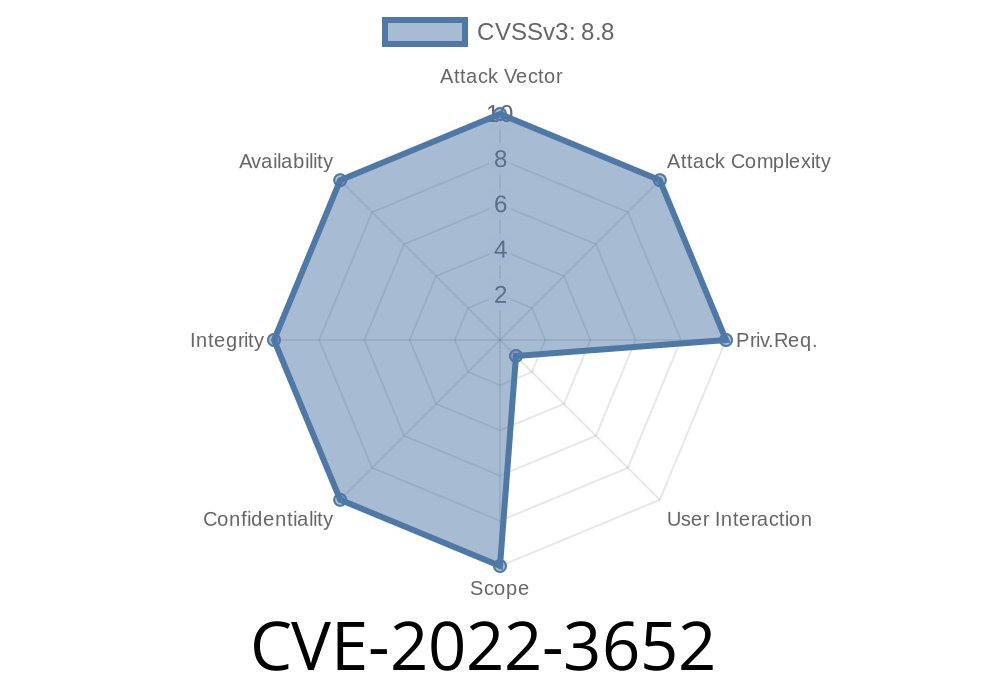
Chromium-based browsers like Google Chrome are packed with cutting-edge JavaScript engines for high performance. One of the most critical among them is V8, the heart of JavaScript execution in Chrome. Sometimes, however, powerful tech hides dangerous bugs. In this article, we dive into CVE-2022-3652 — a type confusion vulnerability in V8 that allowed attackers to potentially take over your browsing session with just a malicious web page.
What is CVE-2022-3652?
CVE-2022-3652 is a security bug classified as “High” severity by the Chromium team. It was discovered in Google Chrome prior to version 107..5304.62, fixed in late 2022. The flaw is in V8, the JavaScript engine that runs every script on the web.
The issue is with type confusion. This means Chrome’s engine misinterprets one type of data as another. If you ever mixed up your keys and tried to use your house key in your car door on accident, you know that confusion creates problems. In code, it can be disastrous.
With cunning, an attacker could exploit this to corrupt memory – specifically, the browser’s heap. That might let them run their own code right in your browser, just from luring you to a booby-trapped website.
How Does Type Confusion in V8 Work?
V8 cranks out code performance using speculative optimizations about what types will be used at runtime. Imagine V8 thinks it’s always dealing with numbers, but suddenly, it’s handed something else (like an object). If V8 doesn’t double-check, memory can get overwritten, leading to chaos.
V8 expected a certain variable to be, say, an array.
- With a crafted HTML page and unique JavaScript, an attacker could convince V8 it was safe to treat some data as an object when it was something else (for instance, a floating point number).
Official References
- Chrome Release Notes for 107..5304.62
- Chromium bug tracker – issue 1352872 (restricted) – Note: The bug details are private to protect users, but the summary is public.
- NVD – CVE-2022-3652
How an Exploit Can Work
Let’s look at a simplified, high-level example of how such bugs have been exploited in the past (not the exact CVE for ethical reasons, but close):
// This is a generalized example, not a -day exploit!

function triggerTypeConfusion() {
    let arr = [1.1, 2.2, 3.3, 4.4];
    let obj_arr = [{}, {}, {}, {}];

    // Force V8 to optimize this function
    function confuse(o, idx, value) {
        o[idx] = value;
        return o[idx];
    }

    for (let i = ; i < 10000; i++) {
        // Consistently use arr to train JIT
        confuse(arr, , 2.2);
    }

    // Now call with object array instead
    confuse(obj_arr, , {}); // May confuse V8's inline cache/types

    // Under the right (crafted) conditions, V8 could confuse types here
}

// This primitive can then be extended to corrupt memory
Attackers use multiple rounds of JIT (just-in-time compilation) to trick V8 into optimizing an operation, making it skip checks, and finally performing type confusion. Once they can overwrite out-of-bounds memory, they can read/write arbitrary memory. From there, executing arbitrary code in the browser is just a few steps away.
Spying on your browsing, keystrokes, or files
Note: Chrome’s sandbox makes fully escaping to the operating system harder, but not impossible, especially when chained with other bugs.
Protecting Yourself
- Update Chrome regularly: Always apply the latest updates. Chrome auto-updates, but restarting your browser ensures you get the fixes!
Conclusion
Type confusion bugs in V8, like CVE-2022-3652, are prized by cybercriminals because of their power and subtlety. Google’s quick patching and disclosure help keep users safe, but it’s up to each of us to help close the door by staying updated.
If you're a developer or security enthusiast, keep an eye on V8 security updates – the details are often kept secret until enough users are patched, but every now and then, public write-ups appear.
Stay safe, and don’t forget: a browser update a day keeps the hackers away!
Further Reading
- Project Zero: Exploiting Type Confusion in V8 – Great background and examples.
- Google Chrome Security Blog – For the latest advisories.
*Was this helpful? Let us know what other vulnerabilities you want explained in everyday language!*
Timeline
Published on: 11/01/2022 23:15:00 UTC
Last modified on: 11/10/2022 00:15:00 UTC