---
Overview
In 2022, Intel disclosed a critical security vulnerability tracked as CVE-2022-36789. This bug impacts certain Intel(R) NUC 10 Performance Kits and Mini PCs running BIOS versions *before* FNCML357.0053. The flaw is an improper access control weakness in the system firmware (BIOS), which can allow an attacker with local privileged access to escalate their privileges further.
In this write-up, I'll break down what CVE-2022-36789 is, how it works, and demonstrate possible exploitation steps. I'll also provide links to the original references, and give recommendations for remediation.
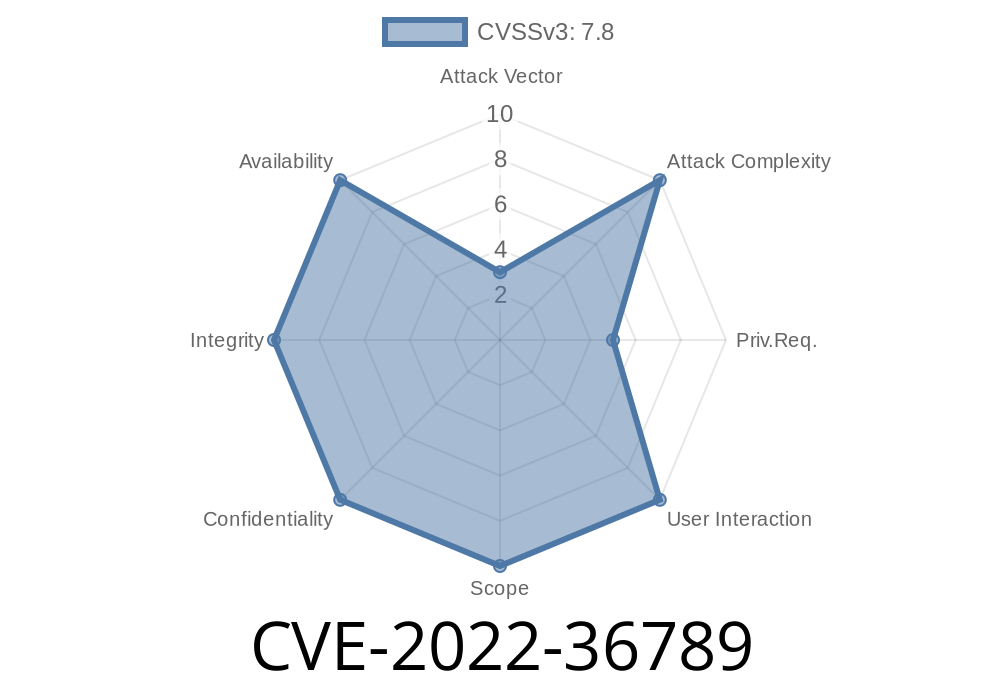
CVSS Score: 7.5 (High)
Original Intel Security Advisory:
INTEL-SA-00698
NIST NVD Entry
What Is Improper Access Control in BIOS?
The BIOS (Basic Input/Output System) is the critical firmware that initializes hardware before your operating system boots. Because the BIOS sits below your OS, compromising it can give an attacker unprecedented power over your entire system.
In CVE-2022-36789, certain BIOS versions for Intel NUC 10 devices do not properly enforce access controls on sensitive configuration areas. In practice, this means that a program running on the target NUC with sufficient (but not necessarily kernel-level) privileges might change BIOS settings or even insert malicious code–all without the owner's knowledge.
Who Is at Risk?
- Users and organizations running affected Intel NUC systems, especially those using *older BIOS versions*.
Exploitation Details
CVE-2022-36789 requires *local access* to the affected machine. So, an attacker needs a presence on the system—either physical access, or a foothold through malware or a rogue app running as an administrator.
The vulnerability lies in how the BIOS's security checks are (not) enforced for certain privileged operations. For example, a user in the "Administrators" group may be able to flash unsigned firmware, read/write to forbidden NVRAM (non-volatile RAM) variables, or override firmware security flags using available tools.
Windows (Command Prompt)
wmic bios get smbiosbiosversion
Linux
sudo dmidecode -s bios-version
If your version is older than FNCML357.0053, the system is vulnerable.
2. Attempt to Access Protected NVRAM Variables
You can attempt to use UEFI variables tools (efivar, efibootmgr in Linux, bcdedit in Windows). On vulnerable systems, an attacker might be able to manipulate variables that are supposed to be protected.
Linux Example using efivar
sudo efivar -l
sudo efivar -d <FORBIDDEN_VARIABLE>
If this operation succeeds for restricted variables, the system is at risk.
3. Flash Unauthorized Firmware
In some cases, the lack of proper checks could allow a local admin user to reflash the BIOS with a crafted (possibly malicious) image.
For Intel NUC, the standard process requires their BIOS update tools. However, a vulnerable BIOS might not enforce signing correctly, letting a locally-admin attacker load a custom image.
Example (do not run this on a production machine)
FSUpgrade.exe -F malicious_bios.BIO
If the BIOS accepts the unsigned/modified image, this is proof of improper access control.
Trigger persistence: Rootkits in firmware survive OS reinstalls.
- Bypass OS Security: Attackers control execution *before* Windows/Linux even loads.
- Plant Backdoors: Malicious firmware can hide forever, almost impossible to detect without hardware forensics.
Update BIOS Immediately:
Download and apply the latest BIOS (FNCML357.0053 or newer) from the Intel NUC 10 Support Page.
Audit User Privileges:
Limit who can gain Administrator/local root access.
References
- Intel Security Advisory INTEL-SA-00698
- NVD Entry for CVE-2022-36789
- Intel NUC 10 BIOS Updates
- UEFI Variable Documentation
Final Thoughts
CVE-2022-36789 reminds us that firmware vulnerabilities are just as critical as software ones. Since system firmware controls everything else, once it’s compromised, technical defense becomes very hard. If you are running Intel NUC 10 hardware, check your BIOS version and update – don’t risk giving an attacker a secret backdoor.
Timeline
Published on: 11/11/2022 16:15:00 UTC
Last modified on: 11/16/2022 16:58:00 UTC