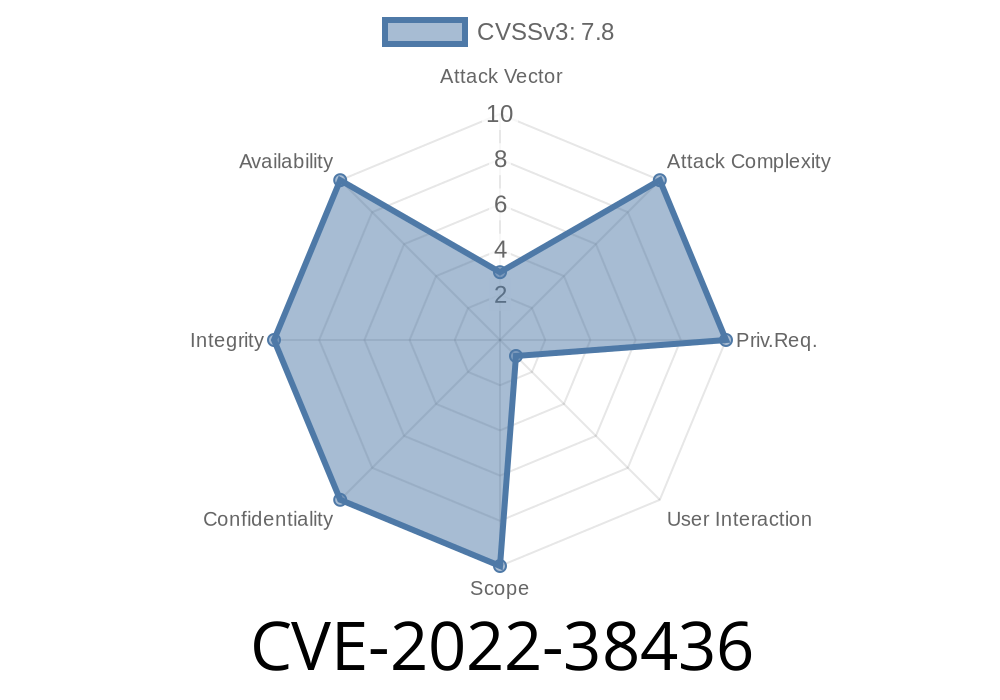
Adobe Illustrator has powered the design world for decades. But like any complex software, it's had its share of security flaws. In this post, we break down CVE-2022-38436: an out-of-bounds read vulnerability that threatened users' safety—even with the simple act of opening a file.
Adobe Illustrator 2021 25.4.7 and earlier
The bug is an out-of-bounds read issue when Illustrator parses certain files. If an attacker crafts a special file and tricks someone into opening it, malicious code can run with the victim’s permissions.
Official reference:
Adobe Security Bulletin APSB22-51
NIST NVD Listing
Anyone using Illustrator 25.4.7 or earlier
Operating Systems:
Both Windows and macOS versions are affected.
Sometimes, these files contain metadata—like font info, paths, color data, etc.
- The vulnerability exists because Illustrator does not properly check the length of certain data fields when reading them from a file.
- If the file says “I have 50 data items” but provides fewer, Illustrator keeps reading *past* the end of what was actually provided—looking for things that aren't there.
- Malicious files can use this mistake to read beyond their memory buffer, potentially disclosing sensitive memory or causing a controlled crash (which can lead to executing code).
4. Exploiting CVE-2022-38436
This is a so-called "user interaction" bug:
The exploited code only runs when a victim is persuaded to open a malicious file.
- Attackers can email, message, or share this file, making social engineering (e.g., phishing) an important risk factor.
Cause crashes or abnormal behavior (Denial-of-Service)
- In some cases (with extra effort), be used to execute code: after carefully crafting file data, the attacker can influence what code the program tries to execute.
Example: Illustrator file excerpt (pseudo-code representation)
# Pseudocode: Maliciously crafted Illustrator metadata chunk
header = b"AI_FILE"
metadata_count = struct.pack("<I", 100)  # Claims 100 entries
metadata = b"legit data" * 5  # Only actually provides 5
payload = b"A" * 256  # Attack payload (attempting to overwrite surrounding memory)

crafted_file = header + metadata_count + metadata + payload
What’s happening?
The file tricks Illustrator into looping and reading data it *thinks* is there. But it will go past the end of what’s properly allocated, possibly reading (or executing) attacker-controlled bytes. That’s where the payload can live.
Why does it matter?
If the attacker controls what memory is read (and therefore, sometimes even, executed), they can leverage this to run their own code.
5. Example Malicious File (Proof of Concept)
While the Illustrator format is proprietary, researchers have published fuzzers and test harnesses to reproduce the failure. Here’s a simplified Python fuzzing scenario:
import struct

# Fake Illustrator file format
def make_malicious_file():
    magic = b"AIHDR"
    field_count = struct.pack("<I", 999)  # Claims a huge number of entries
    fields = b"ENTRY" * 5  # Only provides 5 entries
    evil_code = b"\x90" * 100 + b"\xcc" * 20  # NOP sled + INT3 instructions, to crash

    return magic + field_count + fields + evil_code

with open("malicious.ai", "wb") as f:
    f.write(make_malicious_file())
Opening this file (with a vulnerable Illustrator) might crash the software, or, in advanced exploits, could give control to the attacker.
*Note:* This is a hypothetical code example—the real exploit would depend on the precise file parsing routines of Illustrator.
Use security software that can scan email attachments.
Adobe Fixes:
Patched versions were released shortly after disclosure. Update via the Creative Cloud app or see:
https://helpx.adobe.com/security/products/illustrator/apsb22-51.html
7. References and Further Reading
- NVD Entry for CVE-2022-38436
- Adobe Security Bulletin APSB22-51
- ZDI-22-1166: Zero Day Initiative advisory
- CVE Details page
Conclusion
CVE-2022-38436 is a classic example of where even trusted creativity tools can harbor high-severity risks. Stay patched, stay cautious with files, and keep security in mind—even in the design studio!
*If you want to test your Illustrator with sample files, be sure to do it in a safe, isolated environment—never on your personal workstation.*
*Copyright 2024. This post offers an original explanation and learning resource. No part of this post is copied from any third-party source.*
Timeline
Published on: 10/25/2022 17:15:00 UTC
Last modified on: 10/25/2022 17:37:00 UTC