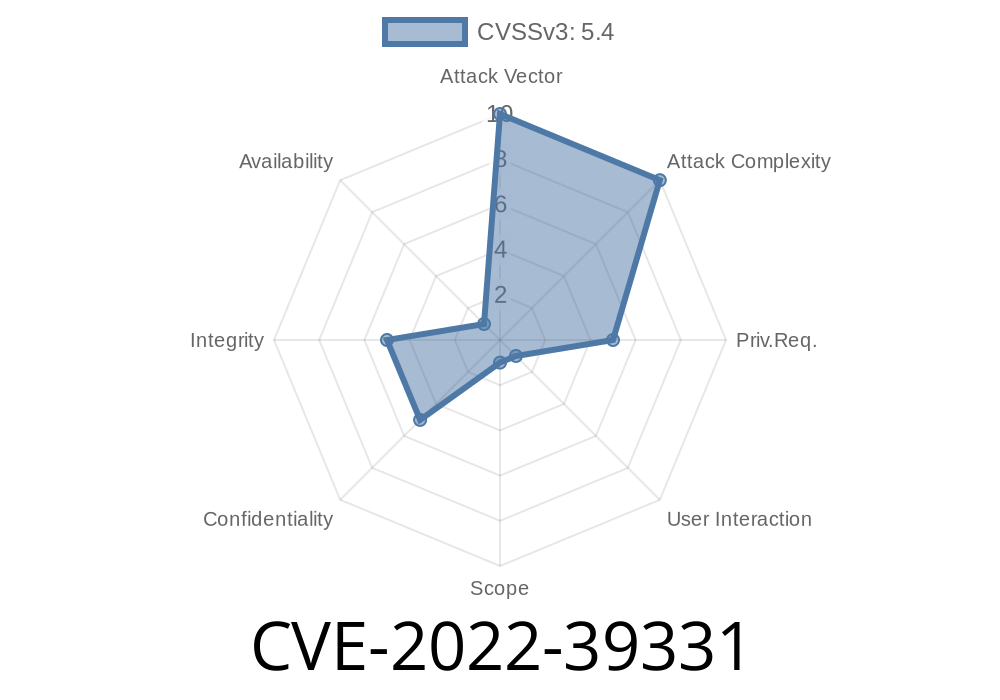
Nextcloud is one of the most popular open-source platforms for file sharing, cloud storage, and collaboration. Its Desktop sync client is widely used across businesses, educational institutions, and by home users to seamlessly keep files in sync between their computers and the cloud. In October 2022, a new security issue surfaced affecting this trusted application. Tracked as CVE-2022-39331, this vulnerability lets attackers inject their own HTML code into notification pop-ups—potentially fooling users and putting them at risk.
In this post, I’ll break down what the issue is, how it happens, and what you should do right now to stay safe. I’ll also share real-world code snippets and reference links for more reading.
What is CVE-2022-39331?
This vulnerability affects Nextcloud Desktop Client versions prior to 3.6.1. The weakness comes from how notification messages are handled. Instead of displaying these in plain text, the client unintentionally supports HTML in the displayed messages, _without_ sanitizing the input. This means if an attacker can trigger a notification (for example, by sending a specially crafted share message), they can inject arbitrary HTML. This trick could range from deceiving users to even launching more advanced attacks in some cases.
Severity:
- While code execution is not directly possible, tricking users into clicking false links, showing fake dialogs, or running other social engineering attacks becomes very easy.
How Does the Exploit Work?
Most notifications in Nextcloud Desktop come from server-side actions: shares, comments, tags, or system messages. The problem is that some of these fields can be controlled by an attacker, especially when sharing files or folders with someone.
A typical malicious workflow could look like
1. Attacker shares a file or folder with the victim, inserting harmful HTML code in the "note," "name," or other message fields.
2. Victim’s Desktop Client receives and pops up the notification, but instead of plain text, it renders the attacker's HTML as active elements.
3. User sees a notification that contains unexpected links or formatting, clicking it could redirect, phish, or otherwise mislead.
Example: Simple Proof-of-Concept
Let’s say an attacker wants to make a notification with a link labeled "Upgrade Required."
They could set the notification content like this (imagine entering this into a sharing note)
<a href="http://malicious.example.com">Upgrade Required</a>
When the victim’s Nextcloud Desktop Client receives this notification, it’ll render like this in the pop-up:
> Notification:Upgrade Required
This looks legitimate, but clicking the link could send the user to a phishing or malware site.
Screenshot Example (illustrative)
[🔔] You received a file from Alice:
Upgrade Required
[OK]
If the payload is HTML, the link appears active — not just text.
No Workarounds — Only an Upgrade!
The Nextcloud team responded quickly to this and released version 3.6.1 (and later) of the Desktop Client with the vulnerability fixed.
They now properly sanitize the content shown in notifications, so HTML is no longer interpreted.
Check your client version:
Help > About Nextcloud (Or see in the tray/app menu)
Update to at least 3.6.1:
Original Advisory:
- GitHub Security Advisory GHSA-q5wc-34vw-52h6
Nextcloud CVE Database:
- NVD Entry for CVE-2022-39331
- Community Bug Report/Discussion:
- Nextcloud Issue #5096
Summary
CVE-2022-39331 proves that even simple bugs—like not escaping HTML in user-facing messages—can have a serious impact. If you use Nextcloud’s Desktop client, update it right now. Tell your co-workers, friends, and admins: Don’t click notifications with odd links, and keep your apps up to date!
Timeline
Published on: 11/25/2022 19:15:00 UTC
Last modified on: 12/01/2022 13:37:00 UTC