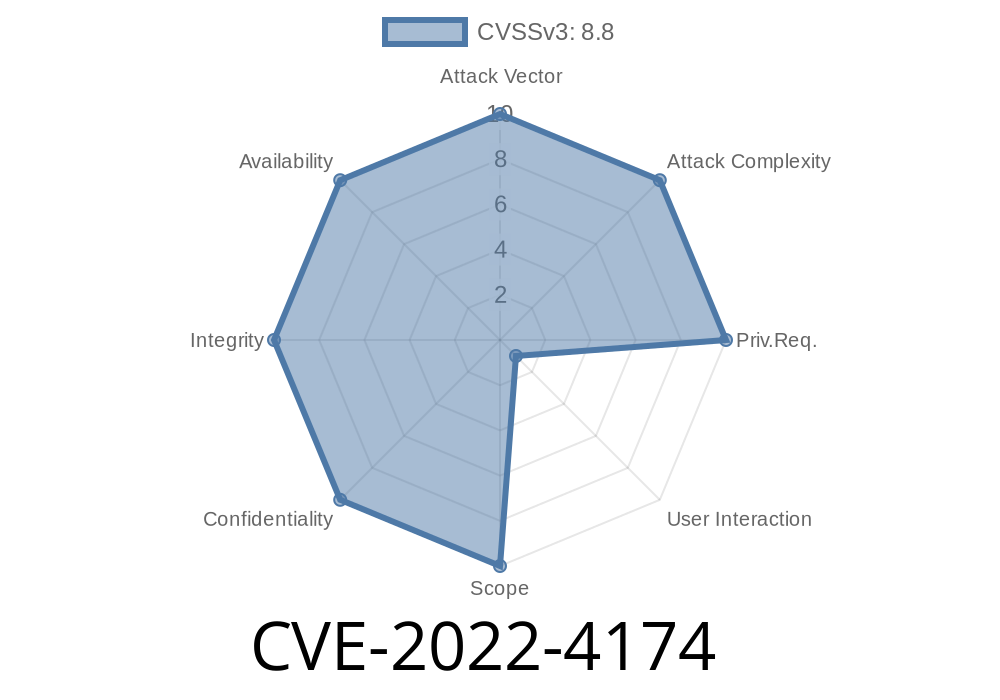
Google Chrome’s V8 JavaScript engine is core to the world’s most popular browser, handling all the heavy-lifting for JavaScript execution. On November 29, 2022, Google disclosed CVE-2022-4174: a type confusion bug that allows remote attackers to corrupt the browser’s memory. This bug was rated as High severity and fixed in Chrome version 108..5359.71.
Let’s dig deep into what happened, how it can be exploited, and why it matters — all in straight language.
What Is Type Confusion?
Type confusion occurs when a piece of code assumes an object is of one type, but it’s actually another. This can lead to unsafe use of the object, causing all sorts of problems—including writing or reading outside the allocated memory (heap corruption).
Official Advisory:
Google describes it as follows (source):
> *"Type confusion in V8 in Google Chrome prior to 108..5359.71 allowed a remote attacker to potentially exploit heap corruption via a crafted HTML page. (Chromium security severity: High)"*
In Simple Terms, What Went Wrong?
When V8 runs JavaScript code, it tries to optimize object access for speed. Sometimes, though, it loses track of what an object really is, and code that expects one type gets handed something different. If unchecked, this lets an attacker trick V8 into manipulating memory in unexpected ways—letting them gain reading/writing powers outside the JavaScript sandbox.
Proof of Concept — Simulated Type Confusion
Let’s create an example that shows the kind of confusion that could happen. (Note: this is a simplified snippet, not the actual exploit code):
// This is a *conceptual* demonstration.

class Victim {
    constructor(x) {
        this.x = x;
    }
}

let obj = new Victim(42);
let arr = [1.1, 2.2, 3.3];

// Suppose due to JIT misoptimization, arr and obj get confused:
function confuse(o) {
    return o.x; // Assumes 'o' is a Victim
}

console.log(confuse(obj)); // Safe: outputs 42
console.log(confuse(arr)); // Unsafe: 'arr' is not a Victim, but used as one
If confuse() is optimized under the assumption that it always receives a Victim object, passing an array may let the attacker read or write unexpected memory. In actual attacks, this can be turned into full read/write primitives leading to code execution.
Exploit Details in a Nutshell
1. The Attacker creates a crafted HTML/JS page
This page triggers the type confusion bug.
2. The confusion gives unexpected memory access
The attacker can now read and write to non-JS objects in memory.
3. Chaining vulnerabilities
Frequently, type confusion is used as a first step to another vulnerability, like arbitrary code execution (ACE). For instance, by abusing the corrupted heap to place shellcode.
Realistic Exploit Example (Simplified)
*Note: This is a demonstration concept, not a working exploit.*
// Assume setup code and a vulnerable optimization path
let arr = [1.1, 2.2, 3.3];
let obj = { marker: x41414141 };

// Craft a situation where V8 misidentifies the type
function confuseType(x) {
    return x[]; // Sometimes x is an array, sometimes an object!
}

for (let i = ; i < 10000; i++) {
    confuseType(arr); // Force optimization
}

console.log(confuseType(obj)); // If type confusion occurs, could read non-array data
When V8 gets tricked (usually through more complex code), the attacker can gain a "primitive" to read/write memory outside normal JS bounds.
Why Is This Dangerous?
- Heap corruption can lead to browser crashes, data leaks, or even execute attacker code on the device.
Who Reported It?
This bug was discovered by Rikuto Yamaguchi (@Lililililil1_) and Manfred Paul at SSLab (Shanghai Jiao Tong University) & Interrupt Labs
See their issue in Chromium bug tracker (restricted).
References
- Google Chrome Release Blog: CVE-2022-4174
- NVD Entry - CVE-2022-4174
- Project Zero - Understanding Type Confusion in V8
- V8 Bug Reports
Final Thoughts
Type confusion bugs are some of the most critical in JavaScript engines, as they can break the wall between user code and browser internals. CVE-2022-4174 highlights how a sophisticated attacker only needs you to *visit* a malicious site. That’s why browser security teams and researchers like Manfred Paul and Rikuto Yamaguchi work overtime to find and patch these issues before they’re weaponized.
If you’re a developer, pay close attention to browser updates and security news. And as a user, keep your software current!
Timeline
Published on: 11/30/2022 00:15:00 UTC
Last modified on: 12/01/2022 23:32:00 UTC