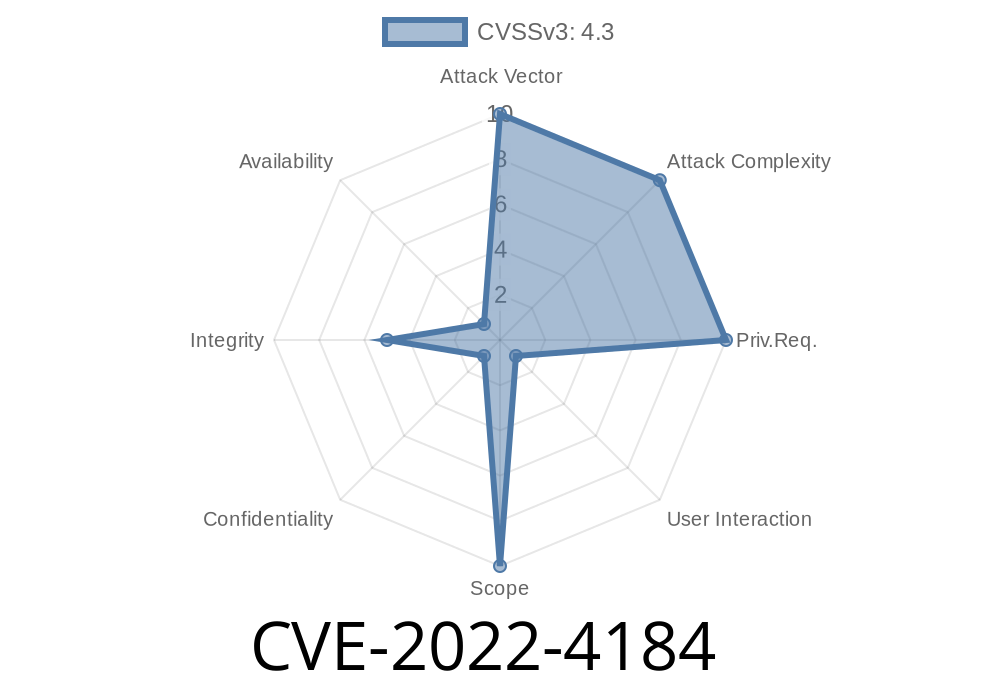
Autofill is that handy feature in your browser that remembers your name, address, and sometimes payment info. It saves us from typing the same details a hundred times. But what if this everyday helper had a flaw? Enter CVE-2022-4184—a medium-severity vulnerability exposed in Google Chrome’s Autofill system.
Let’s break down what happened, why it mattered, and look at some technical details and examples so you can better understand web security.
What Exactly Was CVE-2022-4184?
In late 2022, Google Chrome had a flaw: the Autofill system did not properly enforce its policy and restrictions. This meant that with the right kind of malicious webpage, a remote attacker could trick your browser into auto-completing sensitive information into wrong (potentially evil) form fields—even if the page normally shouldn’t let this happen.
The Core Issue
Normally, Chrome restricts when and where it injects your personal form info. But, because of this bug, those restrictions could be bypassed if a website designed its forms in a tricky way.
Real Example: How An Attacker Would Do It
Let’s imagine how someone might exploit this. Consider a fake shopping website. It creates an HTML form specifically crafted to appear legitimate, and tricks your browser into applying Autofill, spilling your details.
Here’s a simplified code snippet of a malicious form
<form id="payment-form" autocomplete="on">
  <input name="ccname" autocomplete="name" placeholder="Name on card" />
  <input name="ccnumber" autocomplete="cc-number" placeholder="Card Number" />
  <input name="expiry" autocomplete="cc-exp" placeholder="MM/YY" />
  <input type="submit" value="Submit Payment" />
</form>
An attacker could use weird or non-standard field names, or even hide fields, but by using these autocomplete attributes just right, combined with other tricks, Chrome’s Autofill might fill in data even if the user didn’t actively interact or if the page shouldn’t get it.
For example
<!-- Hidden fields and misleading autofill attributes -->
<input type="hidden" name="steal_email" autocomplete="email" />
<input name="not-a-password" autocomplete="password" />
In the vulnerable versions, even with suspicious field arrangements, Chrome could Autofill info.
Sensitive data exposed: Attackers could get your name, email, address, or even payment info.
- Bypass design: Chrome’s intended restrictions to prevent such leaks were not correctly enforced. This is what made this bug significant.
The Patch: What Did Google Change?
The Chrome team fixed the bug by tightening Autofill’s policy enforcement logic. Now, only fields that meet *strict requirements* and user input behavior get Autofilled.
Read the patch here:
Chromium Commit (patch details)
And Google’s own release note:
Chrome Stable Channel Update for Desktop
Be careful where you enable Autofill.
- Double-check forms on unfamiliar sites—don’t let your browser autofill payment or identity info automatically on suspicious pages.
References & Further Reading
- Chromium Issue Tracker (1029228)
- National Vulnerability Database (NVD) - CVE-2022-4184
- Google Chrome Release Notes
Conclusion
CVE-2022-4184 is a great reminder: even reliable browser features can have subtle weaknesses. The good news is, Chrome’s team moves fast, and—as always—being updated and aware is your best defense.
Feel free to share this post with friends or coworkers. Stay safe on the web!
Timeline
Published on: 11/30/2022 00:15:00 UTC
Last modified on: 05/03/2023 12:16:00 UTC